
Home decor catalogue: what to show and how to make it
A good home decor catalogue shows each piece in a room, then gives its size, material and price. Start from the Home decor catalogue template, add your photos and write one short line per product.
Do your customers ask "How big is it?" before they ask the price? Then your home decor catalogue needs more than nice photos.
People buy decor for a room they can picture. They want to see the piece, know if it fits, and know what it is made of. A good home decor catalogue answers these three things on every page.
In this guide, our example shop is Mitti & Loom Home. It sells vases, candles, baskets and lamps.
What home decor customers want to see
- The piece in a room. A vase on a shelf or a lamp by a wall helps people picture it at home.
- The size. Height and width in cm. This is the question you get most.
- The material and finish. Glass, ceramic, cane, metal. Matte or glossy.
- The price. Show it on the page, so nobody has to ask.
- A way to order. Your phone number or WhatsApp on the last page.
Pick a template: catalogue or lookbook
CatalogLeaf has two templates made for decor shops.
The Home decor catalogue has soft sage and sand colours. It has a cover, a page about your shop, product pages with prices, one featured product and a contact page. Pick it if you sell many pieces and want people to order from it.
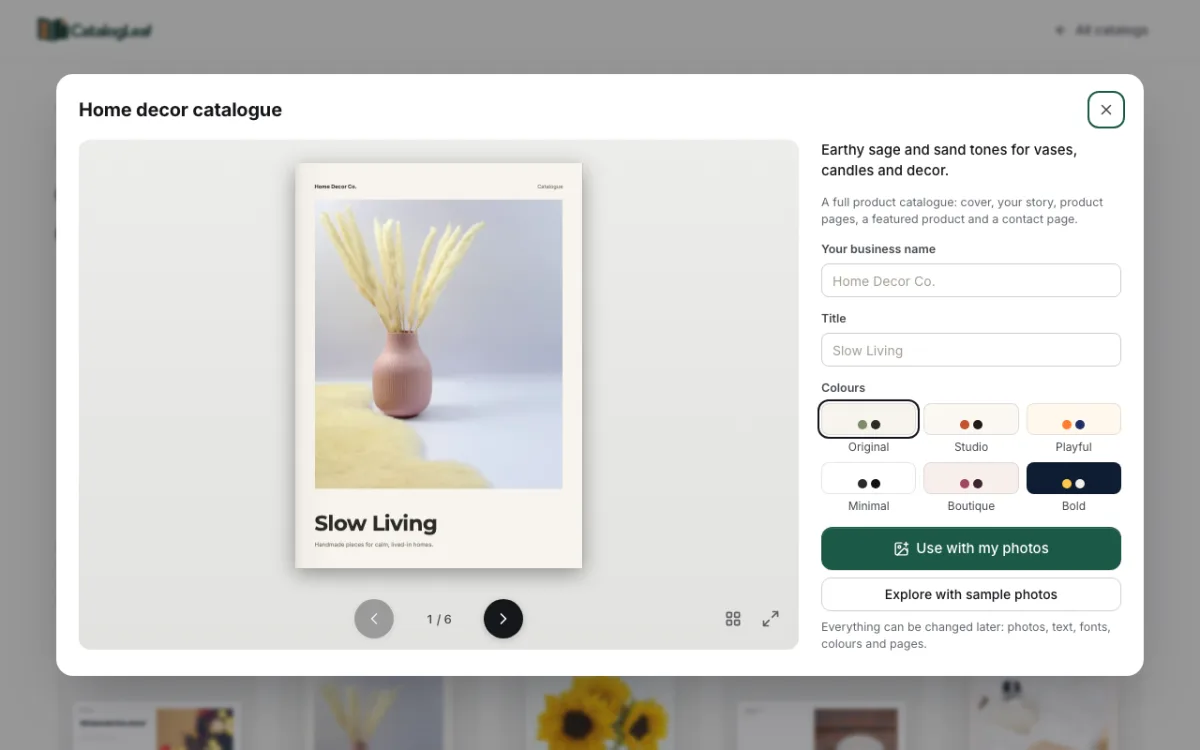
The Home decor lookbook uses big, full-page photos with short captions. A lookbook is a book of photos that shows a style or a new collection. Pick it for a new season, like a festive or winter range.
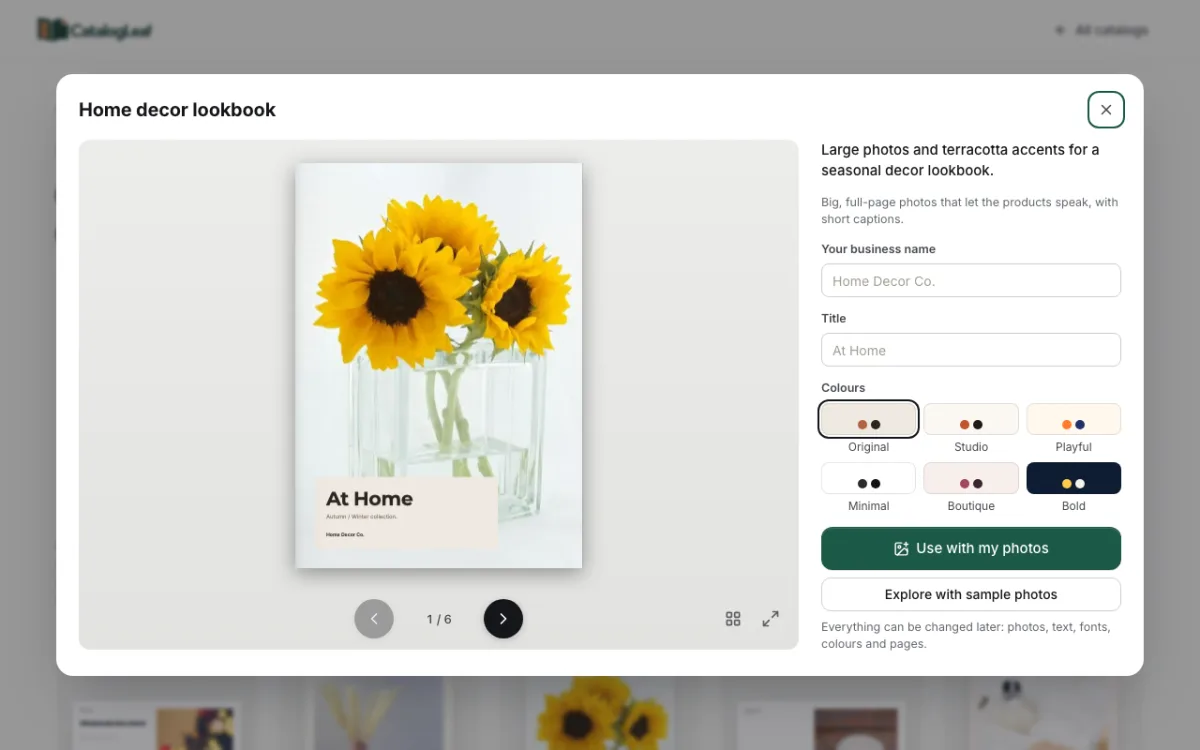
If you are not sure, start with the catalogue. It works for most shops. You can change colours on the right side of the template window, under Colours.
What to write for each product
Click Use with my photos and drop in your product photos. Each photo becomes one product card. Fill in four boxes on each card:
- Product name: say what it is and its colour. "Ribbed ceramic vase, blush pink" is better than "Vase 2".
- Price: the price for one piece, or for the set.
- Code (optional): a short code like HD-01. Customers can order by code.
- Description: one line with the size and material.
Here are three example product lines from our demo shop:
| Product name | Price | Description |
|---|---|---|
| Glass block vase | ₹899 | Thick clear glass. 20 cm tall. Flowers not included. |
| White ceramic jug | ₹1,100 | Glossy glaze. Use it as a vase or a water jug. Holds 1 litre. |
| Black floor lamp | ₹6,800 | Metal dome shade. 150 cm tall. Bulb not included. |
Write "not included" when your photo shows flowers or a bulb that you do not sell. This stops a complaint later.
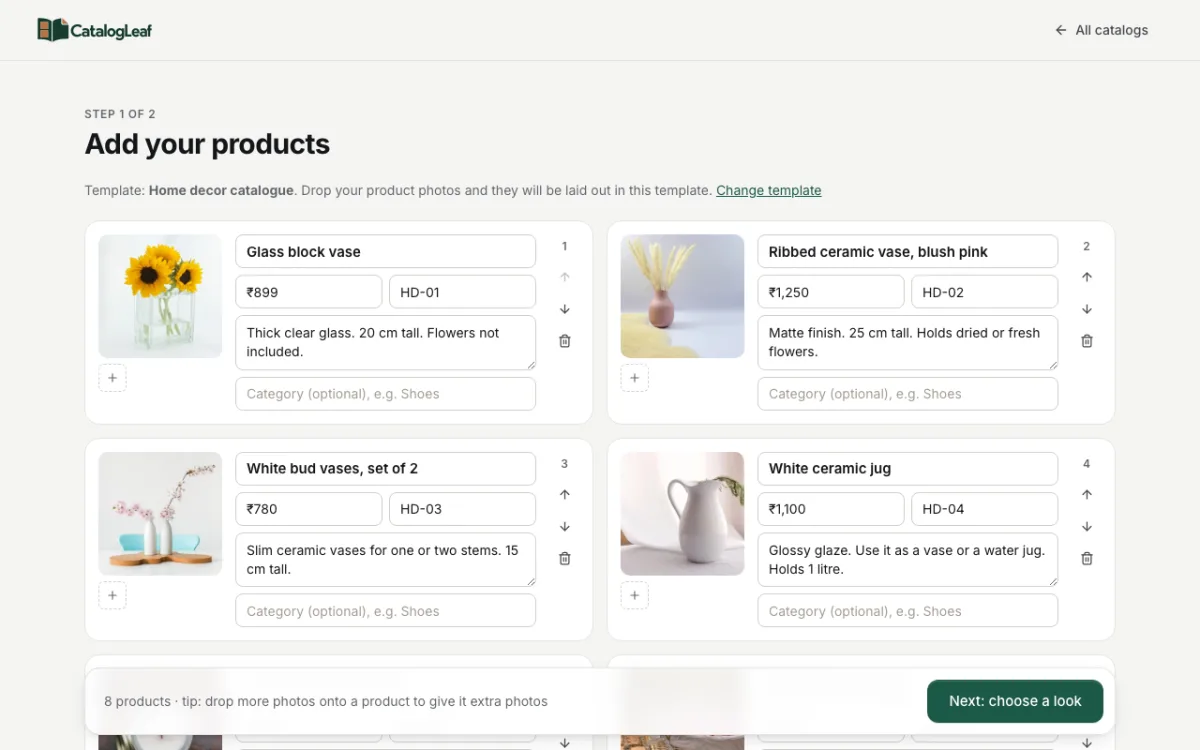
Photo tips for decor pieces
Use one room photo for the cover. A vase on a table with soft light sets the mood. Choose your best one.
Keep product photos simple. A plain wall or table works best. Too many other things in the photo make people unsure what you sell.
Shoot near a window in daylight. Glass and glossy ceramic show bright spots under a ceiling light. Soft daylight from the side looks calmer.
Show the size. Put a book or a cup next to a small piece. People then see how big it is at a glance.
Turn the lamp on. For lights, take one photo with the bulb on. It shows the kind of light it gives.
Add a second photo when it helps. For a basket, show the inside too. On the product card, click the small + under the photo to add another one.
A good page order
The template puts your pages in this order. It works well for decor:
- Cover: your best room photo, your shop name and a title, like "Slow Living".
- About your shop: who makes the pieces and where. Customers like a short story.
- Product pages: four products on each page, with name, code, price and one line.
- Featured product: one piece on a full page, like your best-selling vase.
- Get in touch: phone, email and how to order.
Put the products in a sensible order before you continue. Keep vases with vases and lamps with lamps. Use the up and down arrows on each card to move them.
The finished catalogue
Click Next: choose a look and type your shop name. The preview on the right shows your cover and first product page. Then click Create catalog.
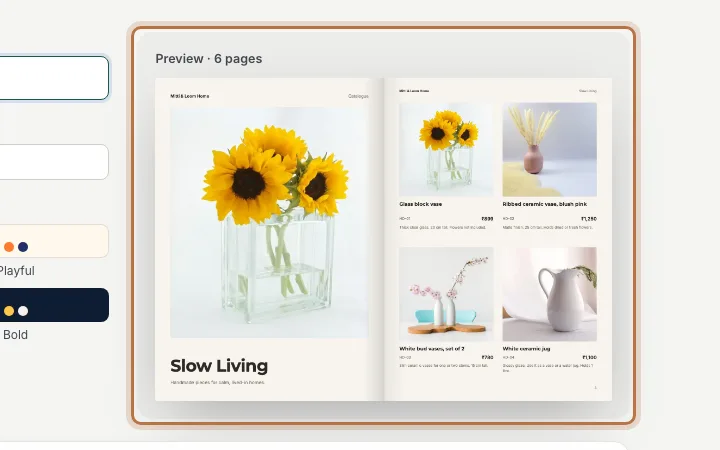
The new catalog opens in the editor. Change the sample text on the about page and the contact page to your own details. Then download a PDF or share a link.
You can see all the decor designs in the templates gallery. If you want to send a link rather than a file, read about making a digital catalogue.
Open the Home decor catalogue template and add your first five pieces today.