 CatalogLeaf
Make a digital catalogue for your products
Your products in a flipbook people can browse on any screen, plus a PDF when they need one.
How it works
Add your products
Photos, an Excel list, or the PDF catalogue you already have.
Arrange and style
Pick how many products per page, a style and your colours.
Publish
Share a link, embed it on your website, or download the PDF.
Made for product businesses
Kids’ accessories, jewellery, home decor, furniture, clothing, handmade goods: anything with photos and prices. Show codes, prices and descriptions neatly, with a section for each category.
Pages that arrange themselves
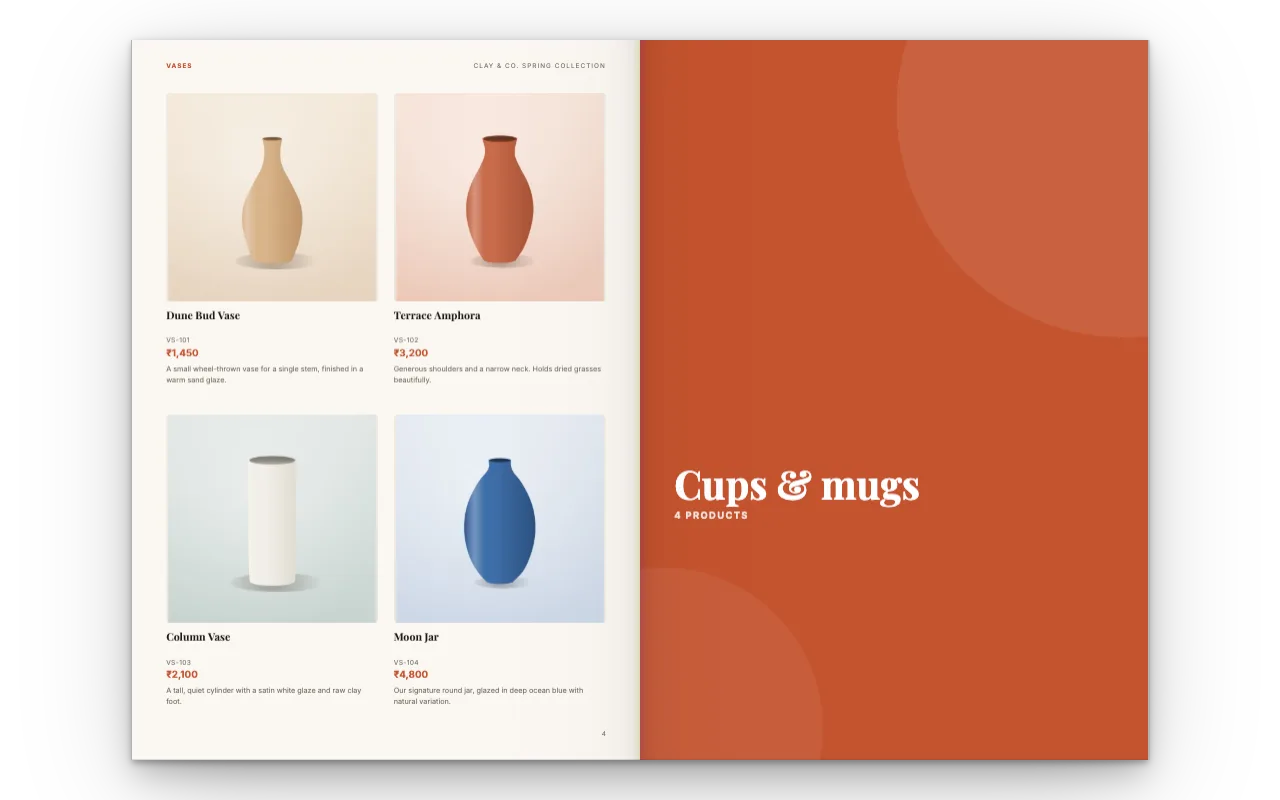
Drop in many photos and choose a grid, such as 3 across and 2 down. Every page is filled for you, with text under each photo if you want it. Add or remove photos and the pages adjust.
Better than a plain PDF
Real page turns
Feels like flipping through a printed catalogue.
Video on the page
Show products in use.
Always current
Edit and update the same link.
Still printable
Download a print-ready PDF any time.
Questions
What is a digital catalogue?
A catalogue people browse on a screen, here as a flipbook with page turns, links and video, instead of only a printed or PDF copy.
Can customers view it on phones?
Yes. On phones the flipbook shows one page at a time.
Can I put it on my website?
Yes. Copy the embed code from Share and paste it into your website. See Flipbook for your website.
Can I still get a PDF?
Yes. Download a print-ready PDF of the same catalogue at any time.
Is it free?
Yes. No account, no watermark on your pages.