
Bakery menu card design: 6 free templates to copy
A good bakery menu card shows a small photo, a name and one price for every item. Pick one of six free designs in CatalogLeaf, add your photos and prices, then print it or share it as a link.
You want a menu card that makes people hungry. It should be easy to read at the counter and easy to send on WhatsApp.
Here are six free bakery menu card designs. Each one has a small photo, a name and a price for every item. You do not need a designer. You add your own photos and prices, then print the card or share a link.
What a good bakery menu card has
Most menu cards on the internet are made for you to edit in another program. These ones are different. They are ready to open and fill in.
Every design below has the same useful parts:
- A small photo for each bake, so people can see what they buy.
- A short note under each name, like "Eggless option available."
- One price for each item.
- A short code, so customers can order "BK-02, two pieces".
- A "How to order" box with space for your phone number.
Quick pick
| If you are… | Start with |
|---|---|
| A home baker with custom cakes | Strawberry Counter |
| A sweet counter or mithai shop | Pista Counter |
| A cafe with coffee and bakes | Café Board |
| A chai counter or small cafe | Irani Café |
| A bright, busy bakery | Mango Lassi |
| Anyone who wants a calm, simple card | Menu Board |
Menu Board and Café Board: calm and clear
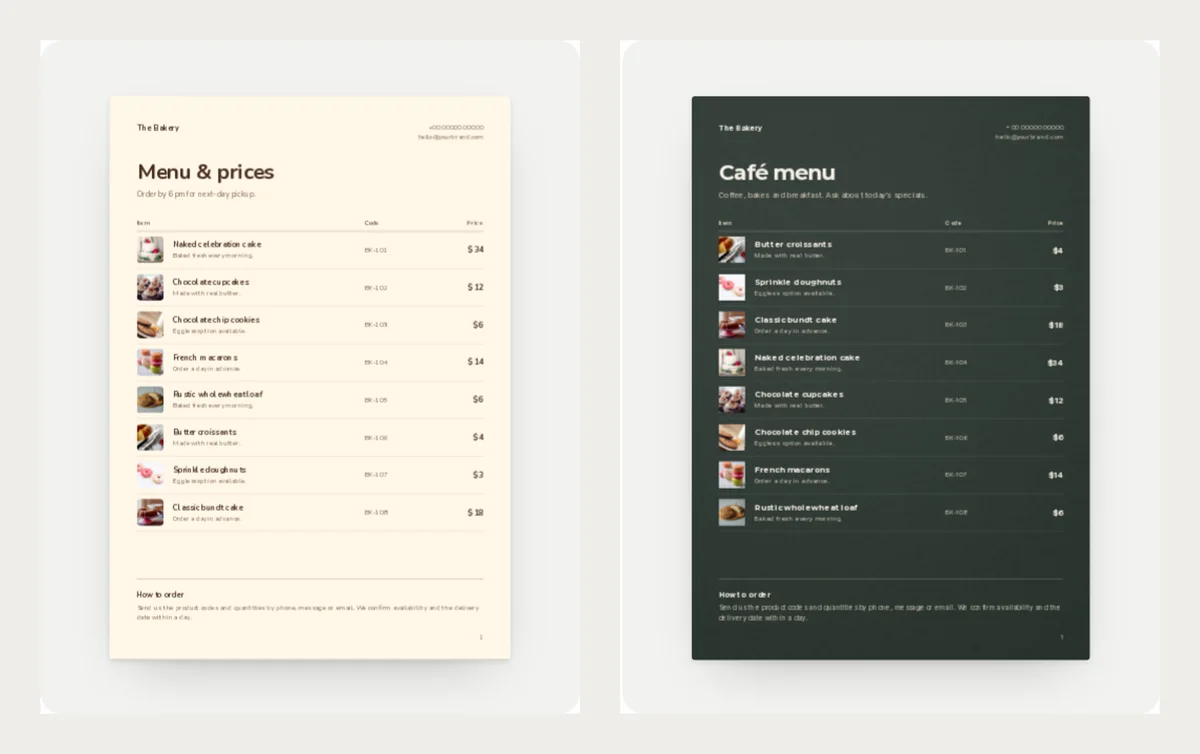
Menu Board is cream with a warm brown title. It is easy on the eye and works for any bakery. The note under the title says "Order by 6 pm for next-day pickup". Change it to your own rule.
Café Board is dark green like a chalkboard, with light text. It suits a cafe that sells coffee, breakfast and bakes. Print it for the counter and it looks like part of the shop.
Best for: a bakery that wants a simple look, and a cafe with a dark interior.
Open them here: Menu Board and Café Board.
Pista Counter and Strawberry Counter: sweet and bold
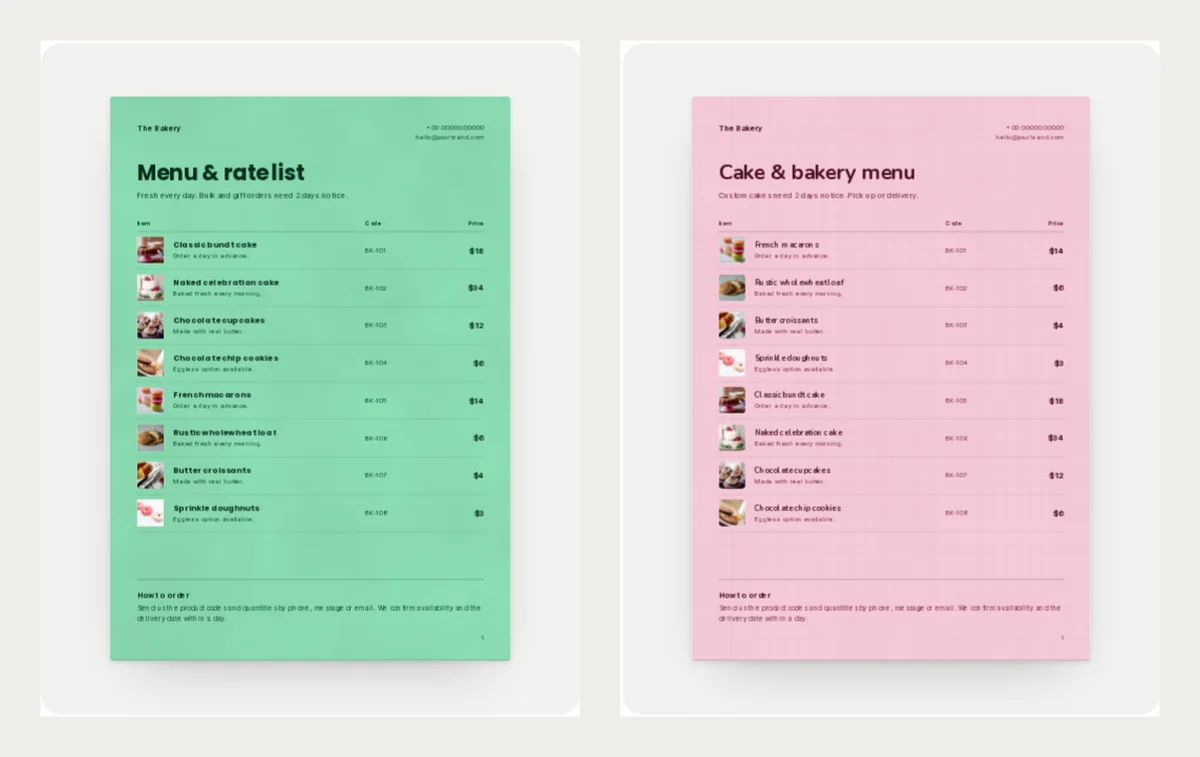
Pista Counter is a fresh pistachio green with a bold title. It was made for a sweet counter, a cafe or a home baker. The note says "Bulk and gift orders need 2 days notice", which is useful before a festival.
Strawberry Counter is soft pink with a berry accent. It is a good first choice for a home baker. People see "Custom cakes need 2 days notice" before they ask, so you answer fewer messages.
Best for: sweet shops, gift boxes and cake orders.
Open them here: Pista Counter and Strawberry Counter.
Irani Café and Mango Lassi: bright and friendly
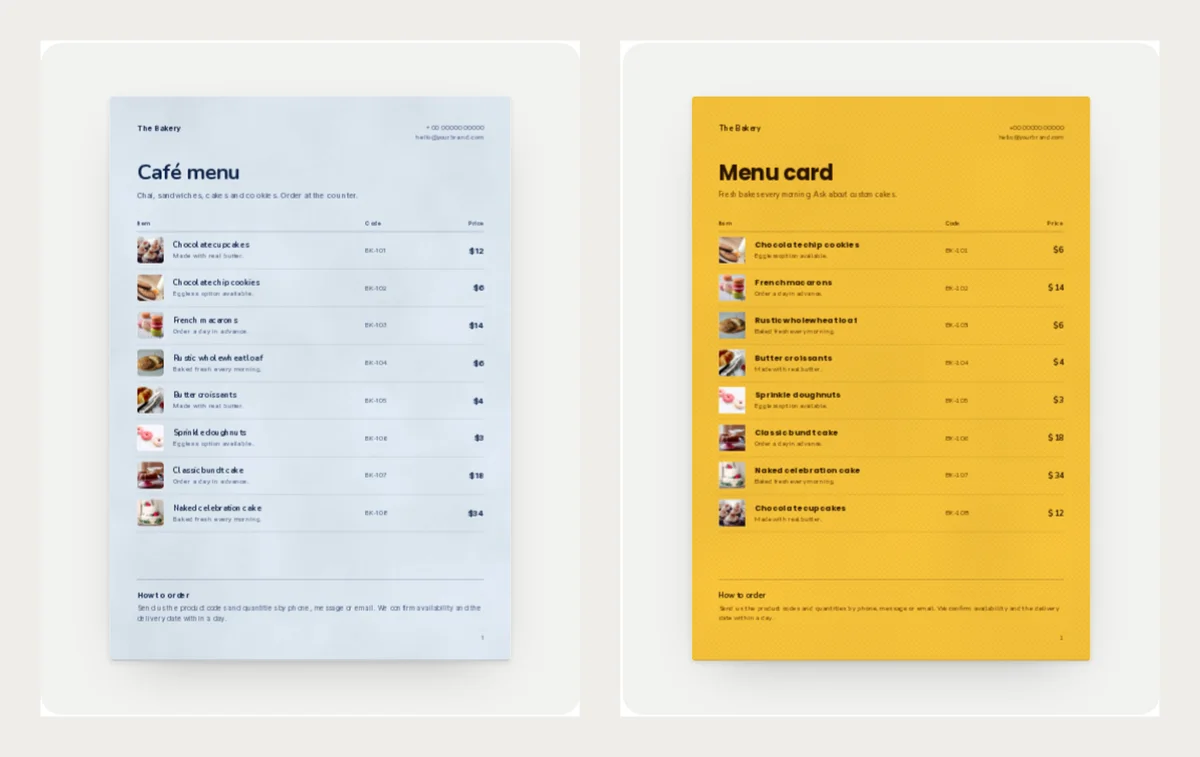
Irani Café is pale blue like old cafe tiles, with a tomato red accent. It fits a chai counter, a small cafe or a bakery that sells sandwiches and cookies too.
Mango Lassi is sunny yellow with a berry red accent. It is the loudest design here. Use it when you want people to notice your card from far away.
Best for: busy counters and shops that want colour.
Open them here: Irani Café and Mango Lassi.
What to write for each item
Keep each line short. A customer should understand it in a few seconds.
- Name: "Chocolate cupcakes (box of 4)". Put the size or pack in the name.
- Note: "Made with real butter." One short fact is enough.
- Price: One price per item. If a cake has two sizes, make two lines.
Example product lines:
- Naked celebration cake, 1 kg, $34
- French macarons, box of 6, $14
- Butter croissants, 2 pieces, $4
The example prices are in US dollars. Use your own currency and prices.
Make your own menu card
- Open any design above and click Use with my photos.
- Drop in your photos. Each photo becomes one row.
- Type the name and price for each row.
- Click Next: choose a look and type your shop name, then click Create catalog.
- Click Customize to replace the sample phone number and email with your own.
Then click PDF to print the card, or Share to get a link for WhatsApp. For print tips, read how to print your catalog.
You can see every menu card design on the menu card templates page, and more bakery styles on the bakery price list templates page.
Pick one design, add your photos and try it for free in CatalogLeaf.