
Lookbook for clothing: how to make one that sells
A lookbook for clothing is a short book of big photos that shows your new collection. Open a free lookbook template, add your best photos, write a short name and price under each one, and share the PDF or link.
A new collection arrives. Your customers ask, "Send me photos of what came." You send 30 pictures on WhatsApp, and they get lost.
A lookbook fixes this. It is a short book of big photos that shows your new clothes or accessories. You make it once and send one file or one link.
This guide shows how to make a lookbook for clothing in CatalogLeaf. The examples use a made-up shop called Fashion House.
What a lookbook is, and how it differs from a catalogue
A catalogue lists many products with prices. A lookbook shows fewer products, with very big photos. It sells a feeling: "This is the new season."
Use a lookbook when you launch a collection, a festival range or a wedding edit. Use a catalogue when you want people to order from a long list.
Pick a style
Here are three finished lookbooks for fashion and accessories. Each has a cover, big photo pages and a contact page.
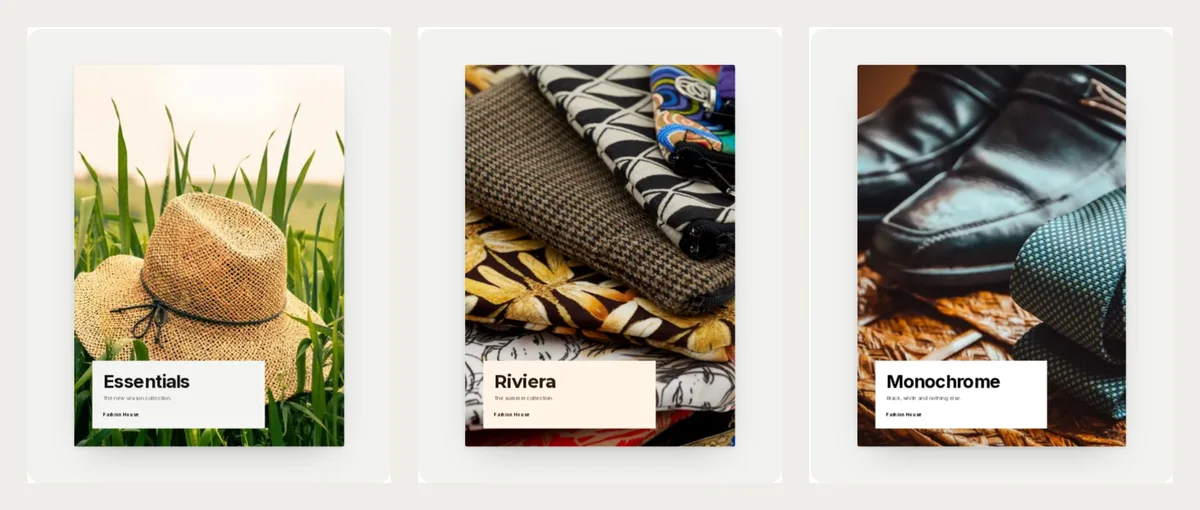
- Essentials is soft grey and white. It suits plain, simple clothes that let the photo speak.
- Riviera is warm cream with a coral back page. It suits summer clothes and bright prints.
- Monochrome is pure black and white. It suits leather, formal wear and bold looks.
Selling for children or sarees? Two more styles are made for you.
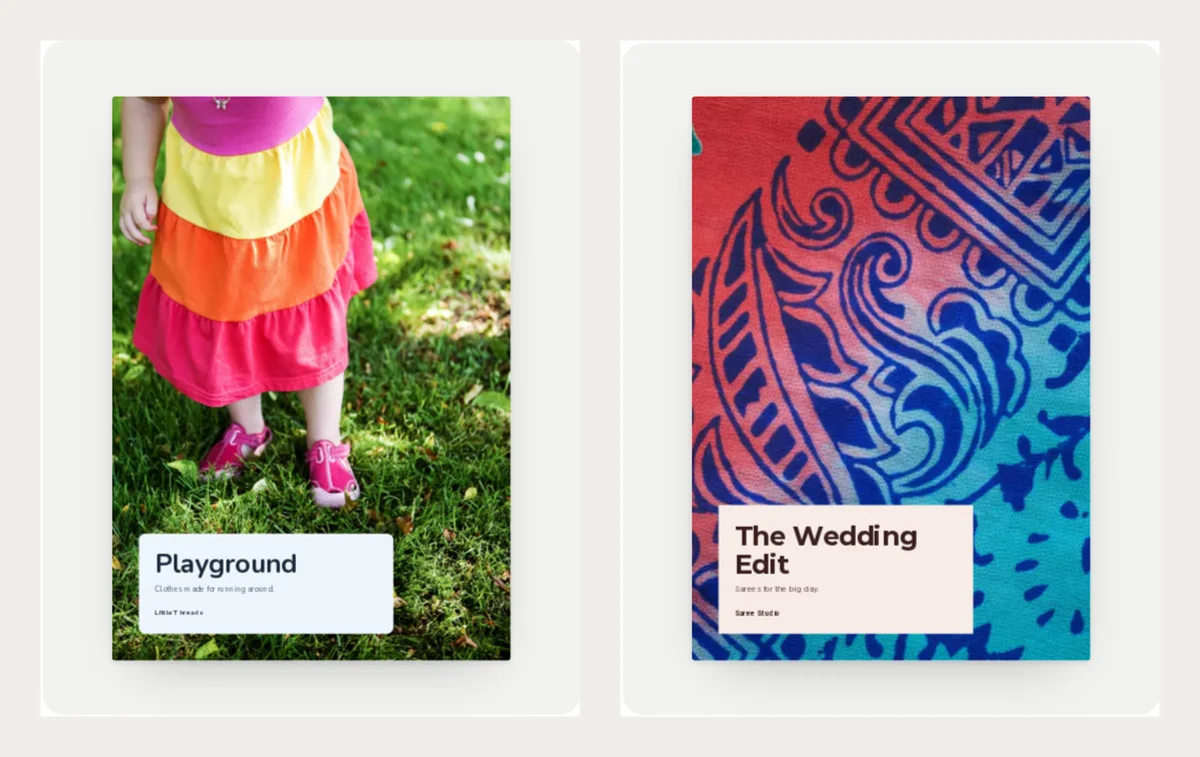
Playground suits kids' clothes. The Wedding Edit suits bridal sarees. You can see more on the fashion lookbook templates page and in all lookbook templates.
The page plan
Every CatalogLeaf lookbook follows the same plan. It is a good plan for any lookbook.
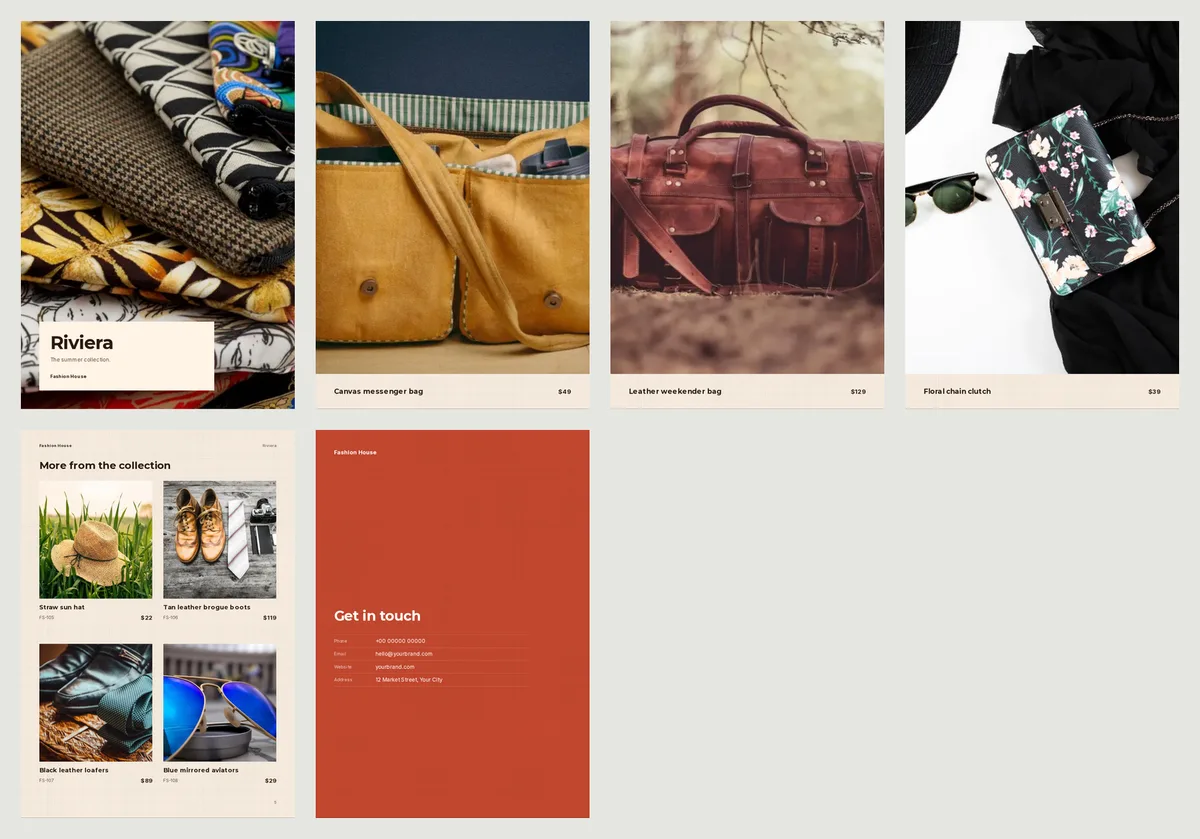
- Cover: your first photo fills the page, with the collection name on a panel. Pick your best photo for this.
- Three full-page looks: your next three photos get a page each. The caption band at the bottom shows the name and the price.
- A grid page: every other photo goes on grid pages, four to a page, under the heading "More from the collection".
- Get in touch: your phone, email, website and address.
So the order of your photos matters. Photo 1 is the cover. Photos 2, 3 and 4 get the big pages. Put your strongest looks there.
What to write under each photo
A lookbook caption has only two parts: a name and a price. There is no space for a long description. So put the useful words into the name.
Here are three example captions:
| Name | Price |
|---|---|
| Cotton kurta, sky blue, S–XL | $34 |
| Linen shirt dress, olive | $48 |
| Block print scarf, red and navy | $15 |
Each name says what it is, the colour and the sizes. Customers do not need to ask. Keep each name short enough for two lines.
Example prices here are in US dollars, like the templates. Write your own price in your own money.
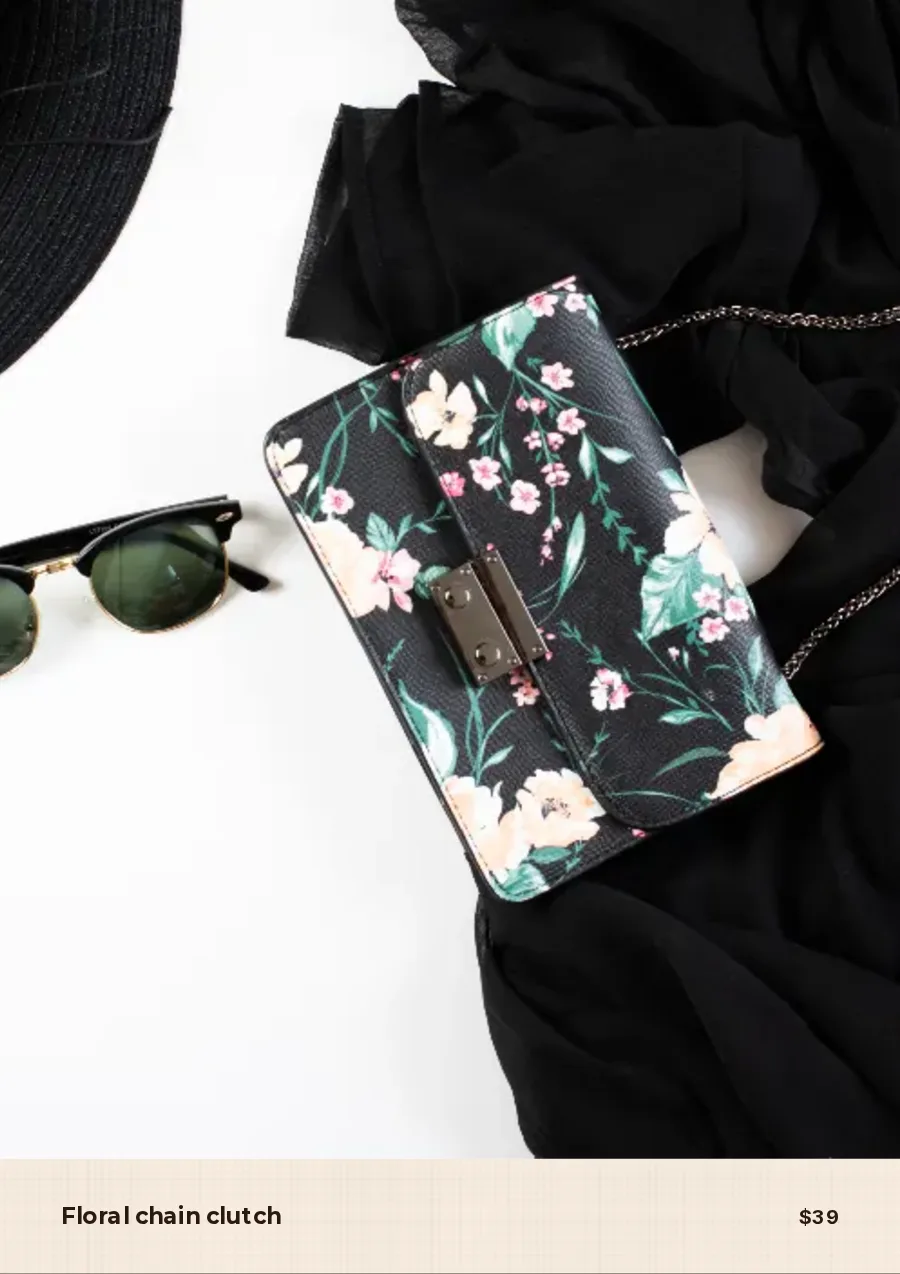
Photo tips for a lookbook
Big photos show every flaw, so take care here.
- Use tall photos. The pages are portrait (tall). A wide photo gets cut at the sides.
- Keep the light soft. Shoot near a window or outside in the shade. Hard shadows look rough on a big page.
- Show the cloth. Fold a shirt neatly or hang it on a wall. Wrinkles spoil a big picture.
- Use the same background for all photos. One wall or one table makes the book look like one collection.
- Take one photo for the cover that shows the mood. A hat in grass or a bag on a table says more than a flat photo.
For more help, read how to take product photos with your phone.
Make your lookbook in CatalogLeaf
- Open a template above and click Use with my photos.
- Add 5 to 8 photos. Put your best one first.
- Write the name and the price for each photo on the Add your products page.
- Click Next: choose a look, type your shop name and click Create catalog.
The new book opens in the editor. Change the sample contact details on the last page to your own. Then download a PDF or share a link. If you are not sure which to send, read PDF or flipbook link.
The same lookbook in a different style
You can try more than one style with the same photos. Here is the Essentials style in black and white, with the same plan.
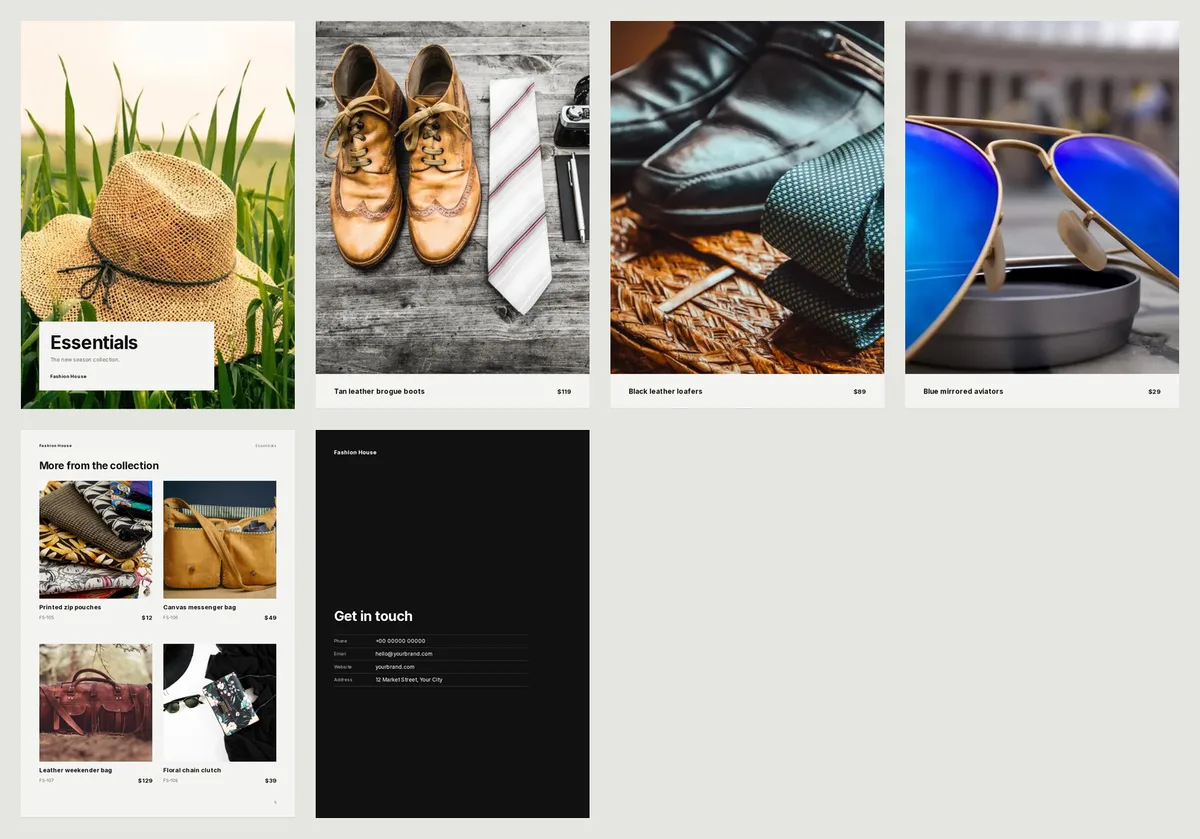
Pick the style that fits your clothes. Then send it to your customers a week before the new stock arrives.
Open the Essentials lookbook, add your photos and see your own collection in a few minutes.