
Christmas sale flyer design: 7 free ready flyers
A good Christmas sale flyer design has one gift, one big price and one last order date. Pick one of seven free flyers, add your photo and price, and send it in early December.
You sell gifts. In December, many shops shout at the same time. Your flyer must be easy to read in two seconds.
A Christmas sale flyer design that works is simple. It shows one gift, one big price and one date. Below are seven free flyers from CatalogLeaf. Each one opens in the app, ready for your photo and your price.
The photos, names and prices in the examples are samples. Yours take their place.
What a Christmas sale flyer needs
Most pages online sell flyer files you must edit in other software. These designs open straight in CatalogLeaf. They share the same useful parts:
- A short title, like "Christmas toys".
- One clear photo of one product.
- A round price badge you can read from far away.
- One short line, like "Gift-ready packaging".
- A line at the bottom for your phone number and email.
Add more photos and you get one flyer page for each product.
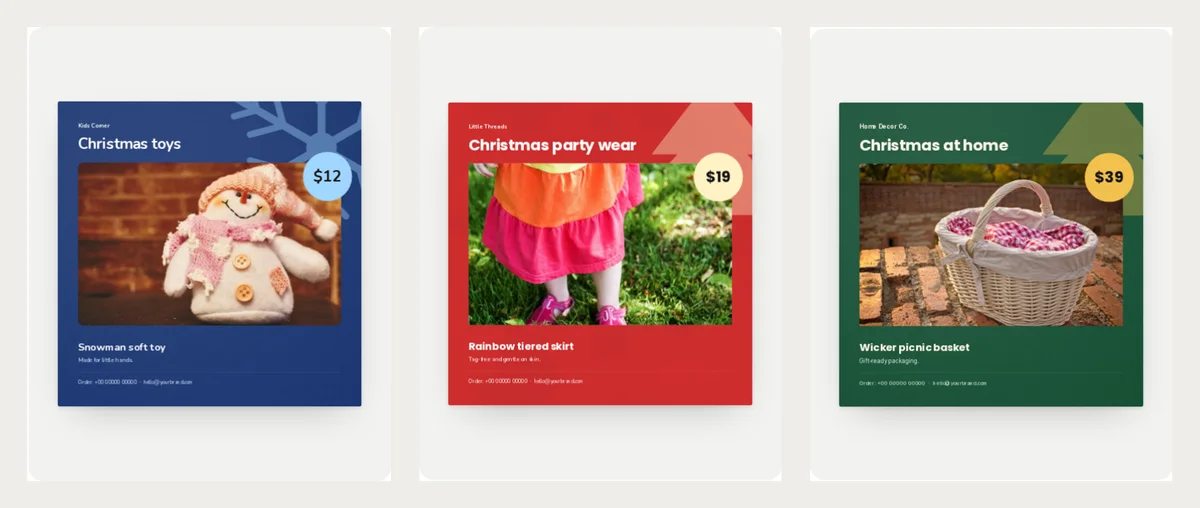
Snow Day: Christmas toys and baby gifts
Snow Day is winter navy with a pale blue price badge and a big snowflake. It suits toy shops and baby shops.
Parents look for safe gifts. Put the age in the short line, like "Age 2 and up".
Christmas Party: party wear for kids
Christmas Party is Santa red with a cream badge and a tree. It suits shops that sell frocks, tops and cosy sets for children.
Party clothes sell early, because families plan the outfit. Write the sizes you still have.
Christmas Glow: decor and home gifts
Christmas Glow is deep green with a gold badge. It suits candles, lamps, baskets and gift-ready decor.
Say if the gift comes in a box. Buyers like a gift that needs no wrapping.
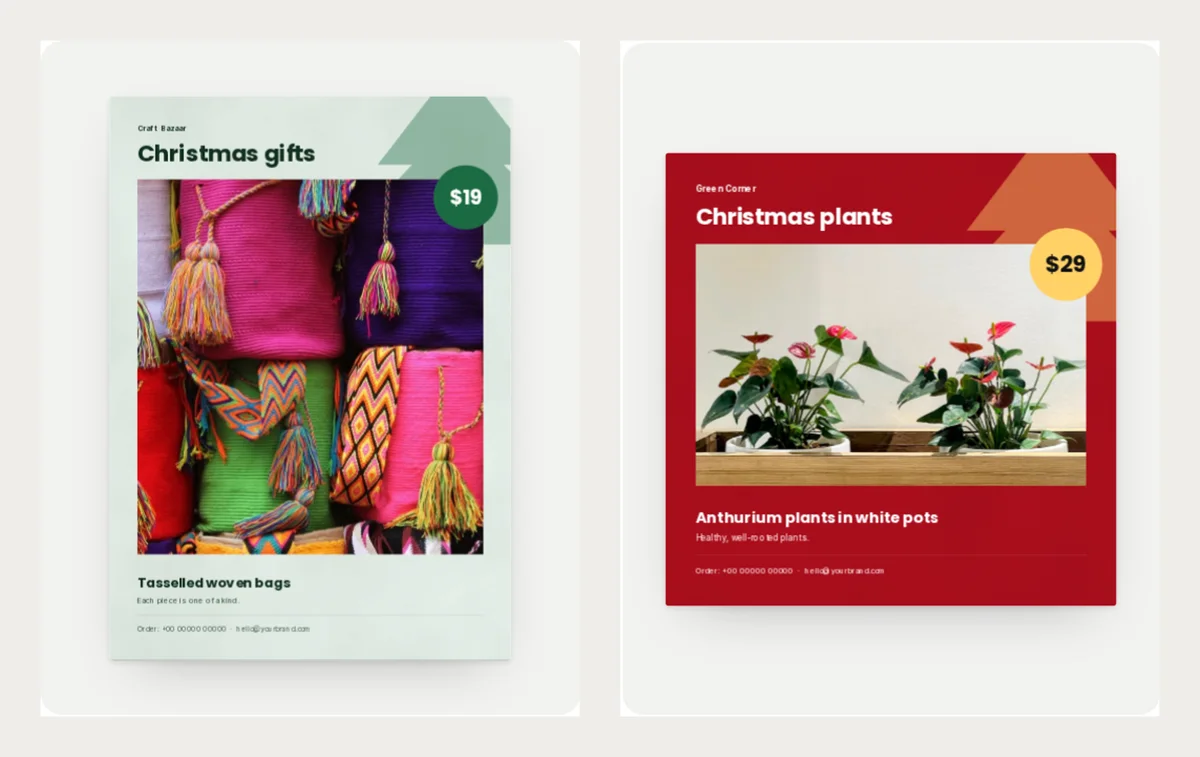
Christmas Gifts: handmade pieces
Christmas Gifts is a tall, snow-white page with a fir-green badge. It suits craft shops, makers and market stalls.
Use the short line for the story. "Each piece is one of a kind" gives people a reason to pay more.
Christmas Greens: gift plants
Christmas Greens is Christmas red with a gold badge. It suits gift plants, pots and festive greens.
Write the pot size and how much light the plant needs. A plant that dies is a bad gift.
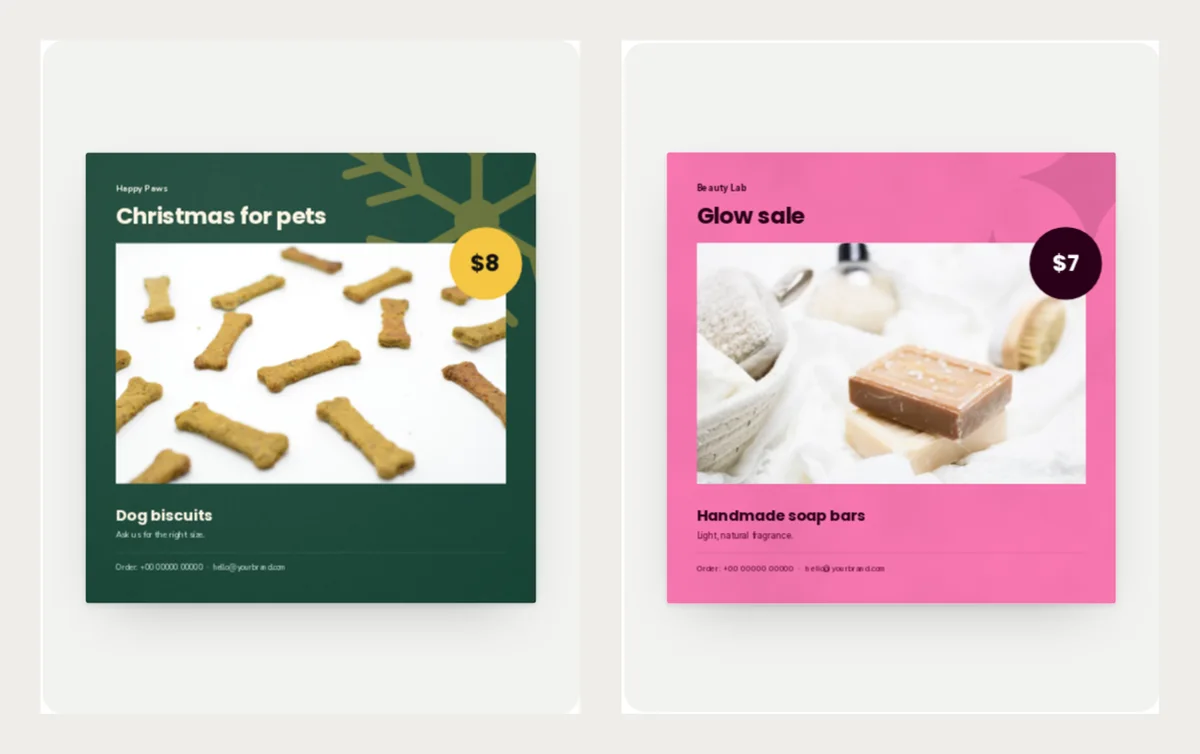
Christmas Treats: gifts for pets
Christmas Treats is pine green with a gold badge and snowflakes. It suits treats, toys and cosy beds.
Pet owners love to spoil their pets. Write who the gift fits, like "Small dogs".
Glow Sale: a plain sale flyer for after Christmas
Glow Sale is bright pink with a dark badge. It has no Christmas picture, so you can use it after the festival too.
It suits soap, bath and body items. Use it for a sale in the last week of December.
Quick pick
| If you sell | Pick | Mood |
|---|---|---|
| Toys and baby gifts | Snow Day | Cold and bright |
| Kids' party clothes | Christmas Party | Red and cheerful |
| Candles and decor | Christmas Glow | Deep green and gold |
| Handmade gifts | Christmas Gifts | Soft and personal |
| Gift plants | Christmas Greens | Bold red |
| Pet treats and beds | Christmas Treats | Dark and cosy |
| Anything, after Christmas | Glow Sale | Bright and loud |
Want more? See all the Christmas templates or the sale flyer templates.
What to write on your flyer
Keep it short. Title, product, price and a date.
| Part | Example |
|---|---|
| Title | Christmas gifts |
| Product | Tasselled woven bags |
| Short line | Order by 15 December |
| Price | $19 |
Example prices are in US dollars, like the templates. Write your own price in your own money.
Put one offer on each flyer. If you have five gifts, make five pages. Send them together or one by one.
When to send it
Send your flyer in early December, while people are choosing presents.
Put your last order date on the flyer. Pick a day you can keep, such as "Order by 15 December for delivery before Christmas". Add a line about delivery time if you post parcels.
If you also plan a Black Friday sale, read Black Friday flyer design first. For a longer gift list, see the holiday gift guide template.
Make your flyer in CatalogLeaf
- Open a design above and click Use with my photos.
- Add your product photos. Type a name and a price for each one.
- Click Next: choose a look, type your shop name and click Create catalog.
Your flyer opens in the editor. Change the sample phone and email at the bottom to your own. Then download a PDF or share a link. Not sure which one? Read PDF or flipbook link.
Pick one flyer above and try it free in CatalogLeaf today.