
How many pages should a catalogue have?
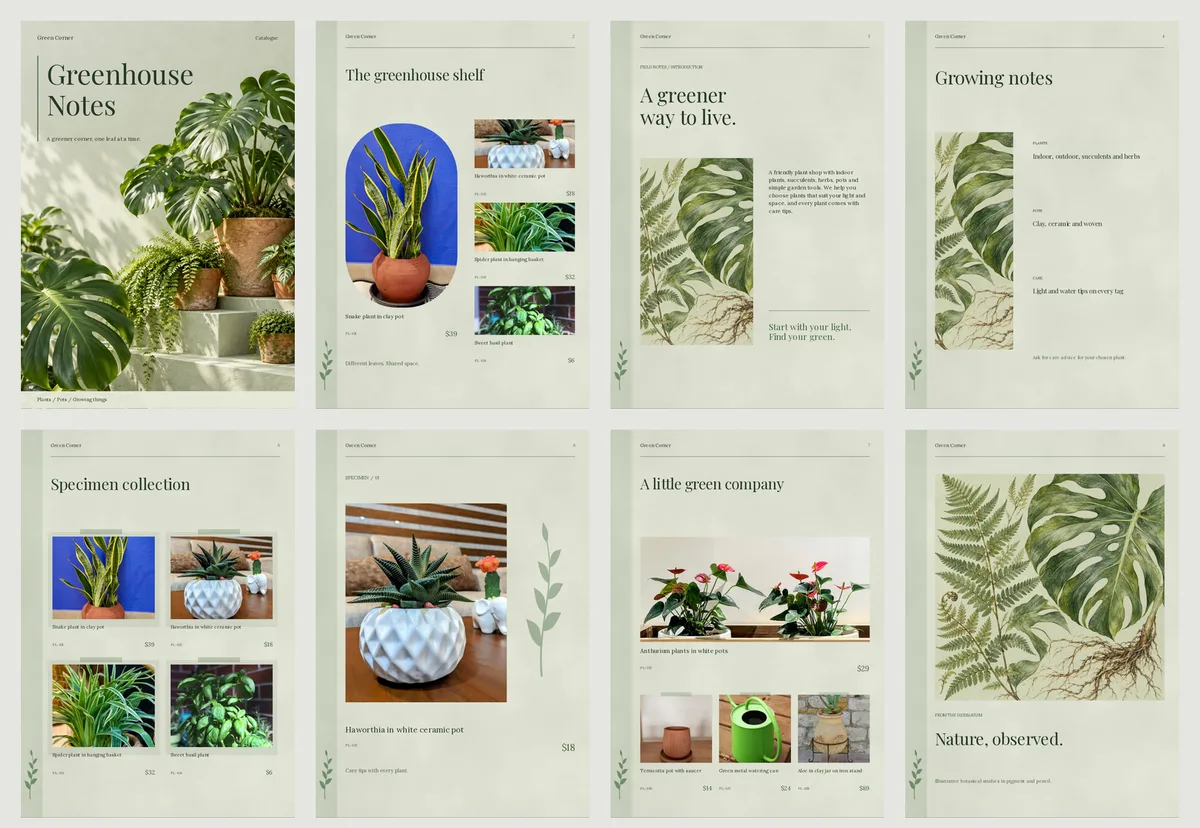
A small shop catalogue usually needs 8 to 16 pages. Count your products, divide by the products you want on each page, then add a cover and a contact page. For print, round up to a multiple of 4.
You have 24 products. Is that too many pages? Too few? Many shop owners stop here and never finish the catalogue.
Here are plain answers to the questions people ask about it. Start with the first one.
How many pages does a small shop catalogue need?
A small shop usually needs 8 to 16 pages. That is enough to show 20 to 50 products without tiring the reader.
If you have only a few products, 4 to 6 pages is fine. A short catalogue that people finish is better than a long one they skip.
How do I work out my page count?
Do this sum. It takes one minute.
- Count your products. Say you have 24.
- Pick how many products to show on each page. Say 4.
- Divide: 24 divided by 4 is 6 pages.
- Add 1 cover page and 1 contact page. The total is 8 pages.
That is your first draft. Change it if the pages look too full or too empty.
How many products should go on one page?
It depends on the photos and on who reads it.
- 1 product: a big photo, for a hero product or a high price.
- 2 products: a good choice for a short catalogue.
- 4 products: the best balance for most shops.
- 6 or 9 products: small photos, good for a long list of simple items.
On a phone, people zoom in, so a page with 9 small photos is hard to read. Pick 4 if you are not sure.
In CatalogLeaf you choose this on the look step, under Products on each page. The choices are 1, 2, 4, 6 and 9. CatalogLeaf makes the pages for you.
Do I need a cover and a contact page?
Yes, both. They count as pages.
The cover shows your catalogue title and a short line. CatalogLeaf adds it for you. The contact page tells people how to order. Open More options on the look step and switch on Add a contact page at the end.
Do not skip the contact page. Without it, a customer has to guess how to order.
Is there a page limit for a PDF or a flipbook link?
For a catalogue you send on a phone, you choose the length. Keep the file small enough to send. If the PDF is heavy, read how to make your catalog PDF smaller.
What if I will print it?
Printers fold sheets of paper. So a stapled booklet usually needs a page count that is a multiple of 4, such as 8, 12 or 16. Ask your print shop which counts they accept.
If your catalogue has 10 pages, add 2 more. A good extra page is a photo page or a care and size page. For more on printing, read print catalog PDF: 6 tips.
Which pages are worth adding?
Add pages that help a person decide. These are good ones:
- A page of your best sellers.
- A size and care page.
- An offer page, with the end date.
- An about us page, in two or three lines.
You will find more in 8 product catalog ideas you can copy today.
Should every section start on a new page?
If you sell very different things, yes. Sarees and bags should not share a page. If your products have categories, switch on Start each category on a new page under More options. Each group then gets its own page.
What if I add products later?
You can add a page any time. Open your catalogue in the editor and click Add page in the pages list. You can drag pages to change the order.
A simple rule to remember
Cover, products, offer, contact. Count the product pages with the sum above, add the other pages, and you have your number.
Try the sum with your own products, then make your catalogue free in CatalogLeaf.