
PDF or flipbook link: which should you send?
For most shops, send a flipbook link. You can change it later and everyone sees the new version. Send a PDF when the customer wants a file to keep, forward or print.
Your catalog is ready. A customer writes, "Please send it." Should you send a PDF or a flipbook link?
Short answer: send a flipbook link in most cases. Send a PDF when someone needs a file to keep or print.
Both come from the same catalog in CatalogLeaf. You do not have to choose one forever. This guide shows what each one is good at, so you can pick the right one for each customer.
What is the difference?
A PDF is a file. The customer downloads it to their phone or computer. It is like a printed booklet, but on a screen.
A flipbook link is a web address, like a page on the internet. The customer taps it and the catalog opens in their phone browser. They turn the pages like a book. They do not need an app.
PDF or flipbook: side by side
| PDF file | Flipbook link | |
|---|---|---|
| Change a price later | Make a new PDF and send it again | Click Update link, the same link shows the change |
| Open without internet | Yes, once it is downloaded | No, it needs internet |
| Print it | Yes, with the Print choice | Not made for printing |
| Size on the phone | A file the customer must download | Nothing to download |
| Videos | A picture that links to the video | The video plays on the page |
| Put it on your website | No | Yes, with the embed code |
"Embed code" is a short piece of text. You paste it into your website, and the flipbook shows there.
When to pick a PDF
Pick a PDF when the customer wants a file. Some buyers keep a folder of supplier catalogs. Some shops forward your file to their own team.
A PDF also works without internet. This helps if your customer travels or has a weak signal. Once the file is on their phone, it opens any time.
A PDF is the only choice for printing. A print shop needs a file, not a link.
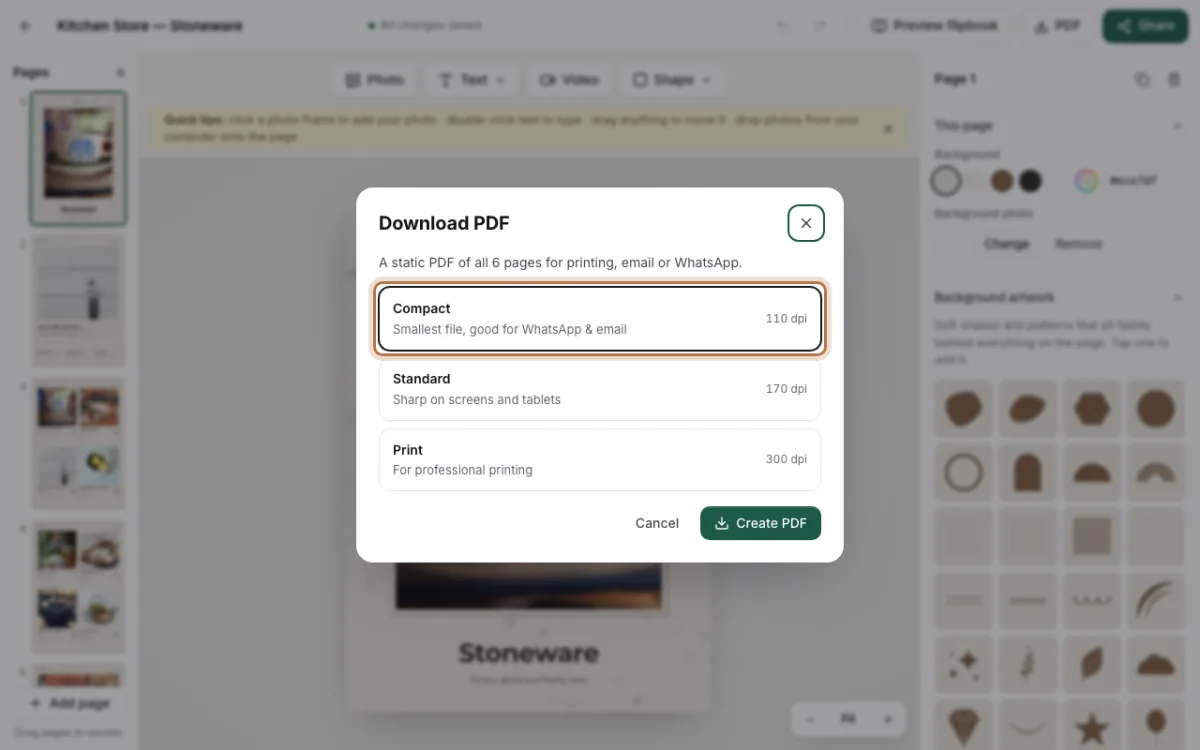
To make one, click PDF at the top of the editor. You will see three choices:
- Compact is the smallest file. Pick it for WhatsApp and email.
- Standard looks sharp on screens and tablets.
- Print is for a print shop. The file is bigger.
Then click Create PDF. The file is made on your own computer.
When to pick a flipbook link
Pick a link when your prices or stock change often. This is the biggest plus. You send the link once. Later you edit your catalog, open Share and click Update link. Everyone who has the link now sees the new prices.
With a PDF, an old file stays in the chat. A customer may order from last month's price list. A link avoids that problem.
A link also feels lighter on a phone. The customer does not fill their phone with files. On WhatsApp, the link shows your title and cover picture in the chat, so it looks neat.
Choose a link if your catalog has videos. In the flipbook, a video plays right on the page.
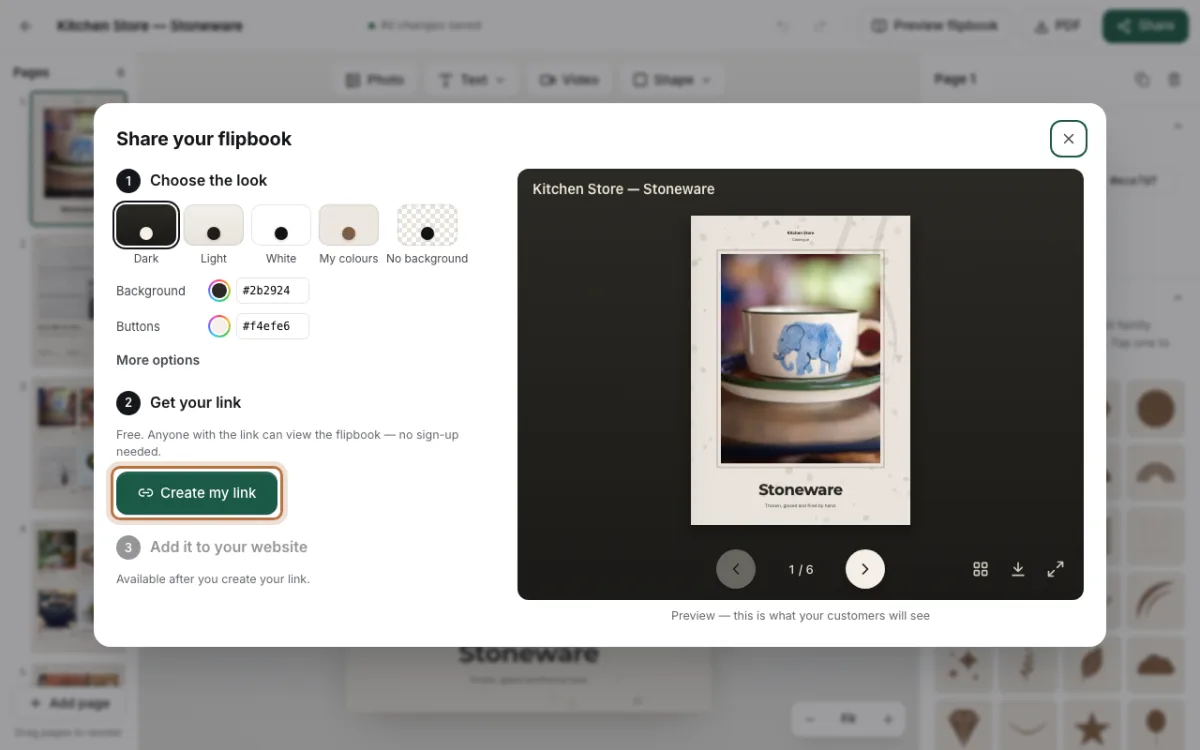
To make one, click Share at the top of the editor. Pick a look, like Dark or White. Then click Create my link and copy it.
Can you send both?
Yes. Many shops do this. Send the link in the first message. If a customer asks for a file, send the PDF too.
There is also a middle way. In the Share window, click More options. Turn on Let people download the PDF. Now the flipbook has a download button. Customers who want a file can save it from the link.
A simple way to decide
Ask yourself two questions:
- Will my prices or products change in the next few weeks?
- Does this customer need to print it or keep a file?
If the answer to the first question is yes, send the link. If the answer to the second question is yes, send a PDF. If both are yes, send both.
Our pick
For most small shops, the flipbook link is the better default. It is always up to date, it is easy to open on a phone, and you never need to send a new file.
Keep the PDF for printing, for buyers who ask for a file, and for customers with weak internet.
If your catalog is not ready yet, start with a free template or read our tips for sending a catalogue on WhatsApp. Then make your catalog and try both ways today.