
Diwali catalogue: what to put in it and when to send
Send your Diwali catalogue about three weeks before the festival. Put your gift sets and offer prices first, add a clear last order date, and share it on WhatsApp as a small PDF or a link.
Every October, the same thing happens in many small shops. Customers send the same message again and again: "What do you have for Diwali? Please send photos and prices."
A Diwali catalogue answers that message once. You make it one time, and you send the same file or link to everyone. In this guide we plan one for a small sweets and diya shop. The plan works for any shop.
When to send your Diwali catalogue
In 2026, Diwali falls on Sunday, 8 November. Many people buy gifts in the two or three weeks before it. So send your catalogue early.
| When | What to do |
|---|---|
| About 3 weeks before (mid-October) | Send the catalogue to all your customers. |
| About 10 days before | Send it again, with a short reminder about the last order date. |
| 2–3 days before your last order date | Send one last reminder. Say which items are still in stock. |
Office gifts and big family orders are often planned early. A late catalogue can miss them.
What to put in it
Keep it short. A Diwali catalogue is not your full product list. Put in only what people buy for the festival.
- Gift sets and boxes. Many people buy these as Diwali gifts. Put them near the front.
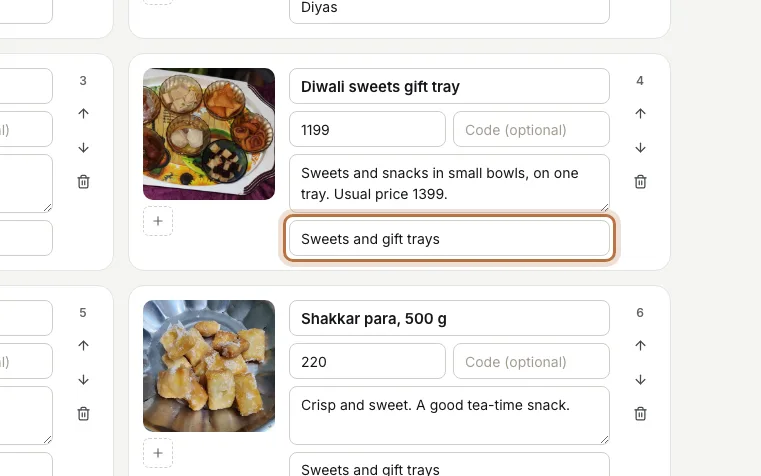
- Offer prices. Type the offer price in the price box. If you want to show the old price, write it in the short line about the product, like "Usual price 1399."
- Pack sizes. Write "500 g", "box of 50" or "pack of 12" in the name or the short line. Customers then know what they get for the price.
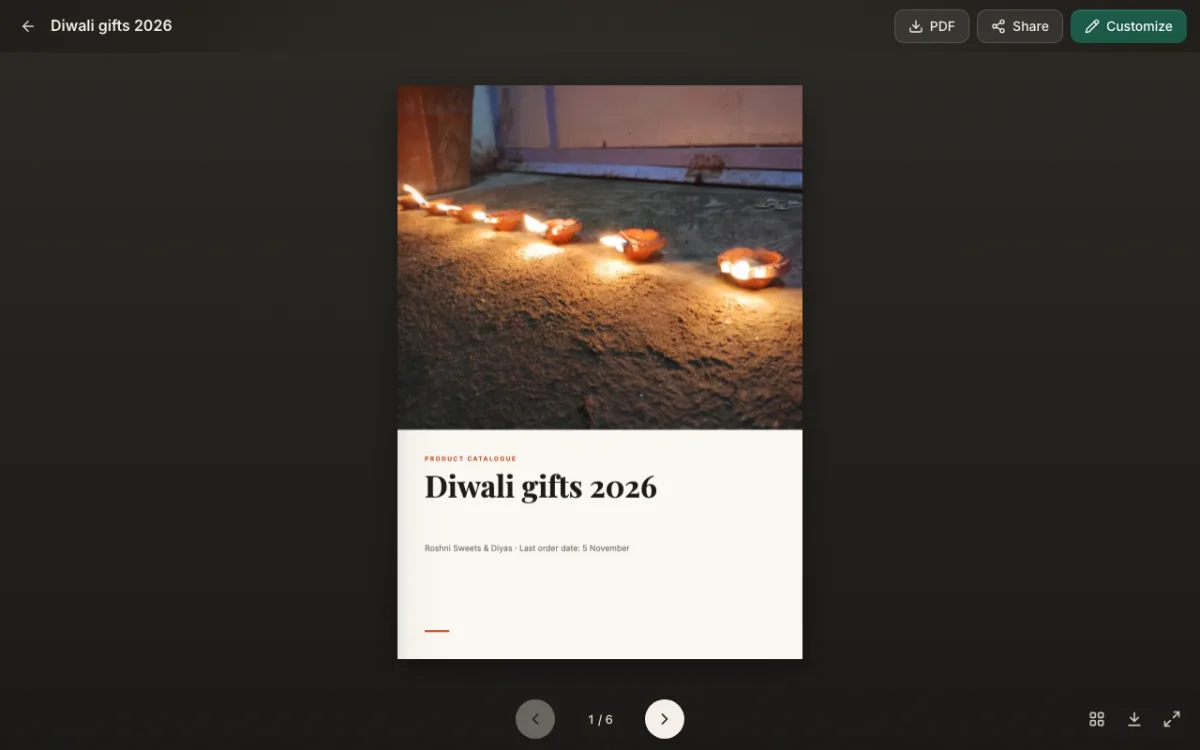
- A last order date. This is the last day you can take an order and still deliver before Diwali. Put it on the cover, where nobody can miss it.
- A delivery note. Say where you deliver, how much it costs, and if people can pick up from your shop.
- Bulk orders. If you take office or family orders, say so. Add a line like "Ask us for 20 boxes or more."
Here is how one product looks when you add it. We typed the offer price, put the usual price in the short line, and gave it a category.
A simple page plan
Six pages are enough for most shops. Here is the plan we used for our sweets and diya shop:
- Cover. Your best photo, the title "Diwali gifts 2026", your shop name and the last order date.
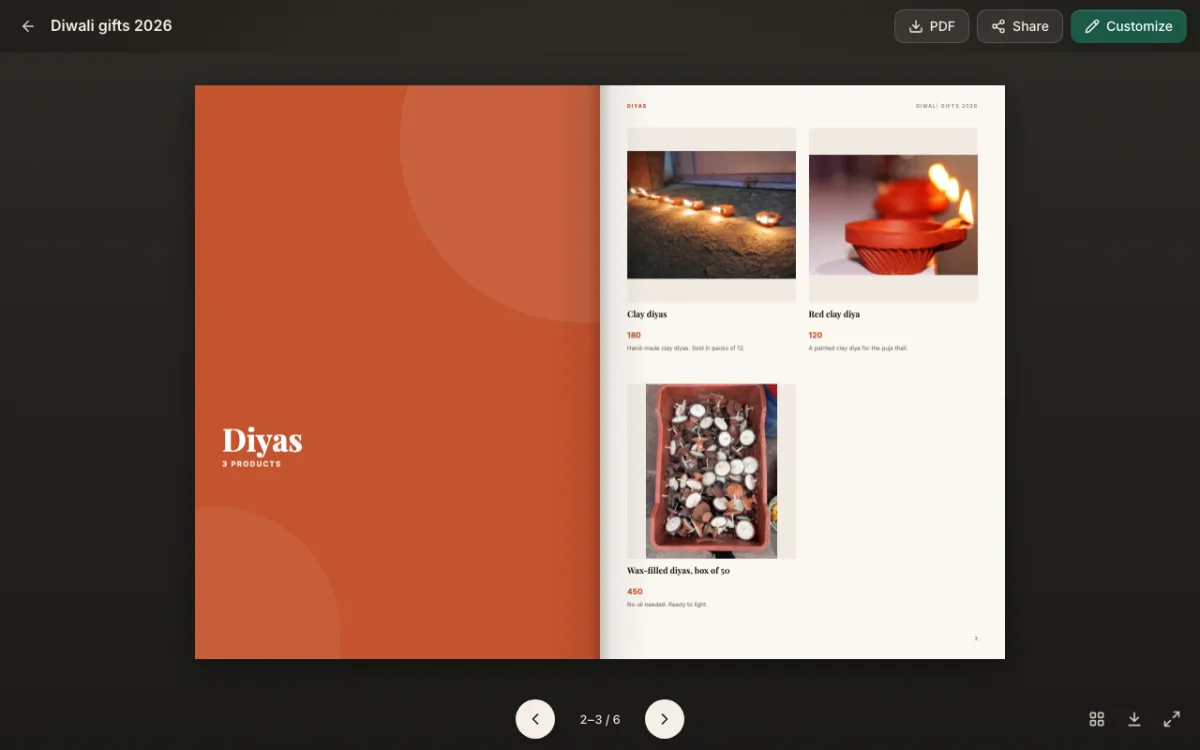
- First section page. For example, "Diyas".
- Products in that section. Three or four products on each page.
- Second section page. For example, "Sweets and gift trays".
- Products in that section. Put the gift tray first.
- Contact page. Your phone number, how to order, the delivery note and the last order date again.
Section pages help people jump to what they want. CatalogLeaf makes them for you. Give each product a category, like "Diyas" or "Sweets and gift trays". Each category then starts on a new page with its own title.
How to make it in CatalogLeaf
- Go to add your products and drop in your product photos.
- For each product, type the name, the price and a short line. Fill in the Category box too.
- Click Next: choose a look. Type "Diwali gifts 2026" as the catalog title. In the short line under the title, write your shop name and the last order date.
- Pick 4 per page, then click Create catalog.
- Click Customize to open the editor. On the last page, double-click the text and type your phone number and delivery note.
If you prefer a ready-made design, pick one from the template gallery instead.
How to share it
You can send your Diwali catalogue in two ways.
As a PDF file. Click PDF and pick Compact. The file stays small, so it sends fast on WhatsApp and by email.
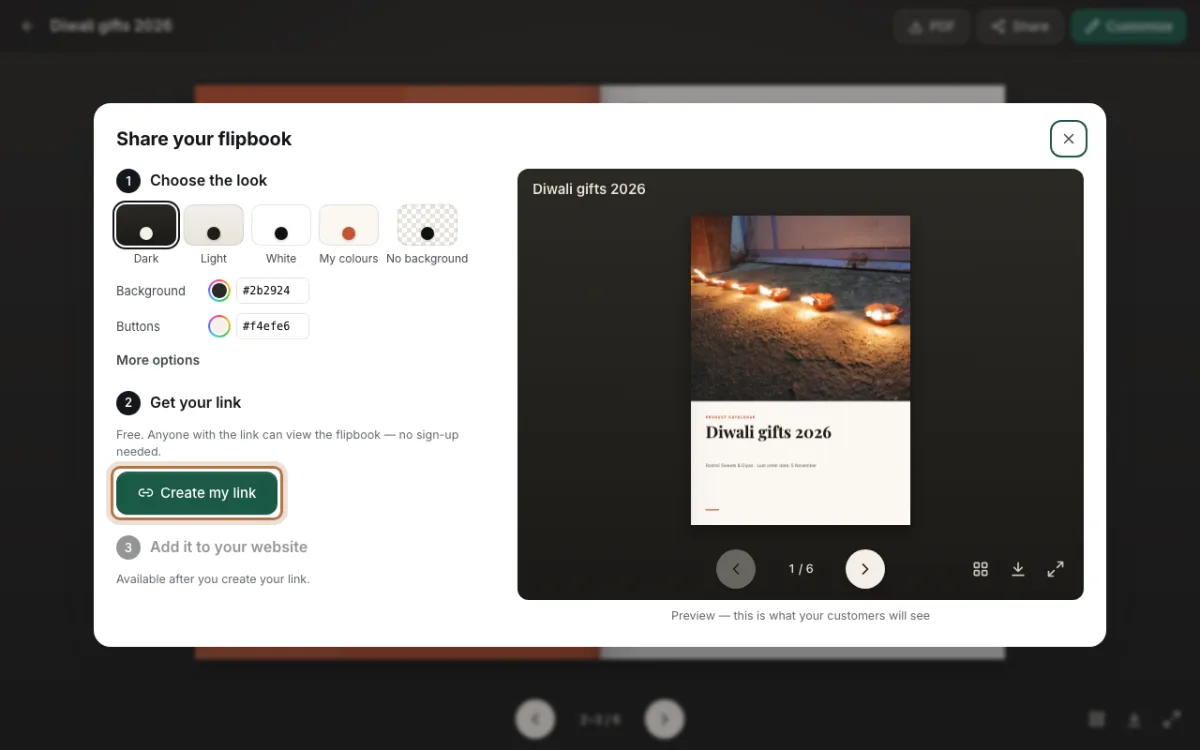
As a link. Click Share, then Create my link. Copy the link and send it on WhatsApp. Customers open it on their phone and turn the pages like a book. They do not need to download anything.
The link has one big plus at Diwali. Prices and stock change fast in festival weeks. When something changes, edit your catalogue and click Update link. Everyone who has the link sees the new version. You do not need to send a new file.
For more ideas on sharing, read about making a catalogue for WhatsApp.
Small things that help
- Put the last order date on the cover and on the last page.
- Use bright photos. A row of lit diyas or an open gift box makes a good cover.
- Check every price before you send. Festival prices are easy to mix up with old ones.
- After Diwali, remove the offer prices, or click Stop sharing in the Share window.
Diwali is about four weeks away. Start your Diwali catalogue today, while there is still time to send it early.