
Furniture catalogue design: which look fits your shop?
A good furniture catalogue design shows each piece in a room, then its size, material and finish. Compare three free designs and pick the one that fits how you sell.
Before anyone buys a sofa, they ask one question. Will it fit? A good furniture catalogue design shows the piece in a room first, then gives the size, the material and the finish.
This post compares three free furniture catalogue designs in depth, shown as finished pages. Each one suits a different way of selling. The photos in them are sample photos. Yours take their place.
Line & Volume: for makers and made-to-order pieces
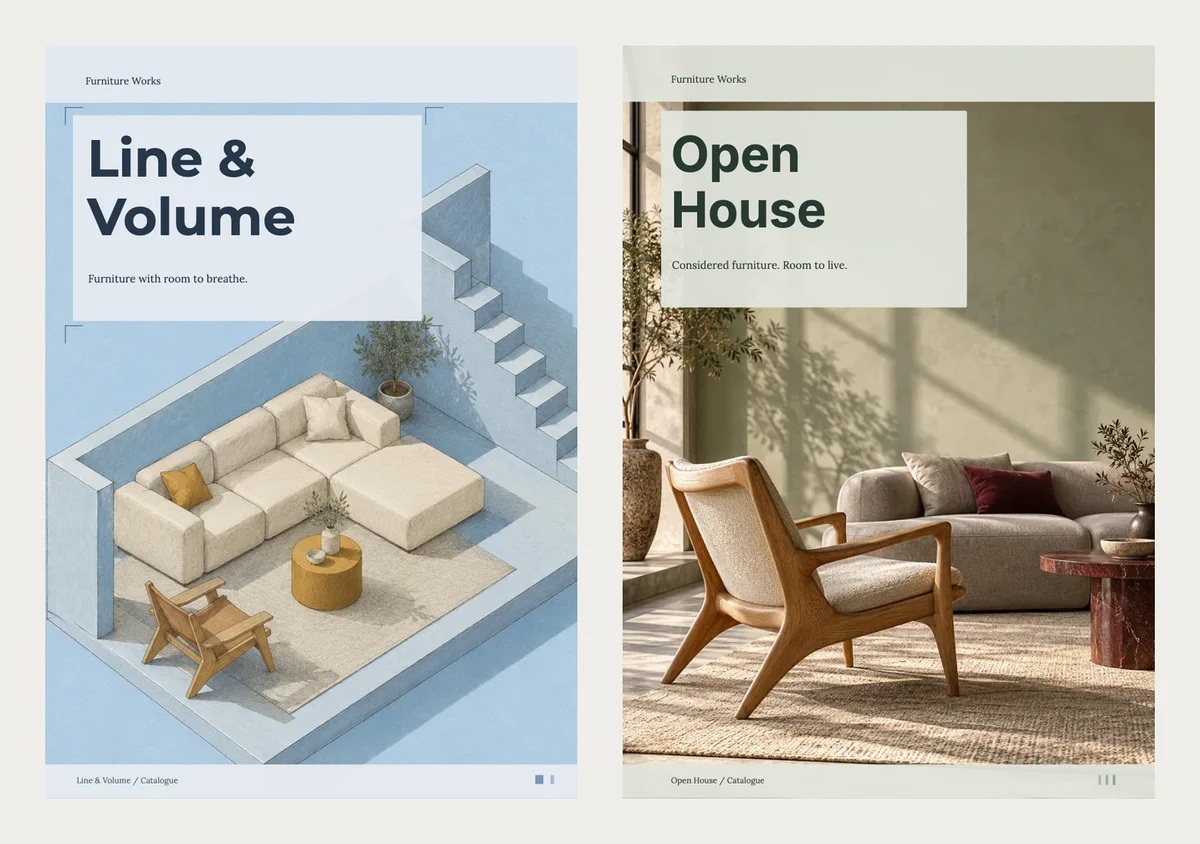
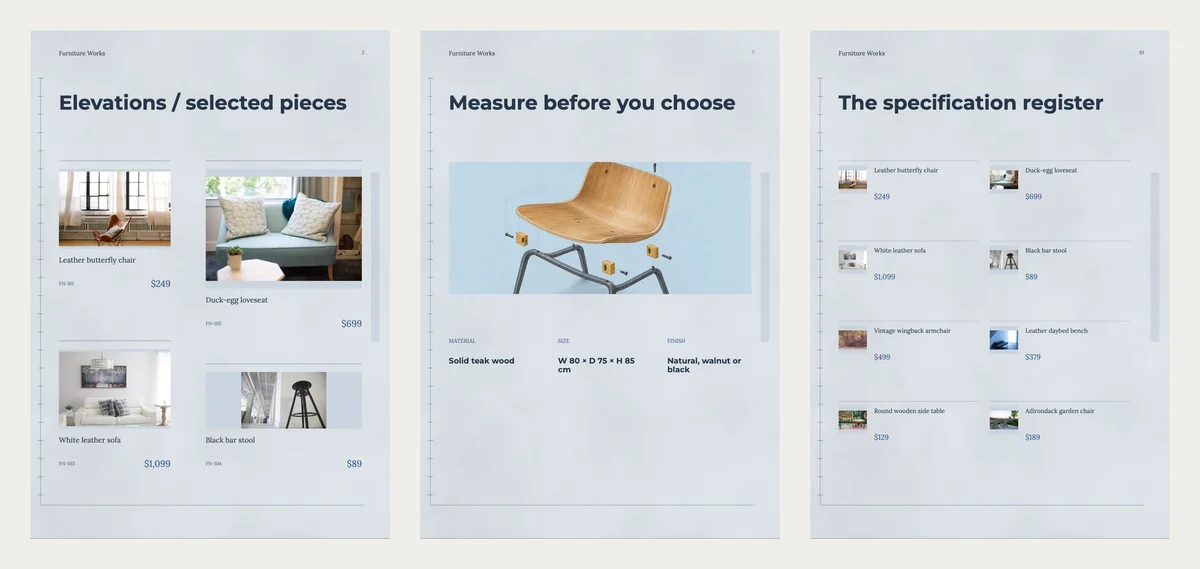
Line & Volume is one of the newest designs. It is pale blue, like a drawing on paper. The cover shows a cream sofa in a drawn room seen from above. Thin ruler marks run down the edge of every page.
The best page is "Measure before you choose". It puts three notes under a chair: material, size and finish. The sample says solid teak wood, W 80 × D 75 × H 85 cm, and natural, walnut or black. Those are the three things a buyer asks about most.
It also has a page of four pieces with codes and prices, and a list of every piece at the back. The order page asks buyers to measure the space, confirm the size and finish, then talk about delivery.
It suits a maker who builds to order, or a shop that sells pieces in more than one finish.
Open House: for a showroom with many pieces
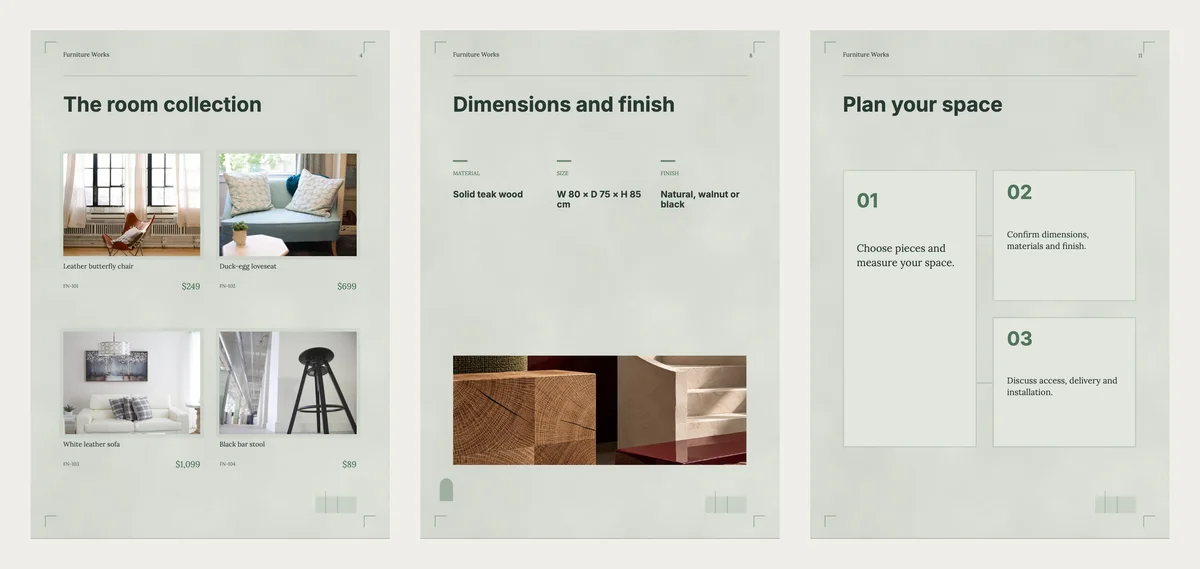
Open House is soft green and warm. The cover is a sunny room with a wooden lounge chair. It feels like walking into a shop.
"The room collection" shows four pieces at a time, and a second page lists every piece with its price. "Dimensions and finish" has the same three notes, and "A closer construction" gives one piece a whole page.
It suits a showroom or a shop with sofas, chairs, tables and outdoor pieces. Group them by room: living room, dining, bedroom, outdoor.
Form & Grain: a wide brochure for trade buyers
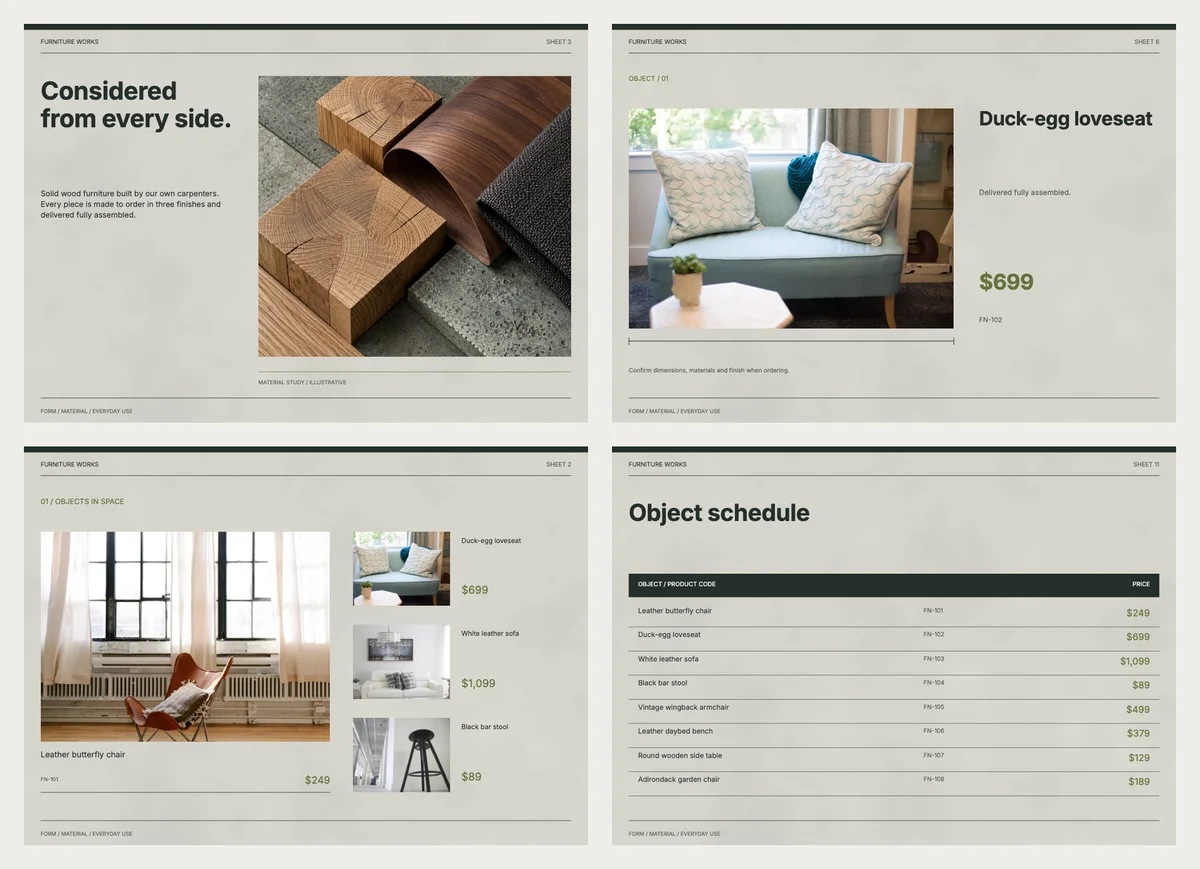
Form & Grain is a brochure, not a catalogue. A brochure is a shorter booklet that sells a range, often to other businesses. Its pages are wide, like a slide.
Each product gets a page of its own, with a big photo, its price and its code. A material page shows wood and fabric up close. At the back, the "Object schedule" lists every piece in a table with codes and prices.
It suits trade buyers, like interior designers, hotels and offices. They want one clear page per piece and a table they can copy into an order.
Quick pick
| If you | Pick | Format |
|---|---|---|
| Build pieces to order | Line & Volume | Catalogue |
| Run a showroom with a big range | Open House | Catalogue |
| Sell to designers, hotels or offices | Form & Grain | Brochure |
| Want light wood and simple lines | Nordic | Catalogue |
| Only need prices with sizes | Made to Order | Price list |
Nordic and the Made to Order price list are simpler, older designs. See them all on the furniture catalogue templates page.
What to write for each piece
Give every piece a name, one short line and a price. Put the size or finish in the line. Buyers skip long text.
| Name | Short line | Price |
|---|---|---|
| Duck-egg loveseat | Delivered fully assembled | $699 |
| White leather sofa | Made to order in 3 finishes | $1,099 |
| Round wooden side table | Solid wood, natural finish | $129 |
Example prices are in US dollars, like the templates. Write your own price in your own money. Add a code to each piece, like FN-102, so orders are clear.
Photo tips for furniture
- Shoot each piece in a real room, in daylight, from the same height.
- Take one plain photo of the piece alone, so its shape is clear.
- Take one close photo of the wood grain or the fabric.
- Keep the room tidy. Clutter makes a piece look smaller.
Make your furniture catalogue in CatalogLeaf
- Open one of the three designs and click Use with my photos.
- Add your photos. Type a name and a price for each piece.
- Click Next: choose a look, type your shop name and click Create catalog.
The cover picture is a sample. To use your own, open the cover page and click Change next to Background photo. Then change the size notes and the sample contact details to your own.
Selling cushions, lamps and decor too? Read how to make a home decor catalogue. Pick the design that fits how you sell, add your best room photo and send it today.