
Skincare price list: what to write and how to make it
A good skincare price list shows each product with a photo, its size, a code and one price. Use the Beauty price list template, add your photos and type the size in each product name.
"Which cream is for dry skin, and how much is it?" If you answer this all day on chat, a skincare price list can do it for you.
A skincare price list is one page that shows every product with its size and price. Customers read it, pick what they want and send you the code. In this guide, our example shop is Neem & Rose Skincare. It sells face oil, body butter, soap and bath products.
What skincare customers want to see
- A clear photo. People trust a product they can see.
- The size. A 30 ml bottle and a 100 ml bottle are not the same price.
- One price per product. Do not make people ask.
- A code. Customers can order with "SK-02, two pieces". This is faster than typing a long name.
- A way to order. Your phone number or WhatsApp on the page.
Pick the right template
Open the Beauty price list template. It has one tidy table with a photo, name, code and price in each row. At the bottom it has a short "How to order" note. You can see all the styles on the beauty price list templates page.
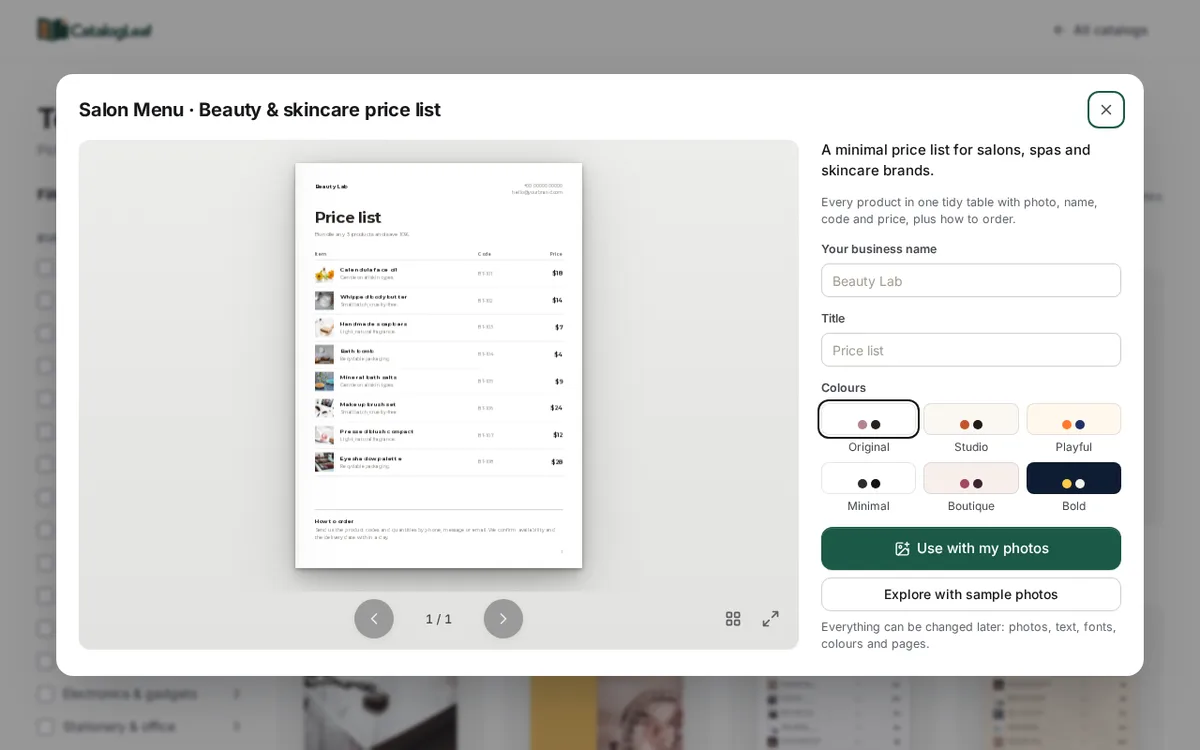
The template says "Bundle any 3 products and save 10%". This is sample text. Keep it if you really give that offer. Change it if you do not.
If you have many products and want a full book with a story, try the Rose Quartz template. It is a catalogue with a cover, product pages and a contact page.
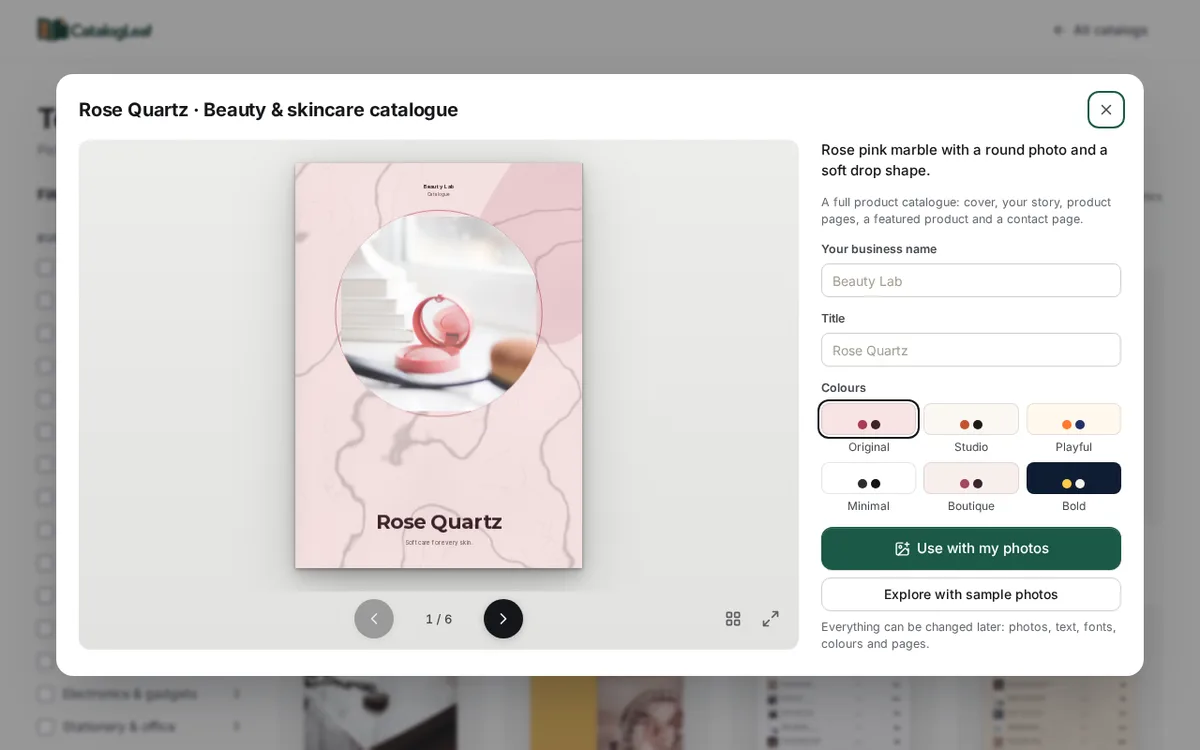
Use a price list when customers already know your brand and only need prices. Use a catalogue when you want to tell people about your products.
What to write for each product
Click Use with my photos and drop in your photos. Each photo becomes one row. Fill in three boxes:
- Product name: the product and its size.
- Price: one price for that size.
- Code: a short code like SK-01.
Put the size in the name, because the price list shows only the name, code and price. Here are three lines from our demo shop:
| Product name | Code | Price |
|---|---|---|
| Calendula face oil, 30 ml | SK-01 | $14 |
| Whipped body butter, 200 g | SK-02 | $12.50 |
| Handmade soap, set of 2 bars | SK-03 | $8 |
Write "set of 2" when you sell a pack. If you sell the same cream in two sizes, add it twice with two names and two codes.
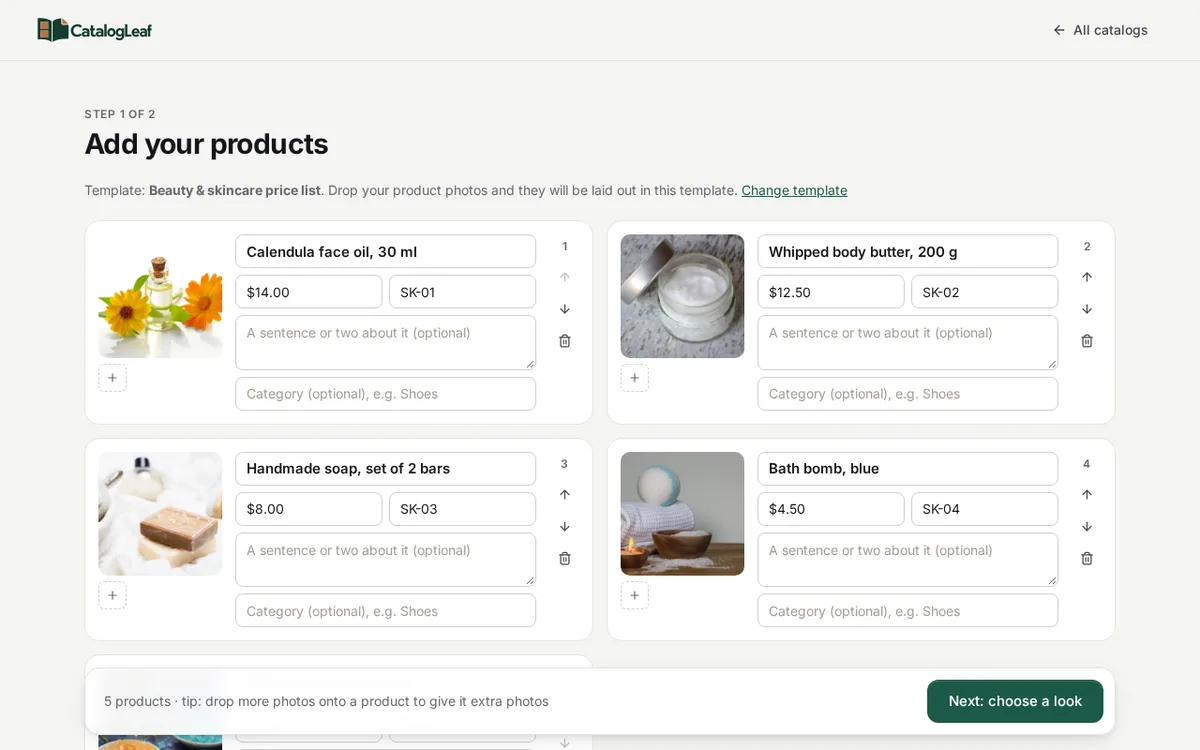
Photo tips for skincare
Use daylight. Stand near a window. Glass bottles and jars look dull in yellow room light.
Keep the background plain. A white sheet or a table is enough. The product should be the first thing people see.
Show the label. Turn the bottle so the name faces the camera.
Use the same angle for every photo. The list then looks tidy, like a shop shelf.
Take new photos when you change a pack. Old photos with an old label confuse people.
A good order for the list
Put your best sellers at the top. Then put products that go together next to each other: face products, body products, then bath products. Use the up and down arrows on each product card to move it.
If you offer a bundle, say it in the line under the title. Say exactly what the customer gets.
The finished price list
Click Next: choose a look and type your shop name. Then click Create catalog. Your price list opens with the photos, names, codes and prices in one table.
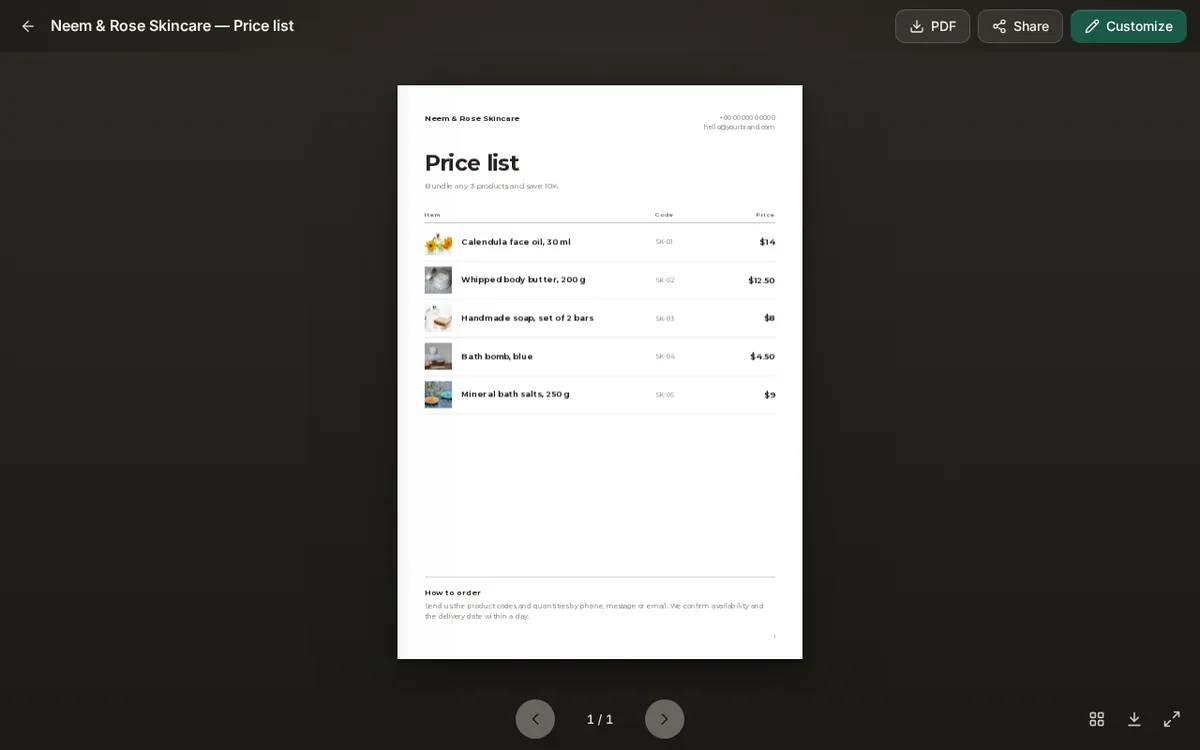
Click Customize to change any text. Replace the sample phone number and email with your own. Then click PDF to download the list, or Share to get a link.
A small PDF is easy to send on chat. Read how to share it in our guide to the WhatsApp catalogue maker. If you want every step with screenshots, see how to make a price list with photos.
Open the Beauty price list template and add your first five products today.