
Diwali sale flyer: 5 free designs to send on WhatsApp
A Diwali sale flyer is one page with one photo, one offer and one price. Pick one of five free designs in CatalogLeaf, add your photos and prices, and send it on WhatsApp before the festival.
Diwali is on Sunday, 8 November in 2026. About three weeks before, customers start asking, "What is your Diwali offer?"
A flyer answers that in one look. It is a single page with one photo, one offer and one price. You can send it on WhatsApp or print it for your counter.
Here are five free Diwali sale flyer designs in CatalogLeaf. You do not need a designer. You open one, add your own photos and prices, and share it.
What a good Diwali flyer has
Many flyer pages online need Canva, Word or Photoshop. These ones are different. They open in CatalogLeaf, ready to fill in.
Every flyer below has the same useful parts:
- A big title, like "Diwali offer".
- One clear photo of one product.
- A round price badge that people can see from far away.
- A short line about the product.
- A line at the bottom for your phone number and email.
When you add many photos, you get one flyer page for each product.
Quick pick
| If you sell… | Start with | Page shape |
|---|---|---|
| Toys and kids' gifts | Diwali Gifts | Square |
| Diyas, candles and lanterns | Diwali Diya | Square |
| Jewellery | Festive Glow | Square |
| Sarees | Diwali Offer | Square |
| Gift boxes and hampers | Diwali Hamper | A4 portrait |
Square pages fit a WhatsApp status and a chat well. A4 is the paper size for printing.
Diwali Gifts and Diwali Diya: bright and warm
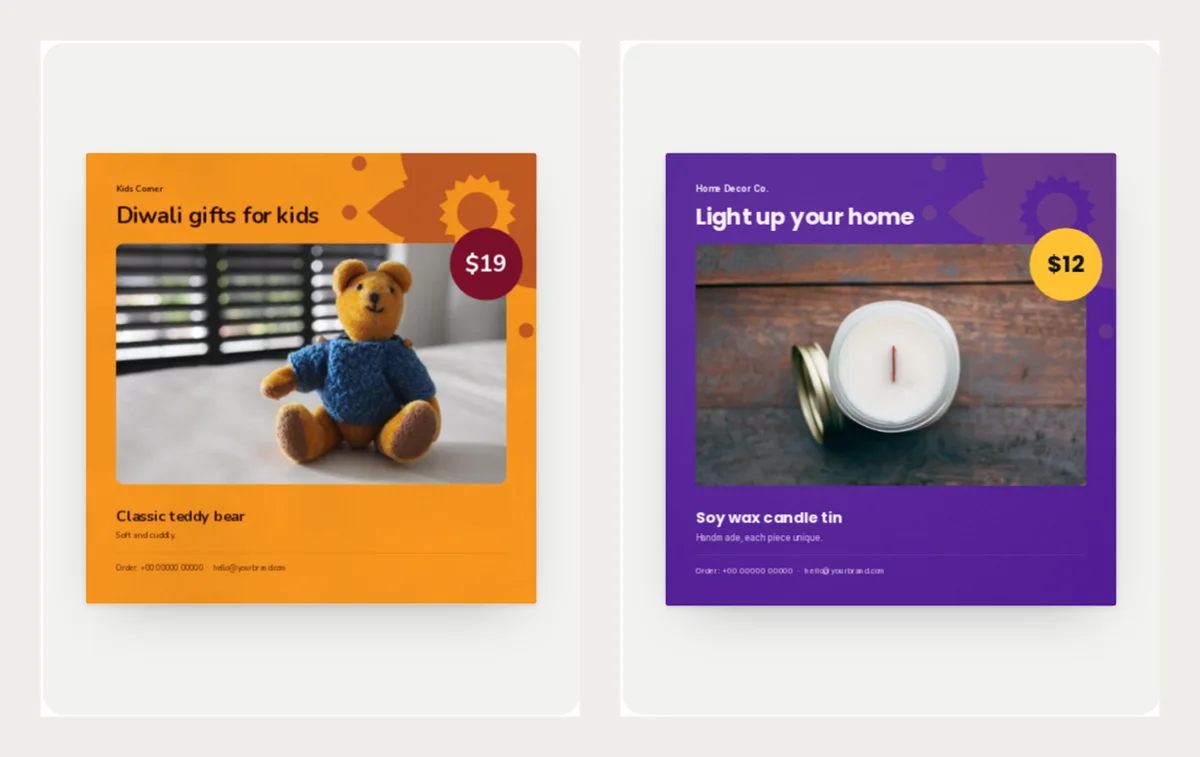
Diwali Gifts is saffron orange with a maroon price badge and a big rangoli pattern. Rangoli is the colourful pattern people draw at the door for Diwali. It suits toys and games that people give to children.
Diwali Diya is deep violet with a marigold yellow badge. It makes a candle or a lantern glow. Use it for home decor.
Open them here: Diwali Gifts and Diwali Diya.
Festive Glow and Diwali Offer: loud and clear
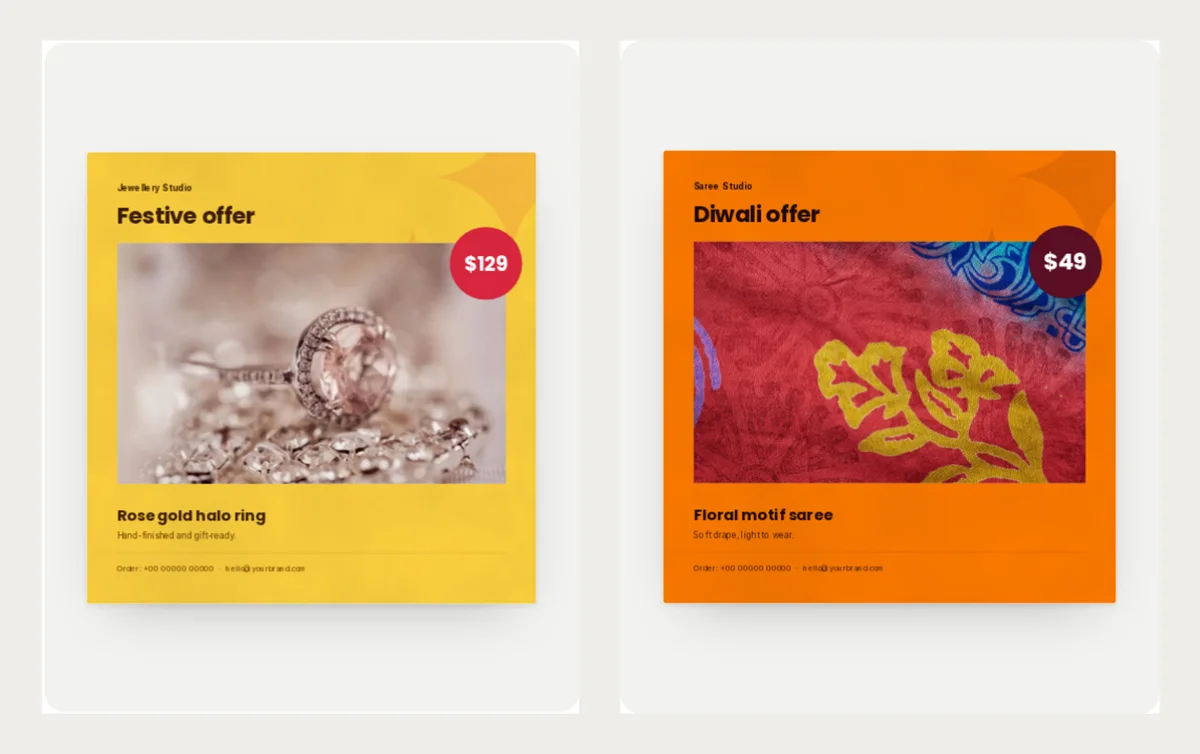
Festive Glow is marigold yellow with a red badge. It makes one piece of jewellery look special. Write "Gift-wrapped and ready for the festival" or your own line.
Diwali Offer is bright saffron with a maroon badge. It was made for a saree offer. The line under the title says "Festive sarees, this week only." Change it to your own words.
Open them here: Festive Glow and Diwali Offer.
Diwali Hamper: for gift boxes
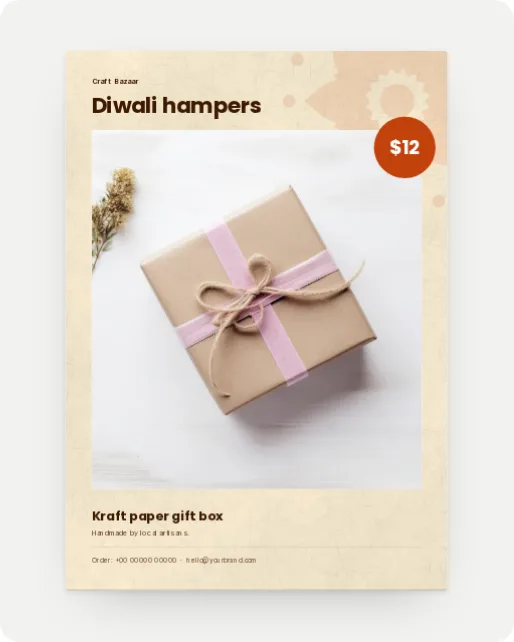
Diwali Hamper is cream with a kraft paper feel and an orange badge. The page is A4, so it prints well for a counter. It suits a gift box, a hamper or a pack of handmade items.
Put the price of the whole box in the badge. Write what is inside in the short line.
Open it here: Diwali Hamper.
What to write on a sale flyer
Keep it short. A customer should understand the offer in a few seconds.
- Title: Say the offer. "Diwali offer" or "Light up your home".
- Product name: Put the size or pack in the name, like "Gift box of 6".
- Short line: One fact, like "Order by 5 November".
- Price: Type the offer price only. One price is clearer than two.
Example product lines:
- Classic teddy bear, medium, $19
- Soy wax candle tin, pack of 2, $12
- Kraft paper gift box, $12
The example prices are in US dollars. Use your own currency and prices.
Make your own flyer
- Open any design above and click Use with my photos.
- Drop in your photos. Each photo becomes one flyer page.
- Type the name and price for each product.
- Click Next: choose a look, type your shop name, then click Create catalog.
- Click Customize to replace the sample phone number and email with your own.
Then click PDF and pick Compact for a small file that sends fast. Or click Share to get a link. Read how to make your PDF smaller if the file is big.
Want more than one page? Make a full festival catalogue instead. Our Diwali catalogue guide shows how. You can also see every festive design on the Diwali templates page.
Pick one flyer, add your photo and price, and try it for free in CatalogLeaf.