
Wholesale line sheet: what to put on it and how to make one
A wholesale line sheet is a short price document for shops that buy from you. Put trade terms first, then every product with a photo, a code and a wholesale price.
A shop owner calls you. "Send me your price list. What is the minimum order?" You type the same answers again and again.
A wholesale line sheet answers these questions before they ask. It is a short document for shops that buy your products to sell again. In this guide, our example is Stride Footwear Traders, which sells shoes to shops.
What a buyer wants to see
A shop owner is not a shopper. They want to know how much they must buy and how much they will pay.
- Trade terms. Minimum order, payment, delivery time.
- A clear photo. They need to see the product to judge it.
- A code. They can order with "FW-102, 12 pieces". This is faster than writing a long name.
- The wholesale price. Say clearly that the price is for shops, not for customers.
- Your contact details. They should know how to place the order.
Pick a line sheet template
Open the Dealer Sheet template. It is a landscape page. The first page holds your trade terms. The next pages show every product in a grid. You can see more styles on the footwear line sheet templates page.
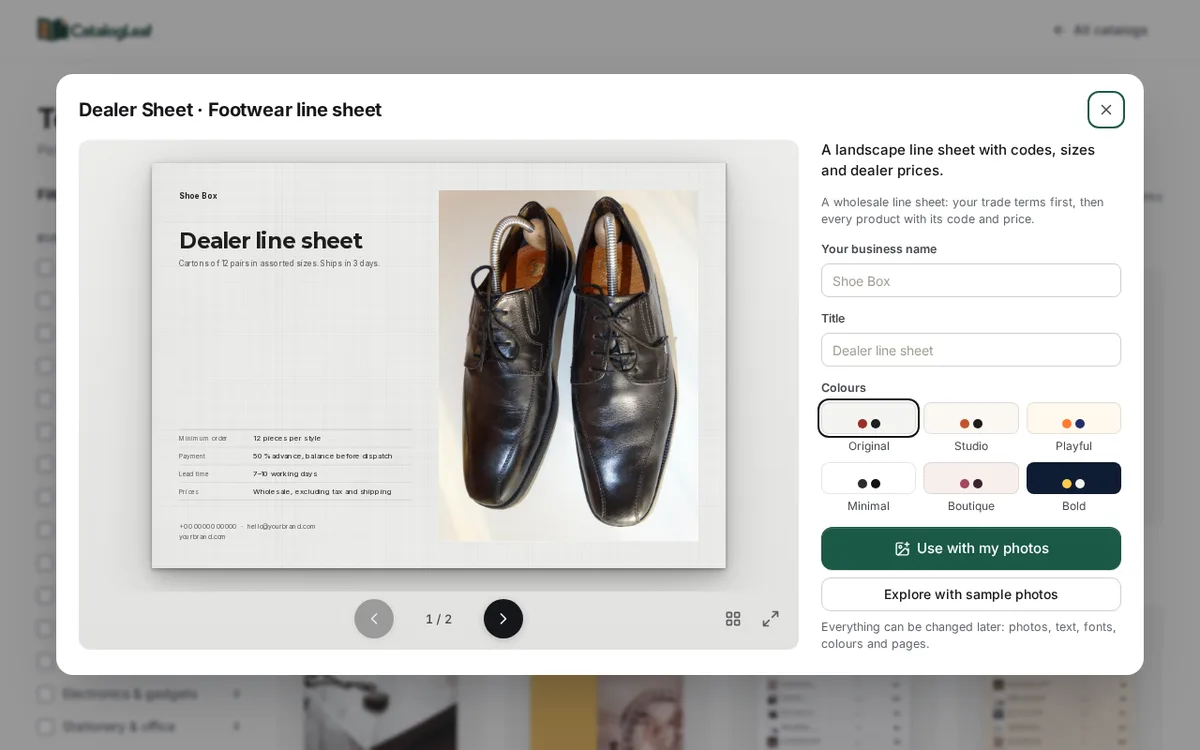
Other kinds of shops have line sheets too. For example, kids' wear, fashion, furniture and handicrafts. Find them on the templates page. If you are not sure a line sheet is the right choice, read which catalog template to pick.
What to write on the cover page
The cover has four lines of trade terms. They are sample text. Change every line so it is true for your business. Click Customize, then click the text and type.
| Line | Example |
|---|---|
| Minimum order | 12 pieces per style |
| Payment | 50% advance, balance before dispatch |
| Lead time | 7–10 working days |
| Prices | Wholesale, excluding tax and shipping |
The phone number and email on the cover are placeholders too. Replace them with your own.
What to write for each product
Click Use with my photos and drop in your photos. Each photo becomes one product. Fill in three boxes:
- Product name: the product, its colour and its sizes.
- Price: the wholesale price for one piece.
- Code: a short code that never changes.
The line sheet shows the name, the code and the price. So put the colour and size in the name. Here are three lines from our demo shop:
| Product name | Code | Price |
|---|---|---|
| Canvas sneakers, white, UK 6–10 | FW-103 | $14 |
| Rope flip-flops, beige, UK 4–8 | FW-104 | $6.50 |
| Suede heels, red, UK 3–7 | FW-105 | $18 |
Keep each code for life. If a shop reorders next year, "FW-103" must still mean the same shoe.
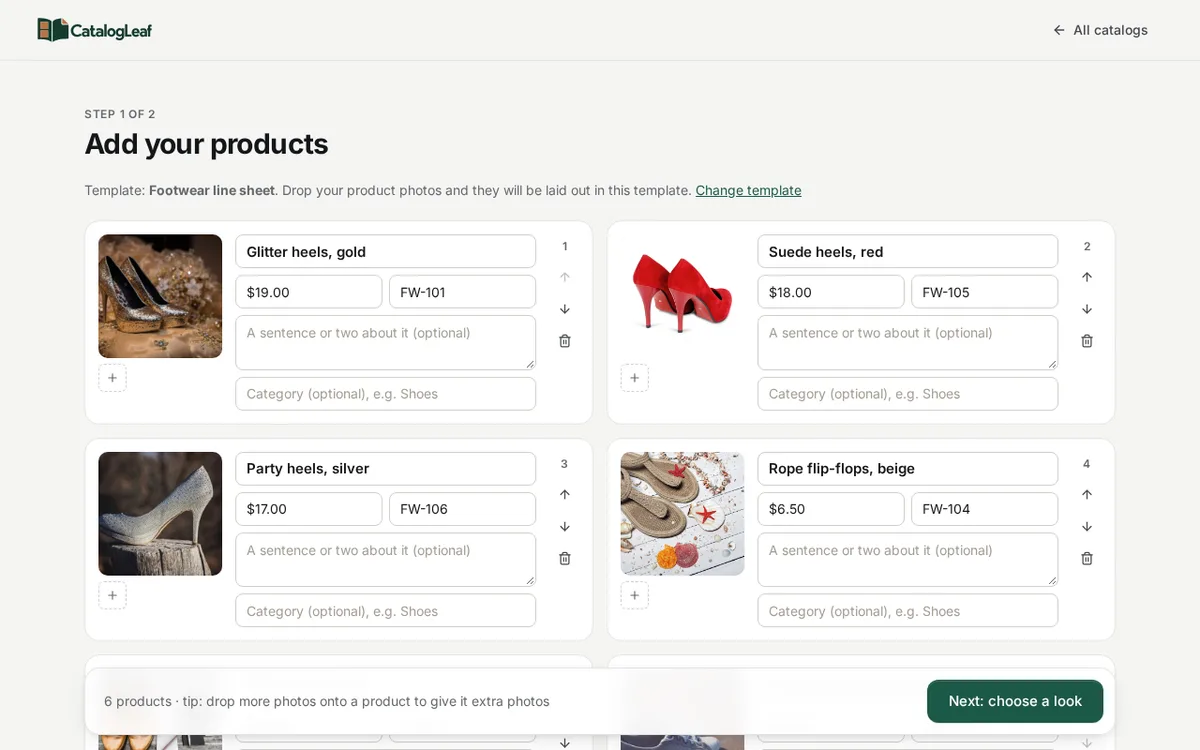
Photo tips for a line sheet
Show one product in each photo. A buyer should not guess which item costs $14.
Use the same background. A plain floor or table makes the page look tidy.
Show the whole product. In CatalogLeaf, pick Whole photo if the shoe is cut off.
Use light from a window. Dark photos look cheap, even when the product is good.
A good page order
Put your best sellers first. Then put similar products next to each other, such as all the heels together. Use the up and down arrows on each product card to move it.
The first photo you add is used on the cover. Choose a product that shows what your business does best.
The finished line sheet
Click Next: choose a look. Type your business name and click Create catalog. The cover opens first.
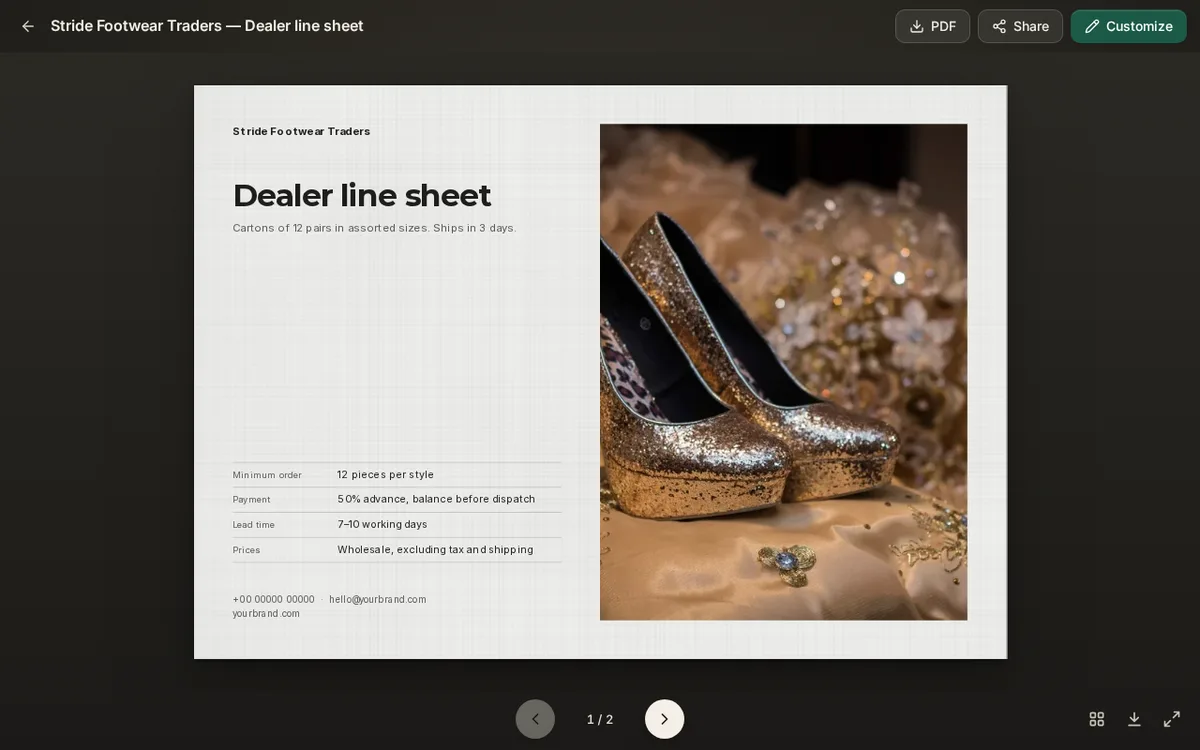
Click the arrow to see the product page. Every product has its code and its price.
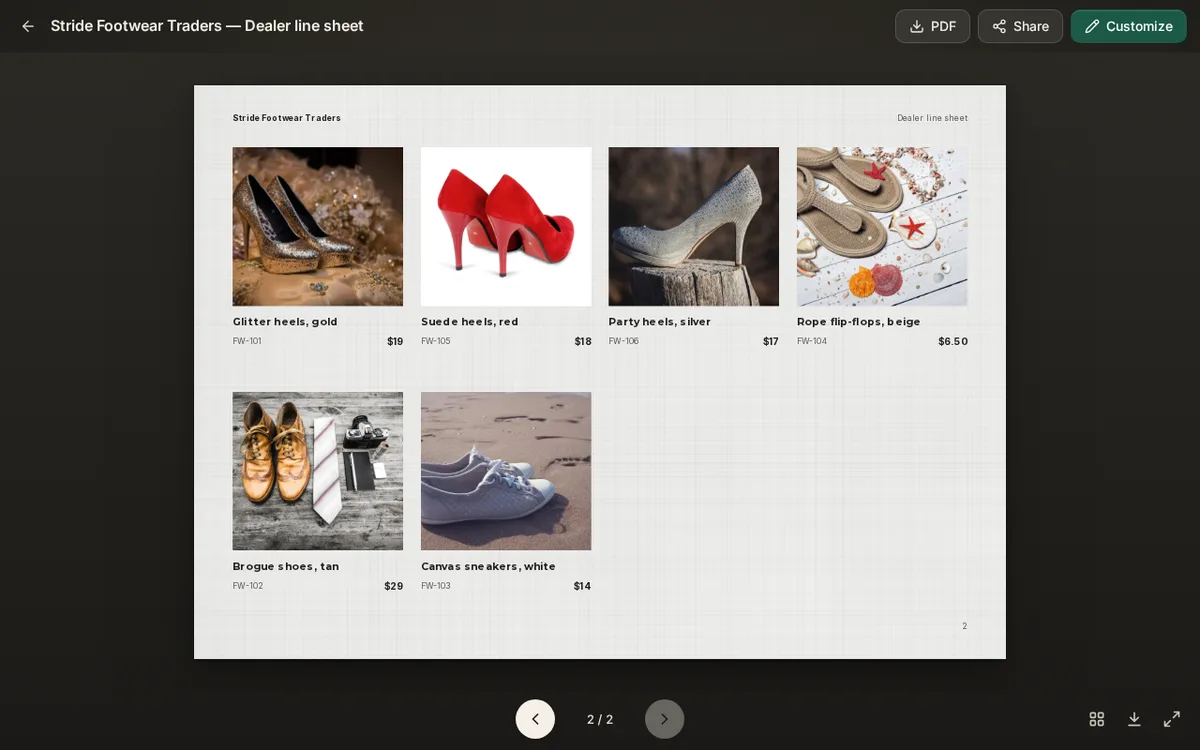
Check every price once. A wrong wholesale price is hard to fix after a shop has ordered.
How to send it
Click PDF to download the line sheet and send it by email or chat. Click Share if you want a link you can update later. A link is useful when your prices change, because buyers see the new version. Read more in PDF or flipbook link: which should you send?.
Open the Dealer Sheet template and make your first line sheet today.