
8 product catalog ideas you can copy today
Good product catalog ideas are simple pages: a hero product, a photo grid, section pages, an offer, an about page, a video and a contact page. Add each with the Add page button.
You have the photos and the prices. Now you stare at an empty catalog and wonder what to put on each page. A plain list of products works. But a few good page ideas make people stop, look and ask for more.
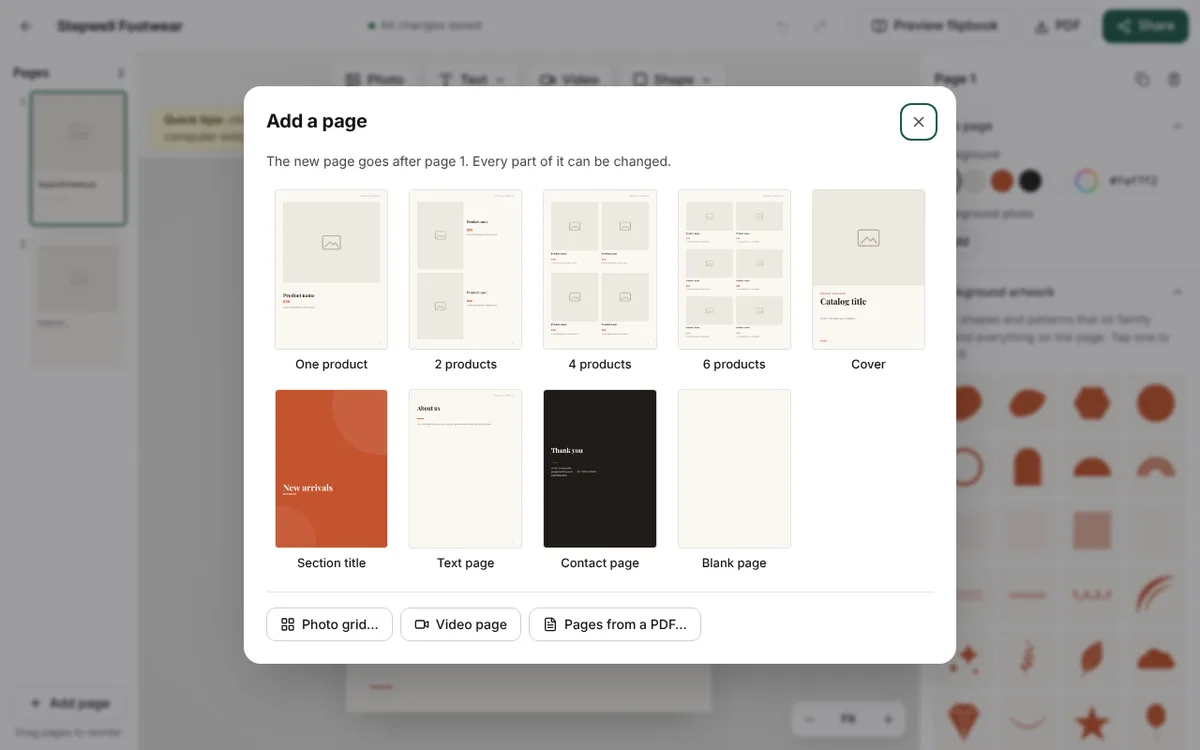
Here are eight product catalog ideas you can copy. We use a small shoe shop as the example, but every idea works for any shop. You add each page with one button: Add page, in the editor. Every page stays fully editable. Double-click any text to change it.
One hero product
Pick your best product. Give it a whole page. One big photo, the name, the price and one short line.
This works well for a new arrival or a best seller. The customer looks at one thing only. In Add page, choose One product, then click the photo frame to add your photo.
A photo grid of one collection
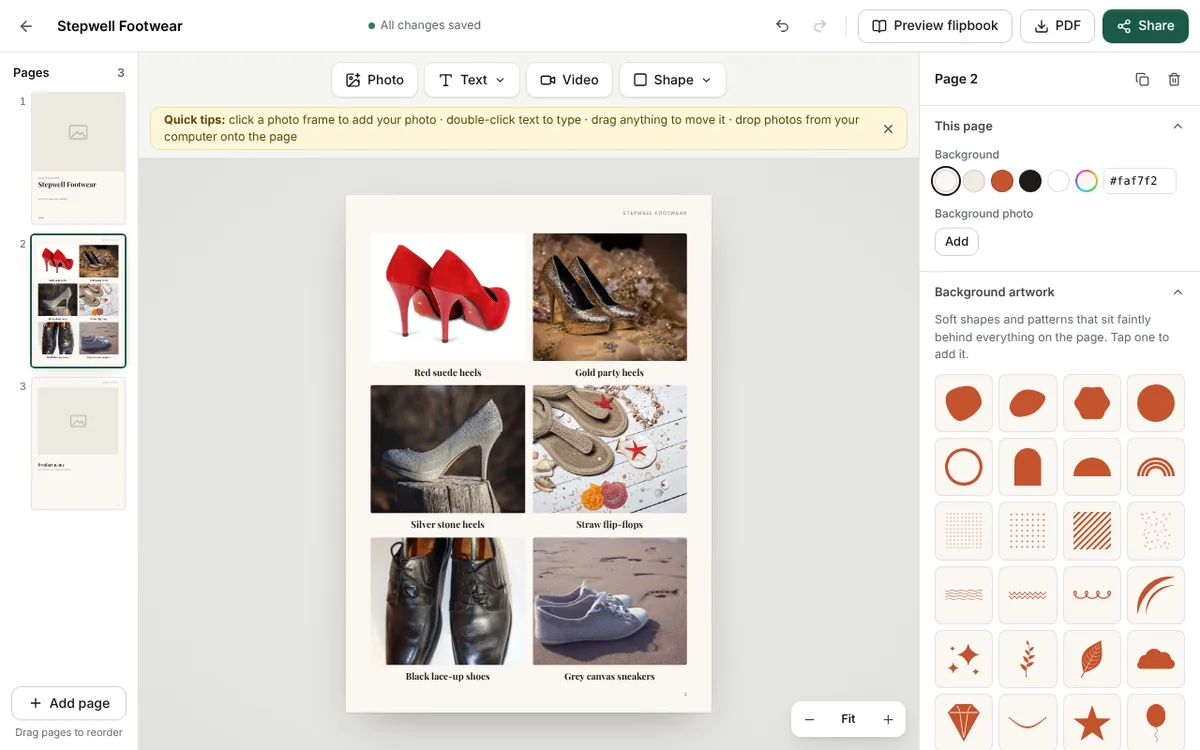
Show six shoes on one page, with a name under each. A customer sees your whole range in one look.
Use this when products look nice together, like a set of party heels. Click Add page, then Photo grid… and pick your photos. Our guide on how to put many photos on one catalog page shows every setting.
Section pages
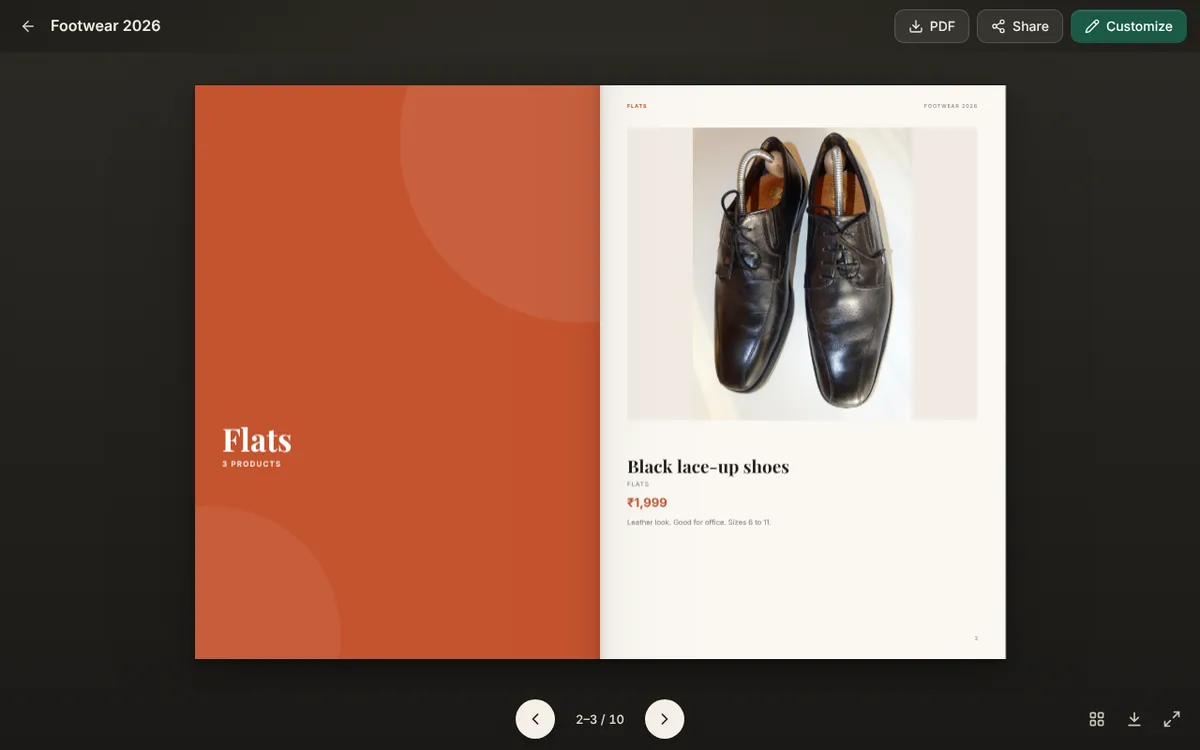
A section page is a page with only a title, like "Heels" or "Flats". It tells the reader a new group starts here.
This helps when you sell many kinds of things. People jump straight to what they want. You do not need to add these by hand. Type a category for each product, and CatalogLeaf makes the section pages for you. You can also add one yourself with Section title in Add page.
An offer page
Put your festival offer, a bundle price or "Buy 2, get 1 free" on its own page. Add the last date of the offer. Customers then know when to order.
Use Text page in Add page. Change the heading to "Festival offer" and type two or three lines. Our Diwali catalogue guide shows a full plan.
An about us page
Customers trust a shop they know. Write three or four short lines: who you are, where your shop is, and how long you have been selling.
Again, Text page is the one to use. It already says "About us". Replace the sample words with your own. Keep it short.
A size and care page
If you sell shoes, clothes or anything with sizes, one page can answer many messages. Write the sizes you have, how to measure, and how to take care of the product.
Add a Text page and change the heading to "Size guide". You will get fewer questions on WhatsApp.
A video page
A short video shows how a product moves, fits or works. A bag opening or a shoe sole bending says more than a photo.
Click Add page, then Video page. Paste a YouTube or Vimeo link and click Add video. In the flipbook, the video plays right on the page. In the downloaded PDF, it is a picture with a play button.
A contact page that tells people how to order
The last page should answer one question: "How do I buy?" Write your phone number, your WhatsApp number, your shop address and the days you deliver.
Choose Contact page in Add page. Double-click the sample text and type your own details. Do this last, so the customer ends on the way to order.
A simple order for your pages
You do not need all eight. Five or six pages are enough for most shops. This order works well:
- Cover
- Section page
- Product pages
- Offer page
- Size guide
- Contact page
If you want a ready-made look first, browse the free catalog templates and open one with your own photos. Then add the pages above.
Try one idea today
Pick the idea that answers the question your customers ask most. Open CatalogLeaf, add that page, and see how your catalog feels with it.