
Kids wear catalogue: 5 free designs for your shop
A kids wear catalogue shows each frock, set or pair of shoes with a clear photo, its sizes and one price. Open a free kids' wear template, add your photos, write the sizes in each product line and share the PDF or link.
A mother stands at your shop door. She asks, "Do you have this frock in size 4?" You say yes, but she has no way to see your other designs.
A kids wear catalogue answers this before she asks. It shows your clothes, sizes and prices in one file. She can look at it at home and show it to her family.
This guide shows how to make a kids wear catalogue with free templates. The examples use a made-up shop called Little Threads.
What parents want to see
Parents shop for a child who grows fast. So they look for three things.
- A clear photo. They want to see the colour and the cloth.
- The sizes. "0 to 8 years" is too wide. Say which sizes you have.
- The price. If there is no price, many people just leave.
Everything else is extra. Keep the pages simple.
Pick a design
CatalogLeaf has five free kids' wear catalogue designs. Each has a cover, product pages and a contact page.
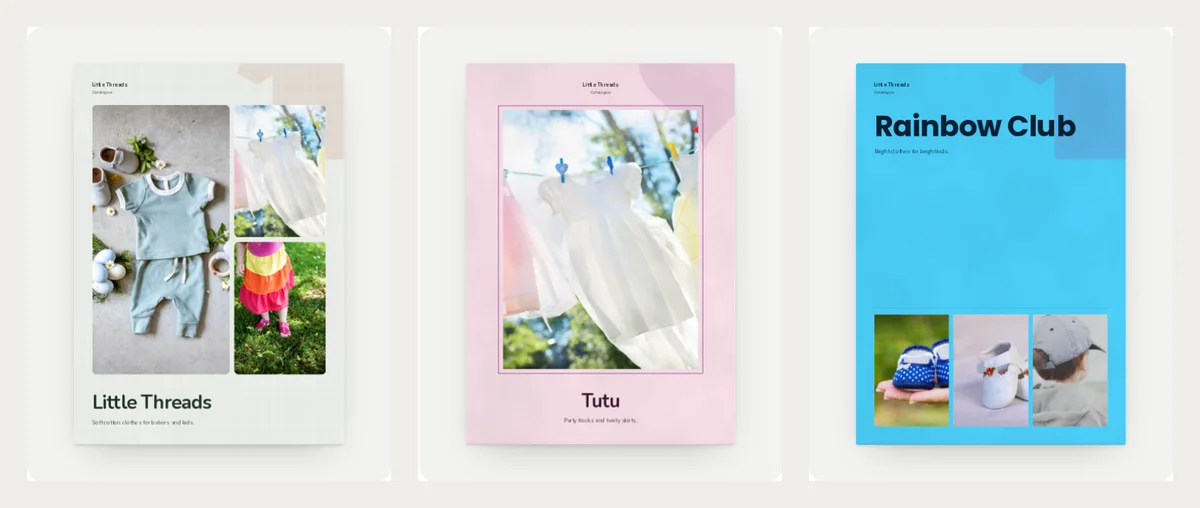
- Little Threads is soft sage green with a brick red accent. Its cover shows three photos, so it suits a shop with many kinds of clothes.
- Tutu is ballet pink and plum. It suits frocks, skirts and party wear.
- Rainbow Club is sky blue with big letters. It suits bright, playful everyday clothes.

- First Steps is warm cream and soft blue. It suits baby shoes, booties and first outfits.
- Denim Days is navy with an orange panel. It suits hoodies, caps and boys' wear.
You can see all of them on the kids' wear catalogue templates page.
What the pages look like
Every design follows the same page plan. This is the Tutu catalogue.
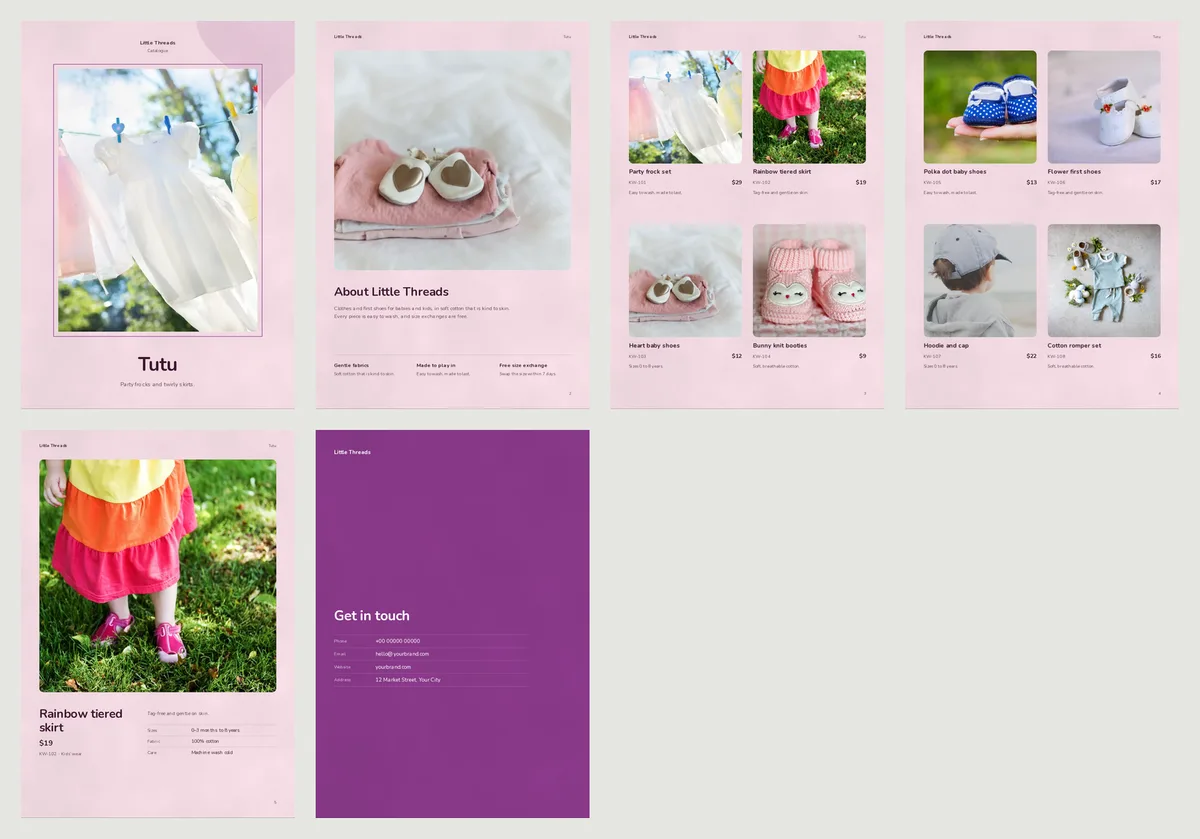
- Cover: one photo and your shop name.
- About page: a short note about your shop and three small promises, such as soft cotton or free size exchange.
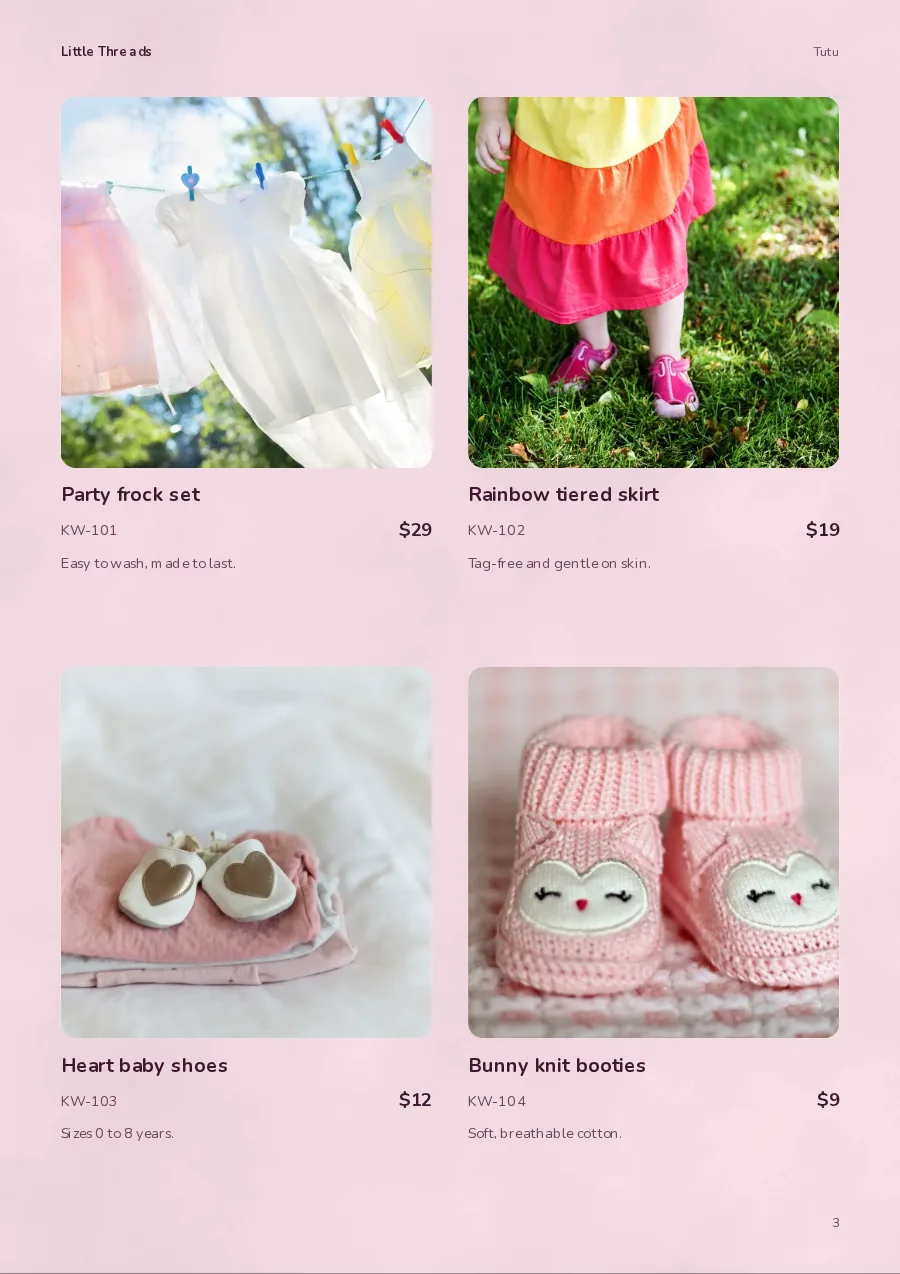
- Product pages: four products on a page, each with a photo, a name, a code and a price.
- A full page: one big photo for a product you want to show well.
- Get in touch: your phone, email, website and address.
The photos in these examples are not your clothes. When you add your own photos, they take the place of these.
What to write for each product
Under each photo you can write a name, a price, a code and one or two short lines. Parents ask about size first. So put the size in the name or in the short line.
Here are three example lines.
| Name | Short line | Price |
|---|---|---|
| Party frock, pink, 2 to 6 years | Soft net, cotton lining | $29 |
| Cotton romper set, mint | Sizes 0 to 12 months | $16 |
| Hoodie and cap, grey | Sizes 4 to 10 years | $22 |
Each line tells the parent what it is, the colour and the sizes. She does not need to message you to ask. Example prices here are in US dollars, like the templates. Write your own price in your own money.
Do not write long stories. One short line about the cloth or the care is enough, for example "Machine wash, tag free".
Photo tips for kids' clothes
- Lay clothes flat on a plain cloth. A white bedsheet near a window works well.
- Fold neatly and iron first. Creases look worse in a big photo.
- Take shoes and caps from the front. Put them on a plain table.
- Use the same background for every photo. The pages then look like one set.
- Show a child only if the parents agree. A flat photo is safe and clear.
For more help, read product photos with your phone.
A simple price list instead
Do you sell many small pieces? A price list may suit you better. It puts every piece on one page, with a small photo, a code and a price.
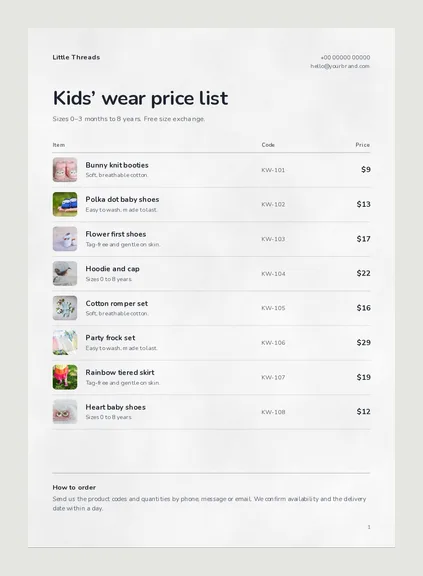
Open the Kids' wear price list. It has a "How to order" note at the bottom, so customers know to send you the codes. You can also read how to make a price list with photos.
Make your catalogue in CatalogLeaf
- Open a design above and click Use with my photos.
- Add your photos. Type a name and a price for each one. The code and the short line are optional.
- Click Next: choose a look, type your shop name and click Create catalog.
Your catalogue opens in the editor. Change the sample contact details on the last page to your own. Then download a PDF or share a link. Not sure which one to send? Read PDF or flipbook link.
When to send it
Send your catalogue a few weeks before a busy time. For kids' clothes, that means school start, Diwali, Christmas and birthday season. Customers then plan their buying before the rush.
Open Little Threads, add five of your best photos and see your own kids wear catalogue in a few minutes.