
What should a cookware catalogue design show?
A good cookware catalogue design gives the size of every pan, the hobs it works on and how to clean it. Here is one built from six products, with the reason for each choice.
Six products, six pages and a 672 KB file. That is the cookware catalogue we built for this post, and it opens fast in any chat.
The shop is a sample, but every number below comes from the real PDF. It was made free in CatalogLeaf, and you can copy each step.
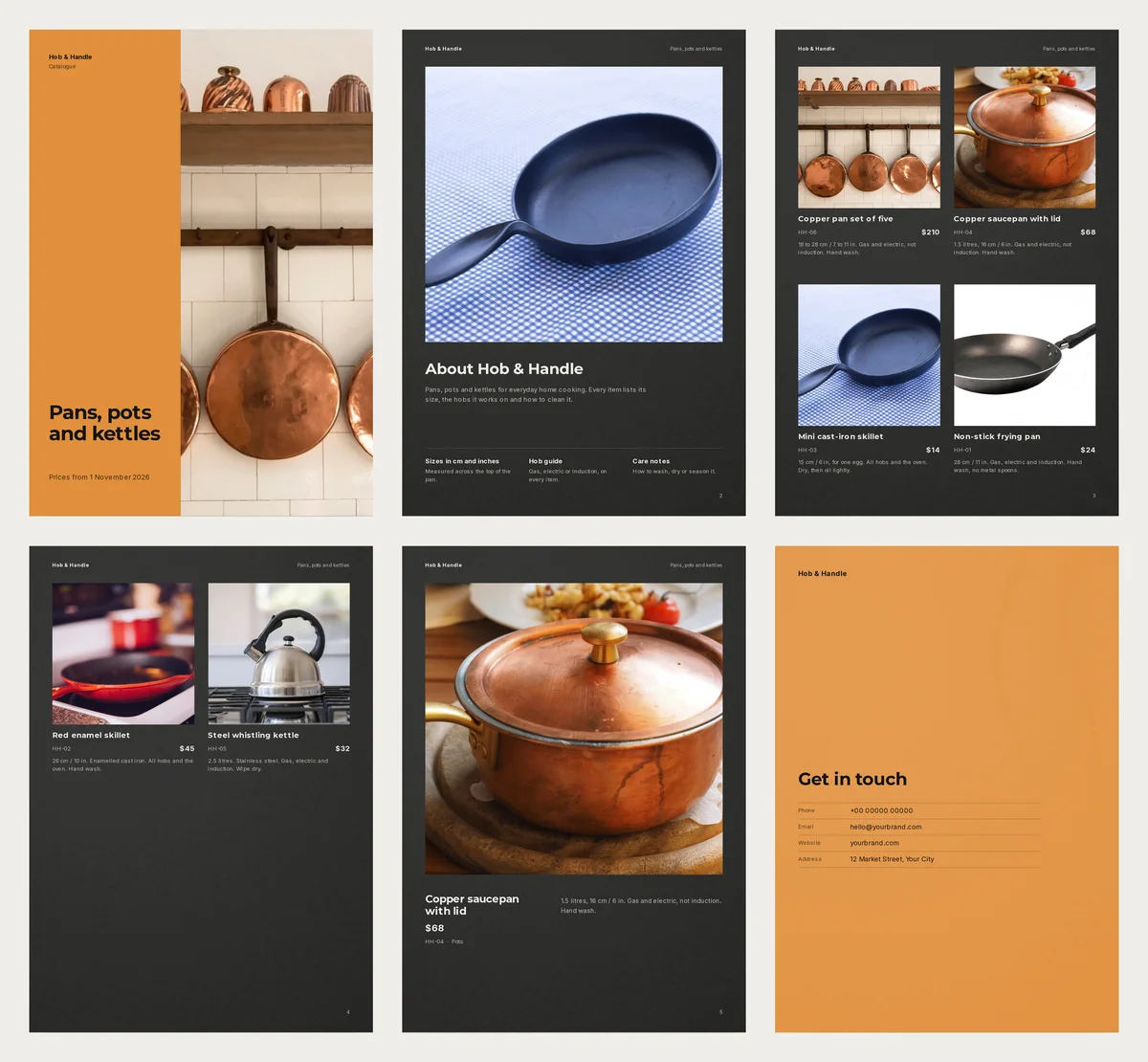
Meet Hob & Handle
Hob & Handle is a sample kitchen shop. It sells six things: two copper pieces, three pans and a kettle. Prices run from $14 to $210.
Its buyers read the catalogue at home, often standing next to their own stove. They cannot pick up the pan or ask you a question. So the page must answer for you.
Write the line a cook checks first
Pan buyers ask the same three things. Will it fit my stove? Will it work on my hob? How do I clean it? Answer all three under the photo, in one short line.
Here are three lines from our catalogue:
- Non-stick frying pan: 28 cm / 11 in. Gas, electric and induction. Hand wash, no metal spoons.
- Copper saucepan with lid: 1.5 litres, 16 cm / 6 in. Gas and electric, not induction. Hand wash.
- Mini cast-iron skillet: 15 cm / 6 in, for one egg. All hobs and the oven. Dry, then oil lightly.
Give the size in centimetres and inches. Measure across the top of the pan, and say so once in the catalogue.
Do you sell one pan in three sizes? Give each size its own line and price. A set is different. Our set of five says "18 to 28 cm", but a buyer will want every size. If there is room, list them all.
Be careful with the word "induction". An induction hob only heats pans with iron in them. A US government poster on induction cooking gives a simple test: a magnet sticks to the pan. A copper pan fails it. A buyer who gets the wrong pan will send it back.
Each product also has a code, HH-01 to HH-06. Codes make chat orders easy, as our WhatsApp link guide shows.
Your first photos choose the big pages
The order of your products decides three pages, not one:
- Product 1 becomes the cover photo.
- Product 2 gets a full page of its own, if it has a photo, a price and a description.
- Product 3 shows on the About page.
When you add photos, each batch is sorted by file name. It does not keep the order you clicked them in. So check the list before you go on. Use the up and down arrows on each product to move it.
We put the copper pan set first. It is tall and warm, and it fills the cover well. The copper saucepan came second, as our best-looking single piece. The small skillet on a blue cloth went third, because it looks like a real kitchen.
Pick a design that suits metal
We used the free Cast Iron design. Its inside pages are charcoal, and copper and steel shine on a dark page. The cover has a plain orange panel, so the title stays easy to read.
The design made six A4 pages. They are the cover, an About page, two pages of products, one full product page and a contact page.
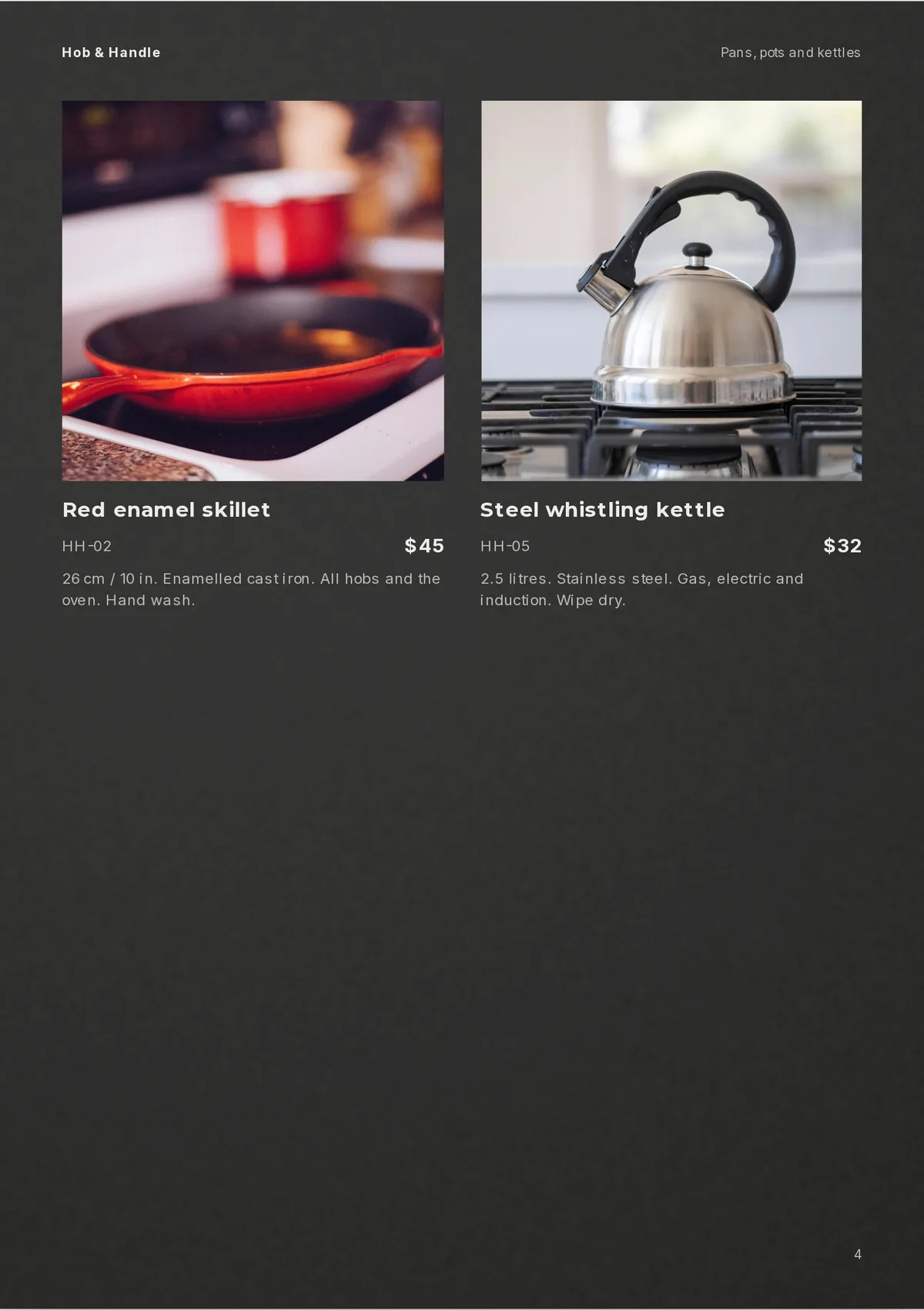
Page 4 holds only two products, so half of it is empty. You have two fixes. Add two more products, and both product pages fill up. Or remove the two and give them a flyer of their own. Read how many pages a catalogue should have before you add more.
Fix the words that came with the design
Every design starts with sample words. Ours were written for tableware, so they were wrong for pans. The About page said "Glazed by hand" and "Dishwasher and microwave safe". Cast iron and copper should not go in a dishwasher.
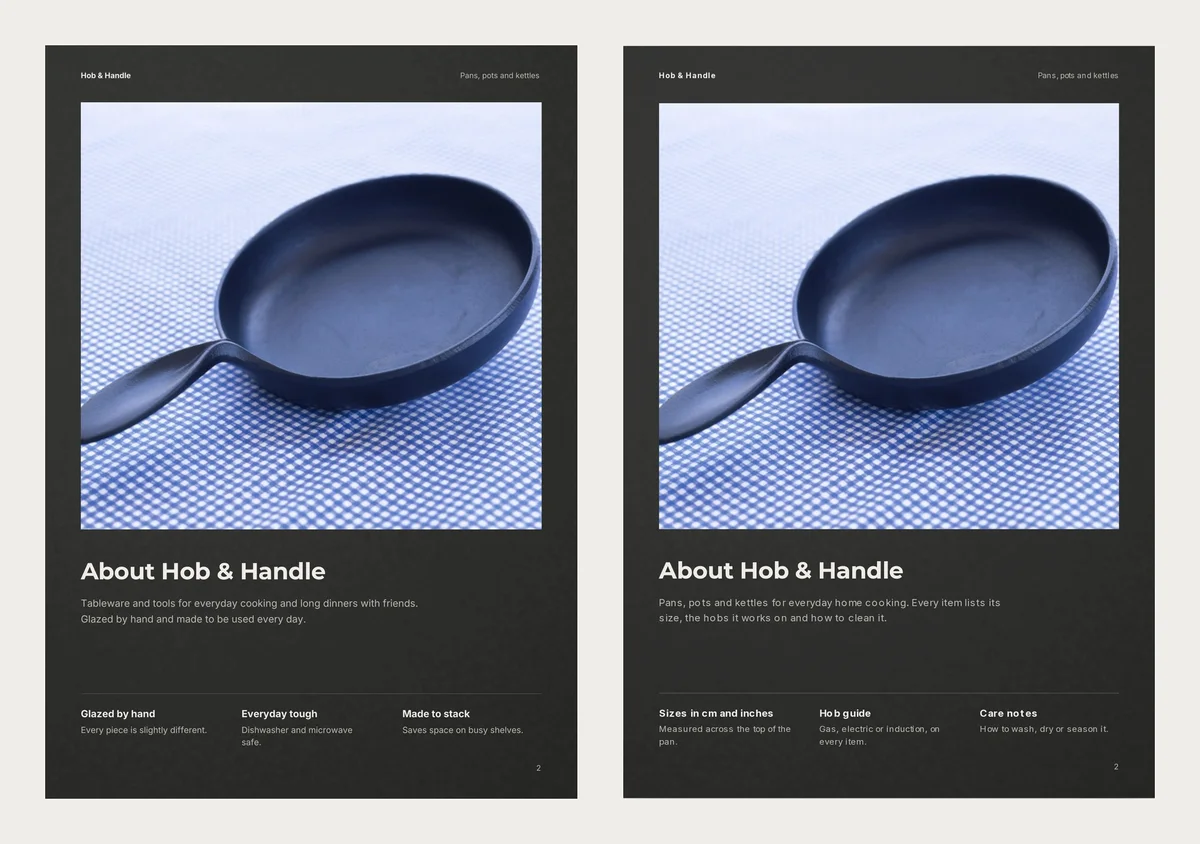
We changed the About text and the three notes under it. We also changed the line under the cover title to "Prices from 1 November 2026". A date tells customers the prices are current.
The contact page still shows sample details. Put your own phone number, email and address there before you send it.
How big the PDF was
We made the PDF at each quality. The page count stayed at six.
| PDF quality | File size | Best for |
|---|---|---|
| Compact | 672 KB | WhatsApp and email |
| Standard | 814 KB | Phones and tablets |
| HD | 1.0 MB | Printing |
When we picked HD, the app warned us that 3 photos may look soft in print. It shows a number called dpi for each one. Dpi means how many pixels of the photo fall on each inch of paper. The app warns below 150. Our cover photo was only 58, and two others were about 110.
The reason: our sample photos are 1024 pixels wide, which is small for print. For a printed copy, use the original photo from your phone, not one sent over WhatsApp. Our guide to printing your catalog explains the rest.
Make it with your own pans
- Open the Cast Iron catalogue and press Use with my photos.
- Add your photos. Type a name and price for each. Put the code in the Code box and the size, hob and care line in the description box. On a phone, tap More details first.
- Press Next: choose a design, type your business name and a title, then press Create catalog.
- Click Customize. Double-click the sample text on the cover, the About page and the contact page, and type your own.
- Click PDF, choose Compact and press Create PDF.
More kitchen looks are on the kitchenware catalogue templates page.
Before you send it, put a magnet on every pan you called "induction".