
What should a business brochure include?
A business brochure should include your name, what you sell, a few products with codes and prices, and reasons to buy. Its back page says how to order and when prices end.
A man at a pet shop counter picks up the brochure. He likes the bolster dog bed on page 4. He turns it over to see how to order. There is a phone number, and nothing else.
A business brochure is a short booklet about your shop and your best products. So what should a business brochure include? The answers to what a buyer asks before they contact you.
Here are 12 things to include, page by page. When we checked one ready-made brochure against them, every gap was on the back page.
The cover
- Put your shop name where the eye lands first.
- Say what you sell in one line. "Leashes, beds, bowls and treats for dogs and cats" works. A slogan alone does not.
- Use one clear photo of a real product. A blurry photo makes people doubt the rest.
Inside: proof, then products
Write a few sentences about your shop: who you are, what you sell, and where. Then give reasons to buy that a customer can check. "Swap a size within 7 days" is one. "Best quality" is not, because any shop can say it.
Show only your best products, about 4 to 12. Pick what sells, or what you want to sell more of. Leave food or anything with a price that changes every month for a separate price list.
Give each product a name, a code and a price. The code lets a buyer order by message without sending a photo. Any short code works, like PT-101 and PT-102. A missing price makes people think it is expensive.
Everything needed to order
- List a phone number and a WhatsApp number. Buyers often message first.
- Add your address and opening hours. A buyer who wants to visit needs both.
- Explain how to order in a few short steps. Who do they message, what do they send, and what happens next?
- Say how they pay and how they get it. Pickup, delivery area, delivery cost and payment methods fit in one short line.
- Print the date your prices end. People keep a brochure in a drawer for months. A date stops an argument over an old price.
One free business brochure, checked
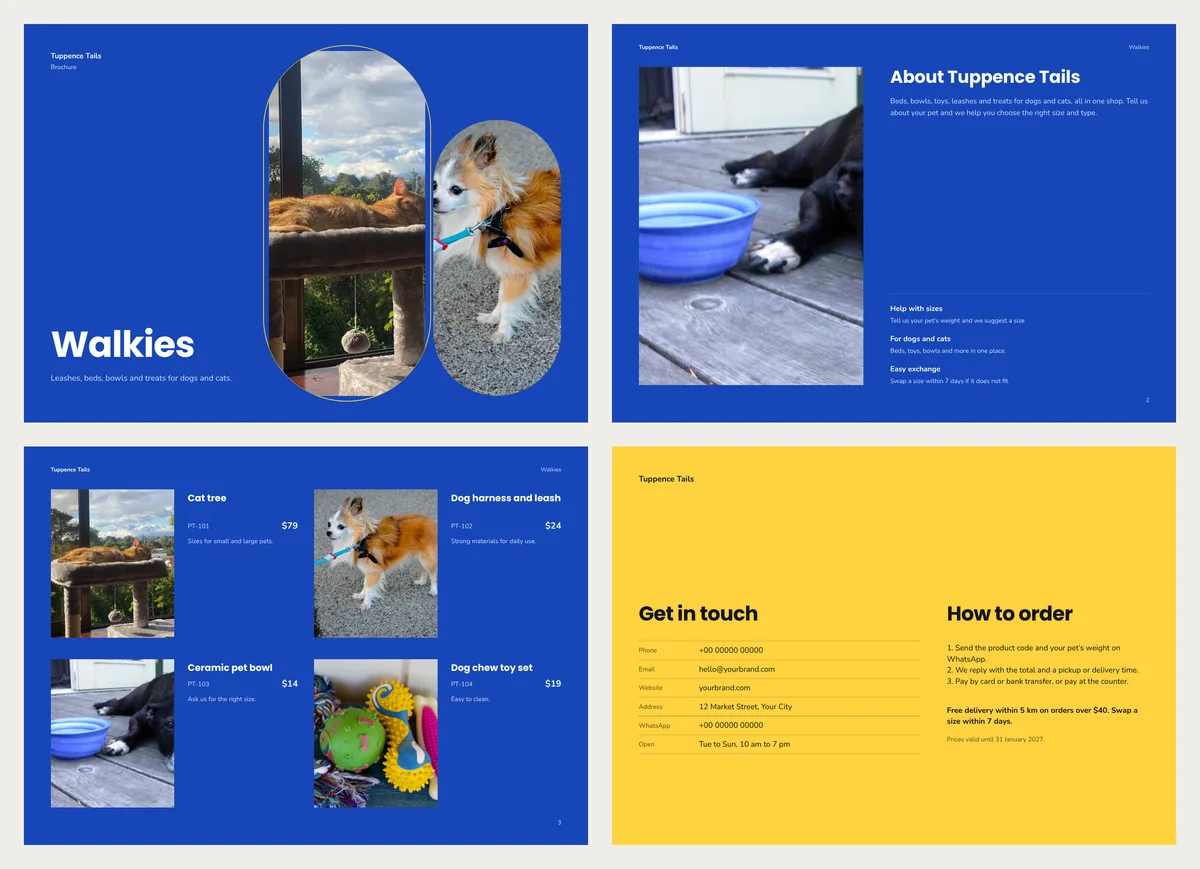
We opened Walkies, a free pet shop brochure in CatalogLeaf. We named our sample shop Tuppence Tails and went through the list.
The cover had all three points. Inside, all four were there: a short about text, three reasons, a few products, and a code and price on each. One reason, "For dogs and cats", was weak, since it is true of most pet shops. We would replace it with something only you offer, like free fitting for harnesses.
The back page had a phone number, an email, a website and an address. Nothing else from the list was there.
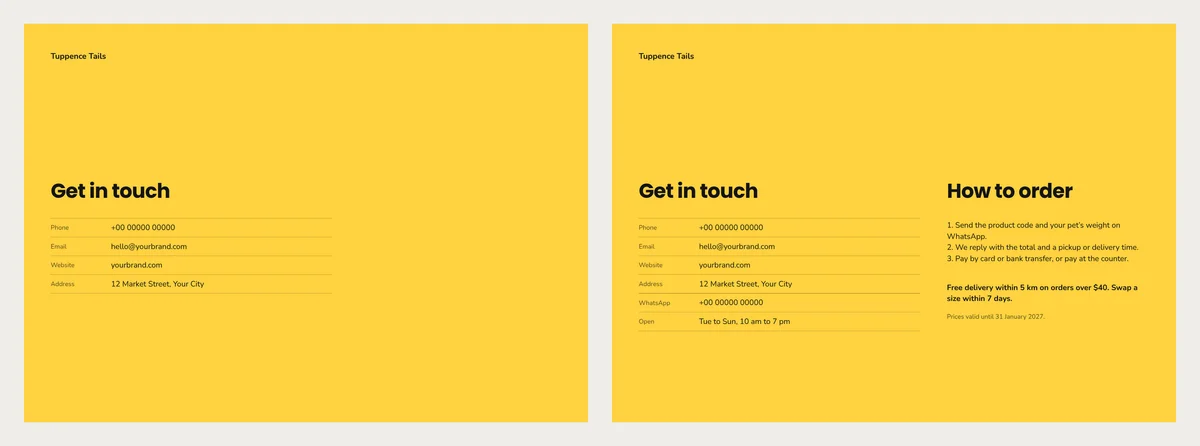
The right half of the back page was empty, so the order steps went there. Here is the text we added, to copy and change for your shop:
How to order
- Send the product code and your pet's weight on WhatsApp.
- We reply with the total and a pickup or delivery time.
- Pay by card or bank transfer, or pay at the counter.
Free delivery within 5 km on orders over $40. Swap a size within 7 days. Prices valid until 31 January 2027.
We also added WhatsApp and opening hours to the contact rows. The brochure stayed at 5 pages.
Fill it in for your shop
Take one photo of each product first. Then:
- Open the Walkies brochure template, or pick another from the brochure templates. Click Use with my photos.
- Click Choose photos (or Add photos) and type a name and price for each product. Click Next: choose a design, then Create catalog.
- In the editor, double-click any text to change it. Replace every sample phone number, email and address with yours. To add the order steps, use Text, then Paragraph.
- Click PDF. Choose Compact to send it on WhatsApp, or HD to print it. Or click Share to send a link.
The brochure pages are A4 landscape. A4 is 210 × 297 mm, set by the paper standard ISO 216. On US Letter paper, choose "fit to page" when you print.
Then hand one copy to a friend. Ask them to order something from it without asking you anything.