
Nine pet shop catalogue designs and where the sizes go
Show the size with every photo and price, since owners ask about fit before anything else. Short designs do this on every page; in the long ones, add the size to the product name.
A good pet shop catalogue design puts the size next to each photo and price. "Will it fit my dog?" or "Is it big enough for my cat?" comes before any question about price.
So we tested where the size goes. We made up a shop, Bramble & Bone, and gave it eight products. Then we put them into nine free CatalogLeaf designs and looked for the size line on every page.
Eight products, each with a size line
Bramble & Bone sells a dog bed, a cat tree, a walking set with a lead, a bowl, two toy sets, a travel crate and dog biscuits. Each product got a code, BB-01 to BB-08, and one short line:
Medium, 76 cm across · dogs up to 20 kg
A pet owner buys for one animal, so give the number they can check at home. For a bed or a crate, that is the length and the weight it suits. For a walking set, give the chest size it fits. A bowl needs its volume, and a toy set needs the dog size it is safe for.
Food is easier. In the US, the FDA says every pet food label must show the net quantity, which means the weight. So copy it from the bag: "500 g bag".
Sell a bed in three sizes? Add each size as its own product with its own code and price. Or, if the price is the same, write all three in one line: "S 60 cm · M 76 cm · L 90 cm".
The test in one table
"Size shown with product" means the size line is on the page where the product first appears. We saved each PDF at Compact. The other two choices, Standard and HD, make bigger files.
| Design | What it makes | Pages | Size shown with product | Compact PDF |
|---|---|---|---|---|
| Pet Pantry | Price list | 1 | 8 of 8 | 128 KB |
| Walkies | Brochure | 5 | 8 of 8 | 682 KB |
| Happy Paws | Catalogue | 6 | 8 of 8 | 899 KB |
| Night Walk | Lookbook | 6 | 8 of 8 | 1.3 MB |
| Pet Post | Catalogue | 11 | 4 of 8 | 1.4 MB |
| Good Company | Catalogue | 12 | 0 of 8 | 598 KB |
| Field Companion | Catalogue | 14 | 0 of 8 | 727 KB |
| Christmas Treats | Flyer | 8 flyers | 8 of 8 | 703 KB |
| Paws Friday | Flyer | 8 flyers | 8 of 8 | 996 KB |
The short designs did best. The two longest made a reader wait. Every file stayed under 1.5 MB, small enough to send on WhatsApp.
One page for the till
Pet Pantry fits all eight products on one A4 page. Each row has a small photo, the size line, the code and the price. Print it and keep it by the till for people who ask about sizes.
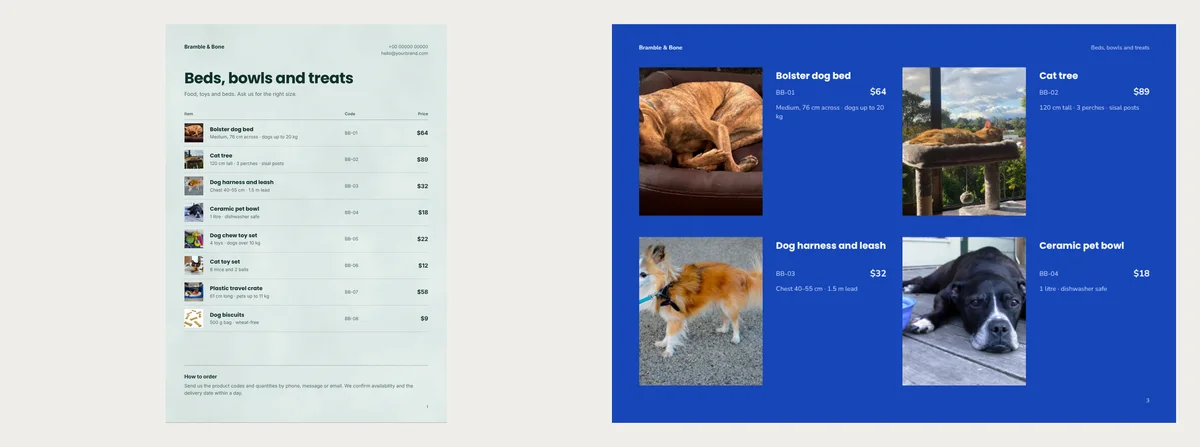
It also suits regular buyers who order the same food every month. They can reply with "2 × BB-08" and nothing more.
Five or six pages for WhatsApp
Walkies is a bright blue landscape brochure. Two of its five pages hold the products, four on each. The size line sits next to each photo.
Happy Paws does the same in six portrait pages, cream with a berry-red back page. It adds one page with a single product, here the cat tree, shown large.
Both about pages keep a sample promise: "Swap a size within 7 days". Only keep it if that is your rule.
Photo-first books for a new range
Night Walk is a lookbook, a book of big photos with short captions. Your first photo fills the whole cover, with no name on it. The next three products get a page each, with the size line under the photo.
Pet Post gives five of the eight products a page of their own, some with a round price badge. Only four of the eight first showed up with a size line. The other four first appear in a photo grid with a name and price only.
Long catalogues that hold the size back
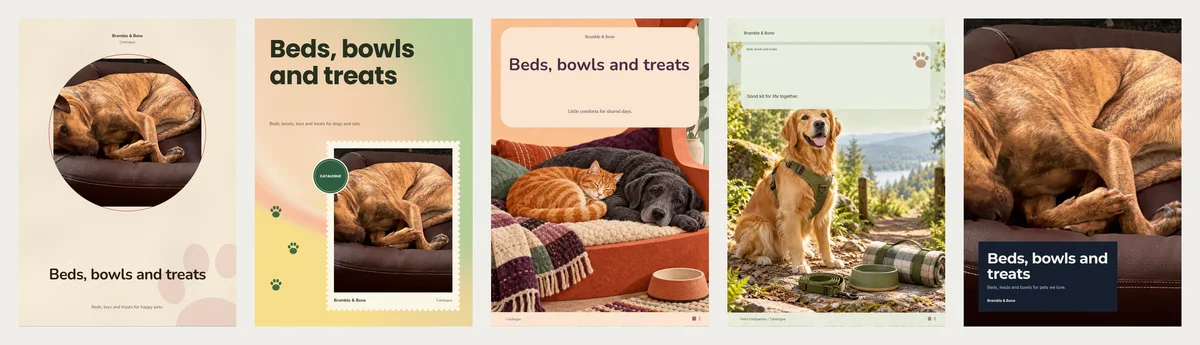
Good Company and Field Companion have drawn cover art, so you need no cover photo.
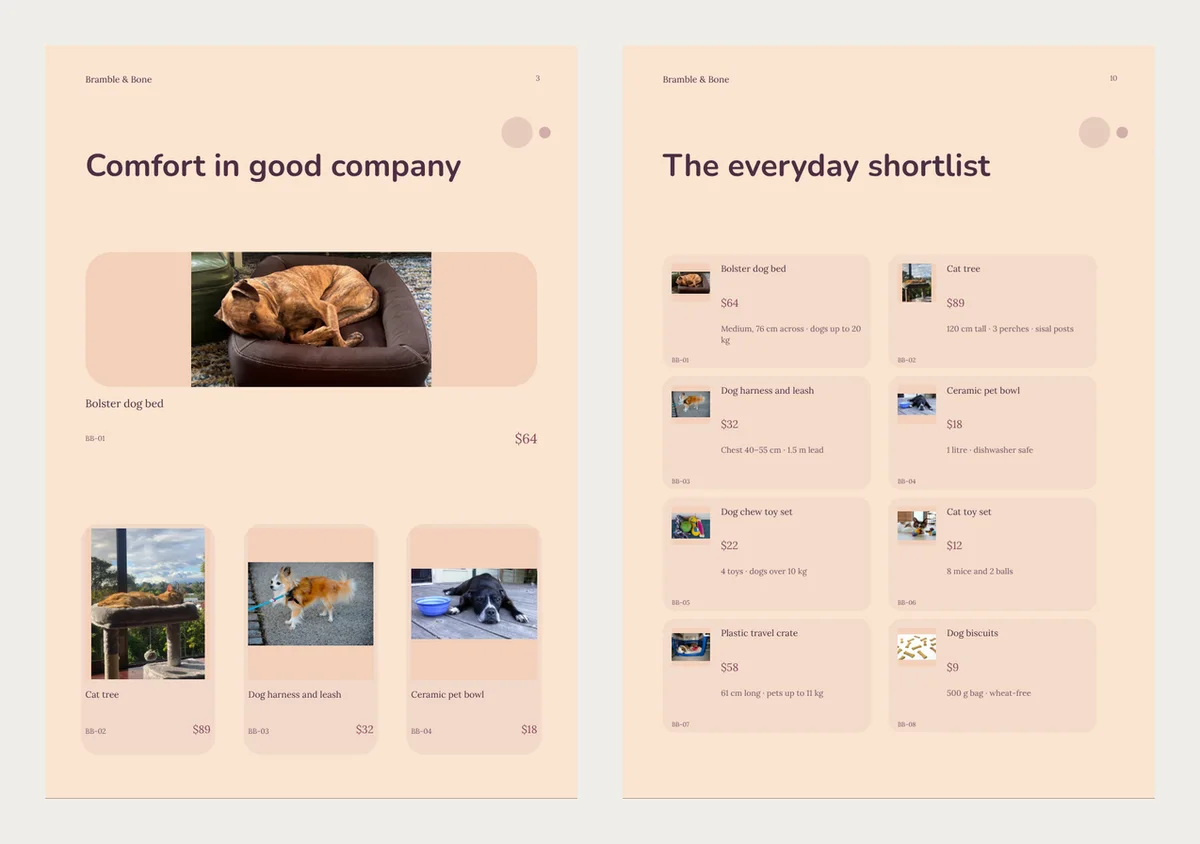
Both start with grid pages that show a name, a code and a price. In Good Company most size lines wait until page 10. In Field Companion they mostly wait for the "Product details" pages, 12 and 13.
Fix it in the name: "Bolster dog bed (M)". The name shows on every page, so the size goes with it. If you sell three sizes as three products, each name then says its size.
Field Companion also keeps a sample page that says "Small, medium and large" and "Cotton, nylon, rubber and ceramic". A shop with no ceramic bowls should rewrite it.
Flyers for Christmas and Black Friday
A flyer design makes one page per product, with a large price. Eight products gave eight flyers. Send the one you most want to sell, not all eight.
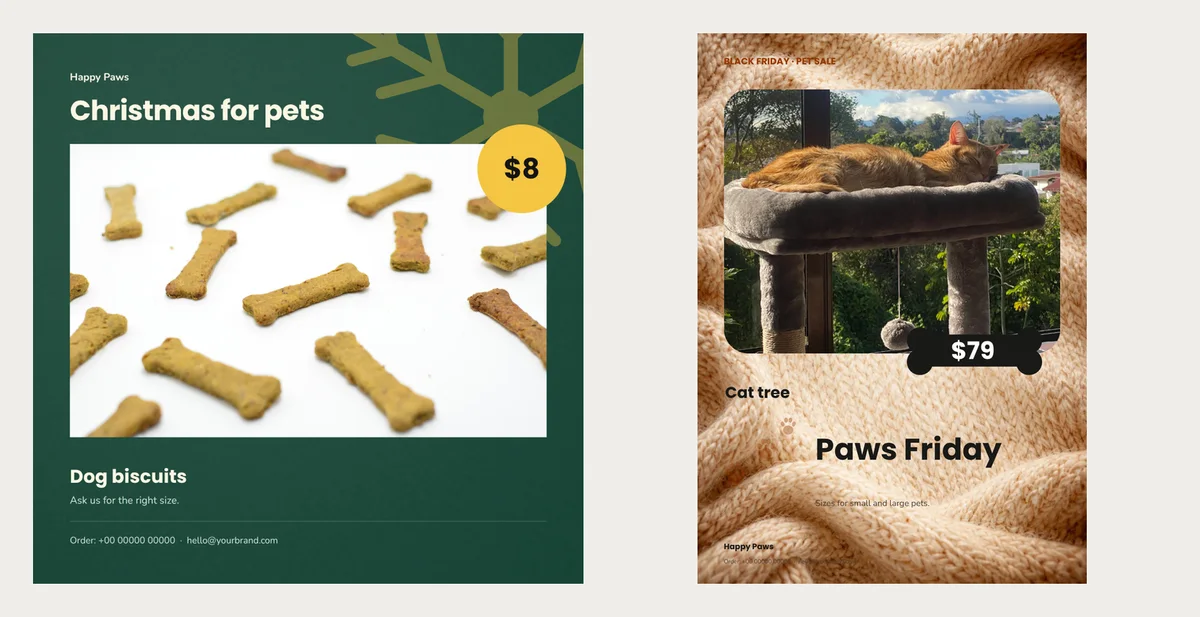
Christmas Treats is square and pine green, a good size for a social post. Paws Friday puts the price on a black bone-shaped tag, with "Black Friday · Pet sale" at the top. Neither flyer prints your product code, so write "Order by message" with your number.
Start from one of them
- Pick a design: Pet Pantry, Walkies or Paws Friday. The button you want is Use with my photos.
- Each product needs its photo, its name and its price. Type the code in Code (optional). Type the size line in A sentence or two about it (optional), just below. Phones hide these two boxes until you tap More details.
- Click Next: choose a design and fill in Your business name. Create catalog builds the pages.
- Some sample words will still be there. To rewrite one, double-click it. For WhatsApp, the PDF button with Compact gives the smallest file.
When a price changes next month, open the same catalogue, change it and save a new PDF.
Then hand the file to a friend who owns a dog. If they turn a page to find the bed size, put the size in the product name.