
Free flipbook video maker
Turn your catalogue into a video where the pages turn like a real flipbook. Add music and download an MP4 that’s ready for Instagram, WhatsApp Status or YouTube.
How it works
Make or open your catalog
Start from your photos, a spreadsheet, a template or a PDF you already have.
Tap Video
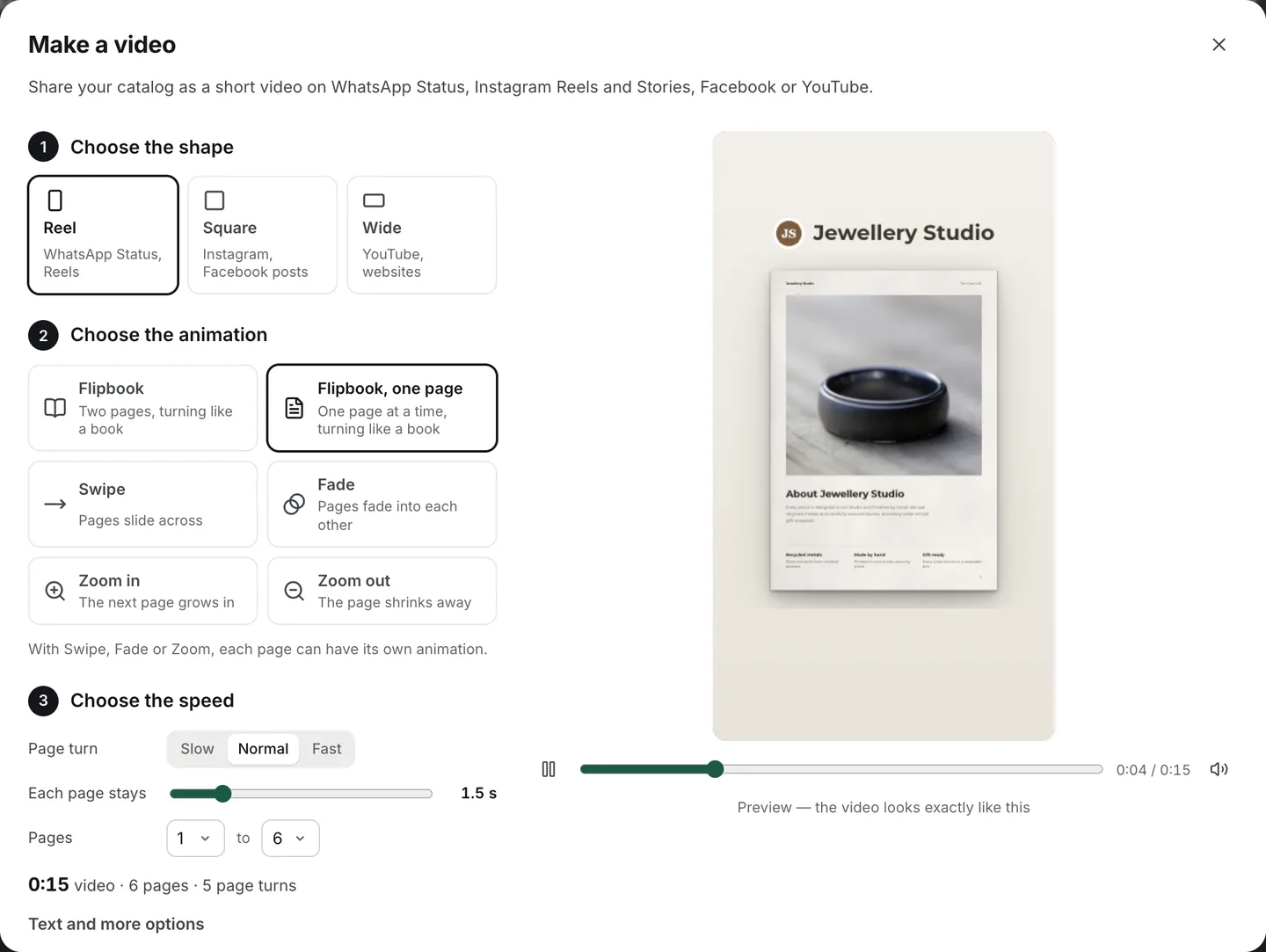
In the preview, tap Video and pick Flipbook: two pages at a time, or one page for tall phone videos.
Add music and download
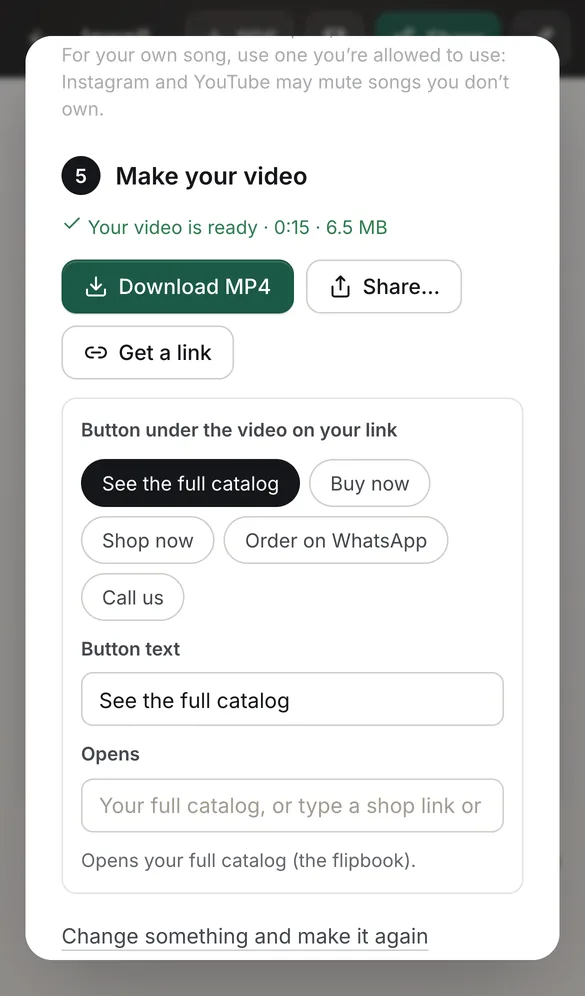
Choose a tune, a free track or your own song, then download the MP4 or share it to an app.
See it in the app
Real page turns, not a slideshow
The pages curl and turn exactly as they do in our flipbooks, timed so every turn reads clearly at 30 frames a second, with a light motion blur like a film camera.
Prefer something calmer? Pages can swipe, fade or zoom instead, and each page can have its own way in.
One catalog, three shapes
Reel (9:16)
WhatsApp Status, Instagram Reels and Stories. Text stays clear of the apps’ own buttons.
Square (1:1)
Instagram and Facebook posts.
Wide (16:9)
YouTube and websites.
Moving covers and clips play
A video you put on a page plays inside the flipbook video, and so does a moving cover. YouTube and Vimeo clips show their picture.
The video is made in your browser, frame by frame. Nothing is uploaded unless you choose to get a video link.
Questions
Is the flipbook video maker free?
Yes, with no sign-up and no watermark on your pages. The video can end with a small “Made with CatalogLeaf” line, which you can switch off.
What do I download?
An MP4 video (H.264, with AAC sound when you add music), in 720p, 1080p or 1440p. WhatsApp, Instagram, Facebook and YouTube all accept it.
Can I add music?
Yes. Pick one of our own tunes, made to fit your video with the beat on each new page, a free track that needs no credit, or your own song.
How long can the video be?
You choose which pages to show and how long each one stays. For WhatsApp Status and Reels, the app helps you fit it into one minute.
Can I share it as a link?
Yes. Get a link and the video plays on its own page, with a button under it: see the full catalog, order on WhatsApp, shop now or call.
Which browsers can make videos?
Chrome, Edge and Safari 17 or later, on computers and phones. If a browser can’t add music, the app tells you.