
Turn a PDF into a video
Upload your catalogue or brochure PDF and get an MP4 where the pages turn like a real book, with music. Post it on WhatsApp Status, Instagram Reels or YouTube.
How it works
Upload your PDF
One file or several. It opens as a catalog on your device, where you can add photos, text or video.
Tap Video
In the preview, tap Video. Pick Reel, Square or Wide and how the pages move.
Add music and download
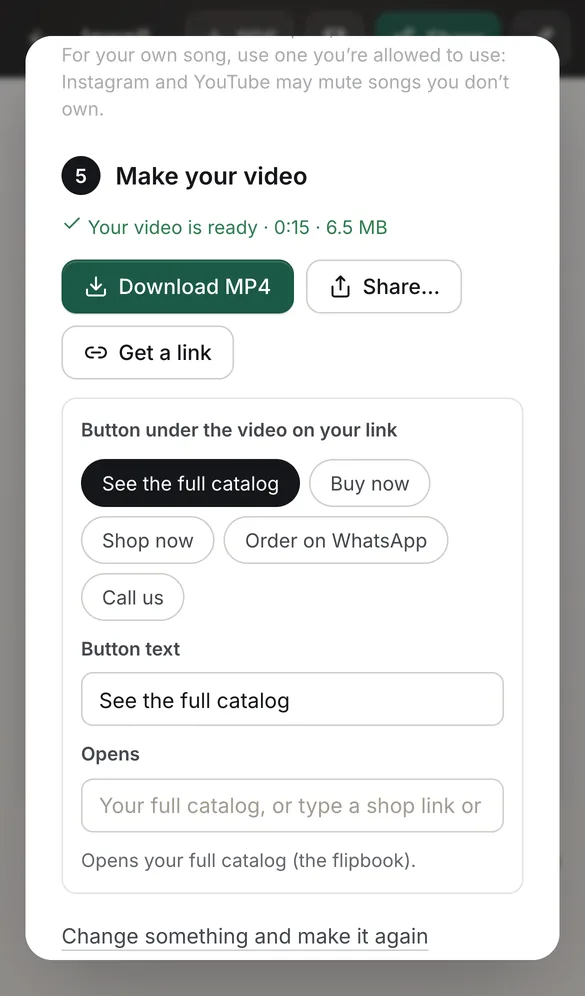
Choose a tune, a free track or your own song, then download the MP4 or share it to an app.
See it in the app
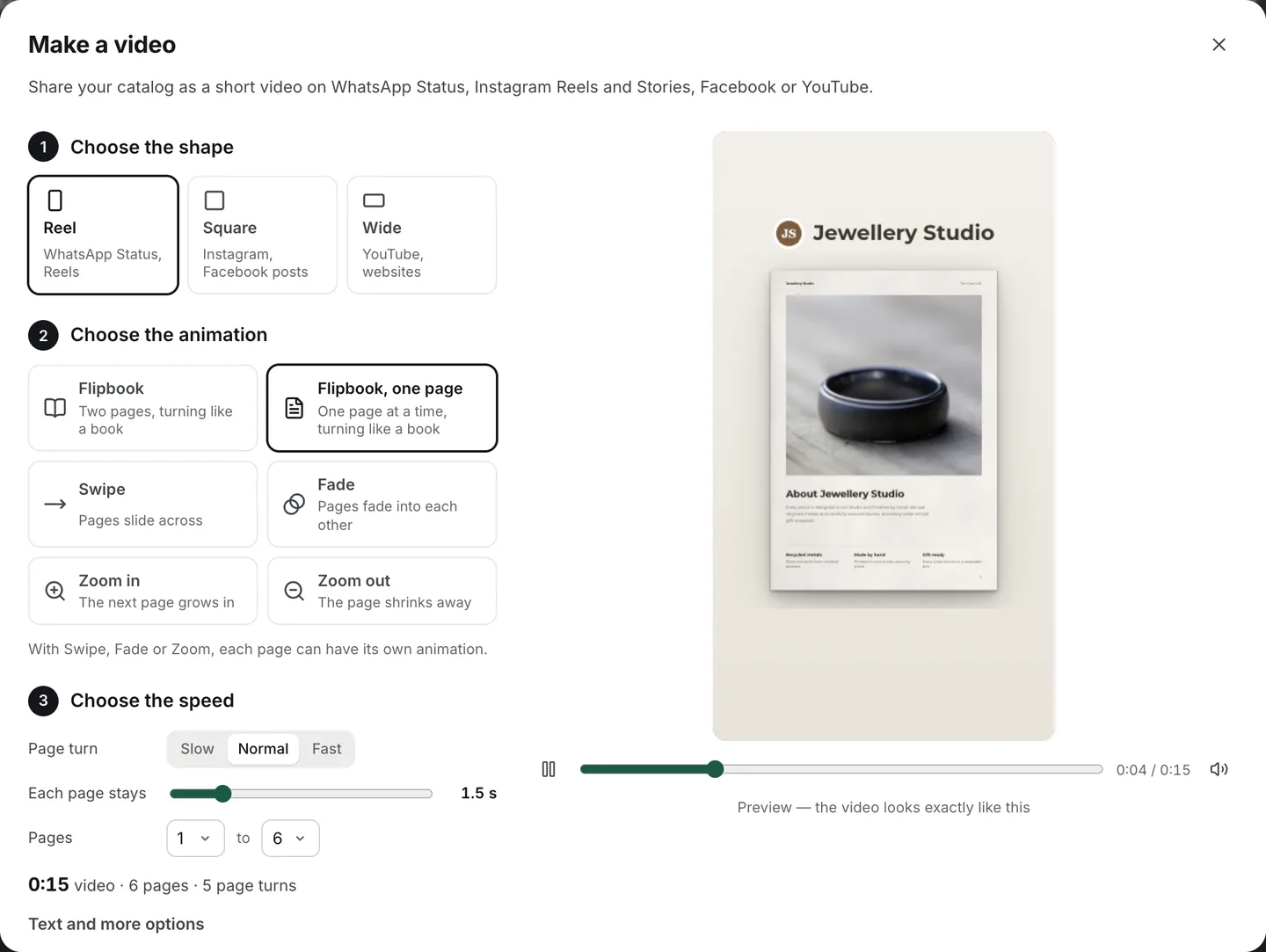
A video, not a slideshow of your PDF
Pages turn like a real flipbook, one at a time or two side by side, or swipe, fade and zoom. Your shop’s name can sit above the pages and a line like “Order on WhatsApp” below.
Your PDF is read and the video is made on your own device. Nothing is uploaded unless you choose to get a video link.
Sized for where you post it
Reel (9:16)
WhatsApp Status, Instagram Reels and Stories. Text stays clear of the apps’ own buttons.
Square (1:1)
Instagram and Facebook posts.
Wide (16:9)
YouTube and websites.
Three qualities
Compact (720p) for WhatsApp, Standard (1080p), or HD (1440p) for the sharpest small text.
Music that’s free to post
Our own tunes are made to fit your video, with the beat on each new page. The free tracks need no credit. You can also add your own song: use one you’re allowed to, as Instagram and YouTube may mute songs you don’t own.
Questions
Is the PDF to video converter free?
Yes, with no sign-up and no watermark on your pages. The video can end with a small “Made with CatalogLeaf” line, which you can switch off.
What format is the video?
MP4 (H.264, with AAC sound when you add music), in 720p, 1080p or 1440p. WhatsApp, Instagram, Facebook and YouTube all accept it.
Can I choose which pages go in the video?
Yes. Pick the first and last page, how long each page stays and how fast pages turn. With Swipe, Fade or Zoom, each page can have its own animation.
Will it fit WhatsApp Status and Instagram Reels?
Yes. Choose the Reel shape (9:16). The app shows the video’s length and helps you fit it into one minute.
Does it read my PDF out loud?
No. The video shows your pages turning, with music if you add it. There is no voice-over.
Can I share a link instead of a file?
Yes. Get a link and the video plays on its own page, with a button under it: see the full catalog, order on WhatsApp, shop now or call.