Birthday memory book ideas for the photos on your phone
Good birthday memory book ideas are small: a short letter, one photo and one line for each moment, notes from the guests, then-and-now photos and the singing on video.
Your sister turns 30 next month. You want to give her something better than a link to 300 party photos. A small book of the day, with a few words on each page, is the gift people keep.
These birthday memory book ideas work on paper and on a screen. We tried each one on a sample book, "Maya turns 30", made in CatalogLeaf, a free tool that turns photos into a book with real page turns. You can open that book near the end.
When should you start?
Two weeks before the party, ask the guests for their notes and their old photos. On the day, film the singing and take a few short clips. Keep the evening after the party free to choose the photos and make the book.
Open with a letter, not a photo
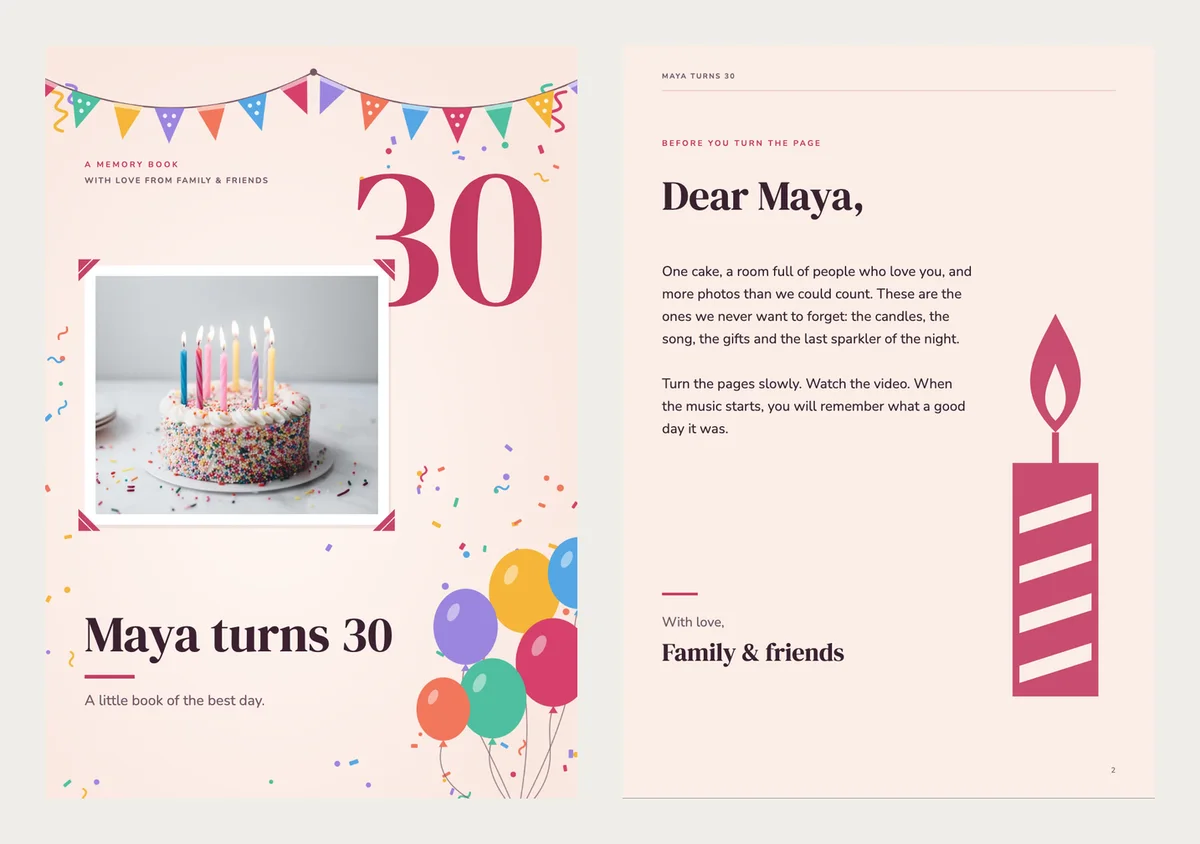
Before the first photo, write five or six lines to the birthday person. Ours names one thing Maya does better than anyone, and one wish for her next year.
Keep it short enough to read out loud. A long letter turns into a speech.
Pick one photo for each moment
Go through the day in order and give each moment one photo: the cake, the gifts, the dancing. Keep the one with the clearest face or the biggest smile.
If two photos are too good to choose, keep both with that moment. In step 1, click More photos on its card to add up to 10 photos. On the link, a tap on the photo opens them all. The PDF prints them on "More photos" pages at the end.
What should you write under each photo?
Write what the photo can't show. A photo shows a cake. It can't say that Grandma baked it at 6 in the morning.
- The cake: "Grandma's recipe. She started at 6 am."
- The gifts: "She guessed the sweater before she opened it."
- The dancing: "Nobody knew Dad could do that."
Inside jokes are welcome. Add three or four words for the people who weren't there.
Put then and now side by side
A birthday book can hold more than one day. Ask the family for one photo from each decade: a baby photo, one at 10, one at 20, and one from the party.
Put them on one page, in order. For a 30th, that is four photos. Nobody needs a caption to feel this page.
Make the age the biggest thing on the cover
Let the number fill the cover: 30, 50 or 7. Put the name and one short line under it.
In our template, the number comes from the title. Type a title like "Leo turns 7" and the cover shows a big 7. You can still click the number and change it.
Ask every guest for one line
Send one message to the family group. You can copy this one:
"We're making a little book for Maya's 30th. Can you send one sentence to her, and your name? A favourite memory is perfect. Please reply by Friday."
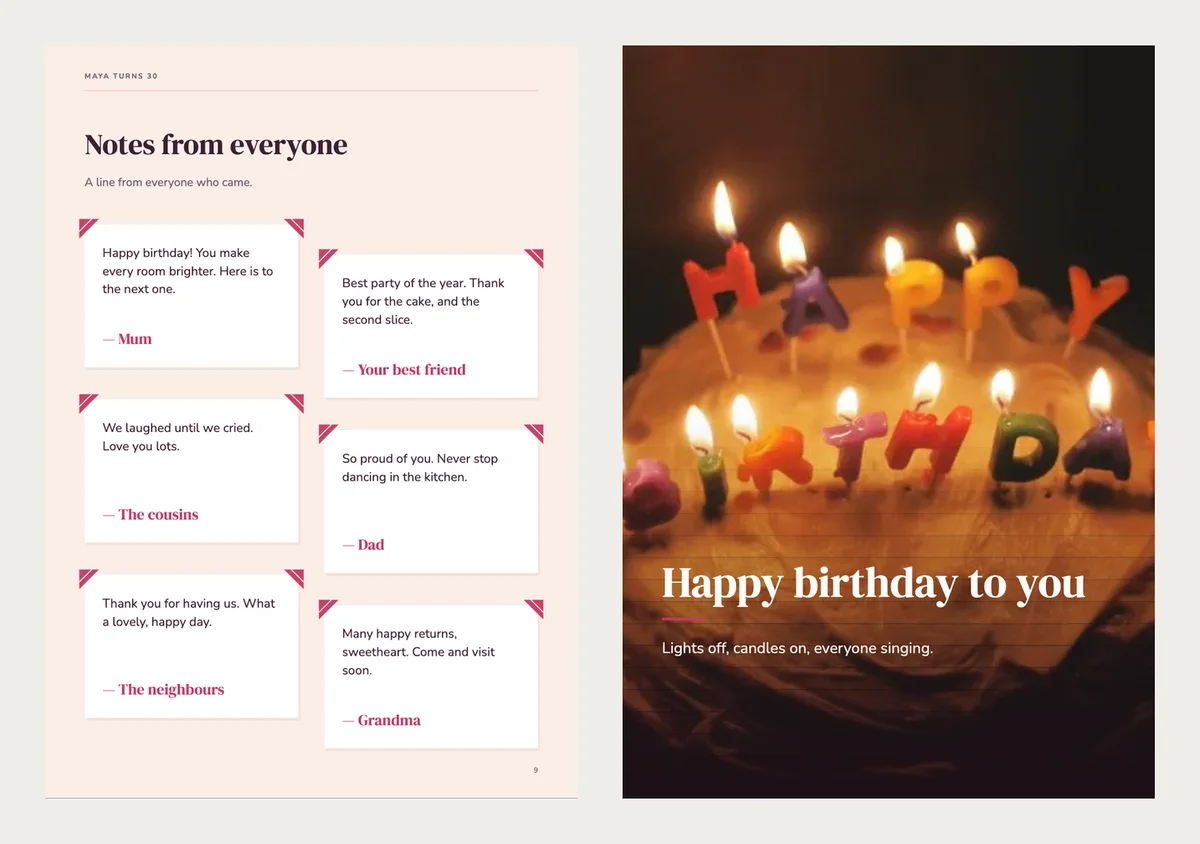
Put each answer on its own small card, all on one page. If someone doesn't reply, a short line from you about them is fine too.
Film the singing and the small moments
The singing is the loudest minute of the party, and a photo can't hold it. Film it, even if the video shakes.
In a book you share as a link, that video can fill a whole page. It starts by itself when someone turns to it. To add it, select the photo on that page and choose Swap for a video. Then paste a YouTube or Vimeo link, or upload the video file.
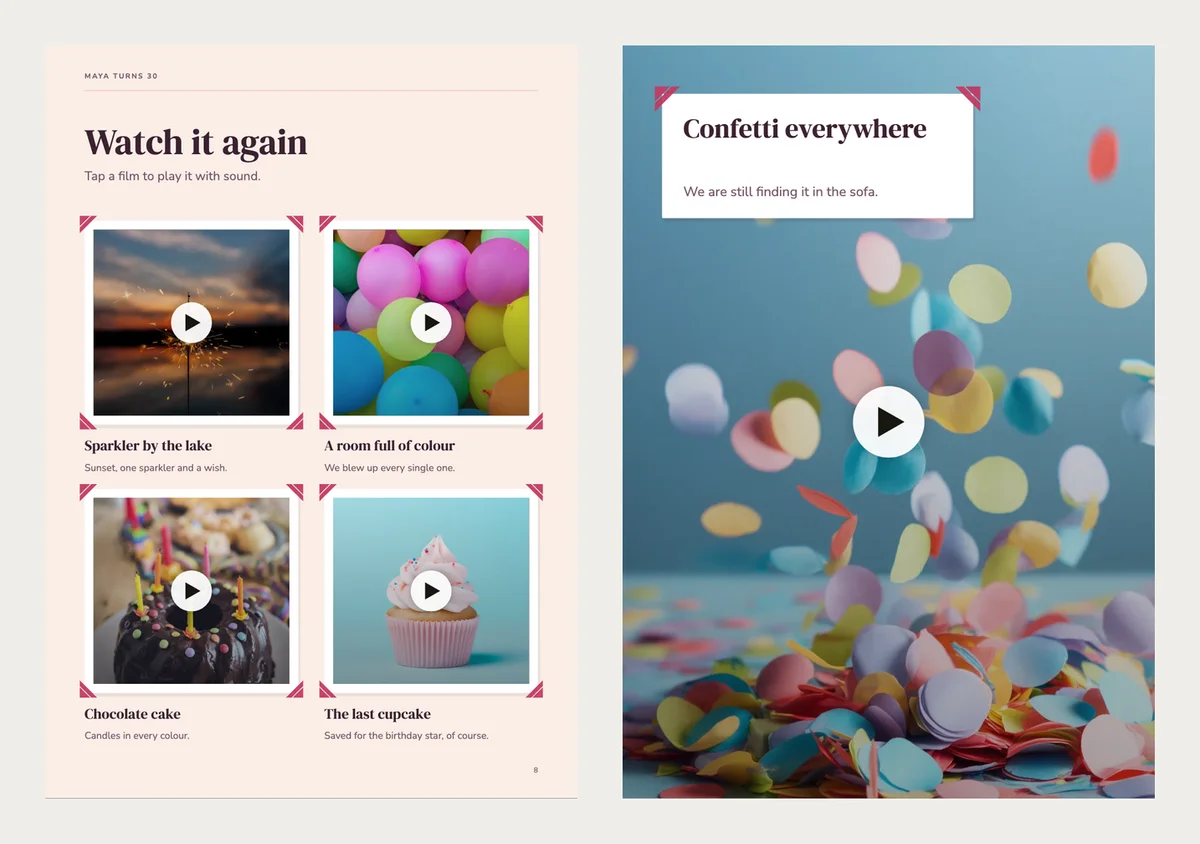
Most phones also hold three-second clips, like a balloon popping. Put four of them on one page. On the link, they play quietly on a loop, and a tap opens one with sound. For a video file, turn on Play silently on the page (a tap opens it).
Add background music
On the link, background music plays while the pages turn. Choose the song from the party, or a calm track from the music window. Our sample uses Porch Strings, a gentle guitar tune. You can also upload your own MP3.
Our 13-page plan
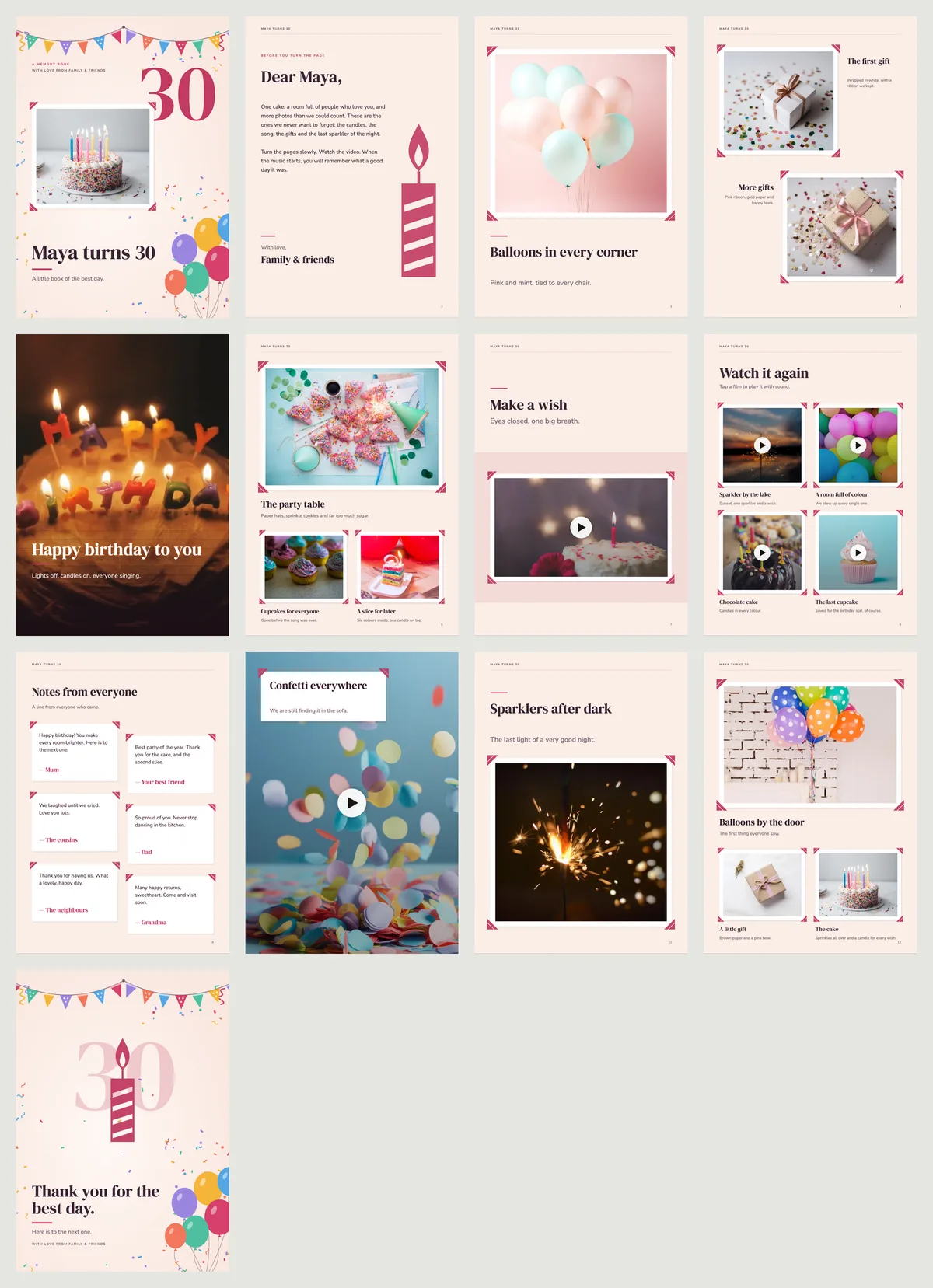
The sample has 17 moments, and 6 of them are short clips. It came out at 13 pages:
- The cover, with the age.
- A short letter.
- One big photo: the balloons.
- Two gifts, side by side.
- The candles across the whole page, with the words over the photo.
- Three photos: the table, the cupcakes and a slice of cake.
- A video in a frame: making a wish.
- Four short clips that play on the page.
- Notes from everyone.
- A full-page video of the confetti.
- The last sparkler of the night.
- Three last photos, including the cake from the cover.
- A thank-you page.
Turn the pages of Maya's book
This is the finished sample as a link. Turn the pages with the sound on. Page 8 has the four clips, and page 10 starts its video by itself.
To make your own, open the Make a Wish template and choose Use with my photos. Add your photos, write one line for each moment, and type the title. It is free, with no sign-up. You can also see every page of the birthday memory book template or read about digital memory books.
To print it, download the PDF. The pages are A4, the international paper size. On US Letter paper, choose fit to page when you print. In the PDF, each video shows as a picture.
Before you send the link to the family, open it on your own phone and turn to the singing. If it starts by itself, the book is ready.