
Boxing Day poster ideas that still read from the pavement
Use the biggest headline letters you can, keep the headline short and print on A3. In our test, only one design read from 3 metres, and a long headline cut that to under 2.
In one free sale poster design, the words "Boxing Day sale" print just 8.5 mm tall on an A4 sheet. That is less than a centimetre. Someone walking past your window will not read it.
So before you choose from Boxing Day poster ideas, ask how far away people can read them. We tested four free poster designs in CatalogLeaf. The numbers work for a poster made in any tool.
What we tested
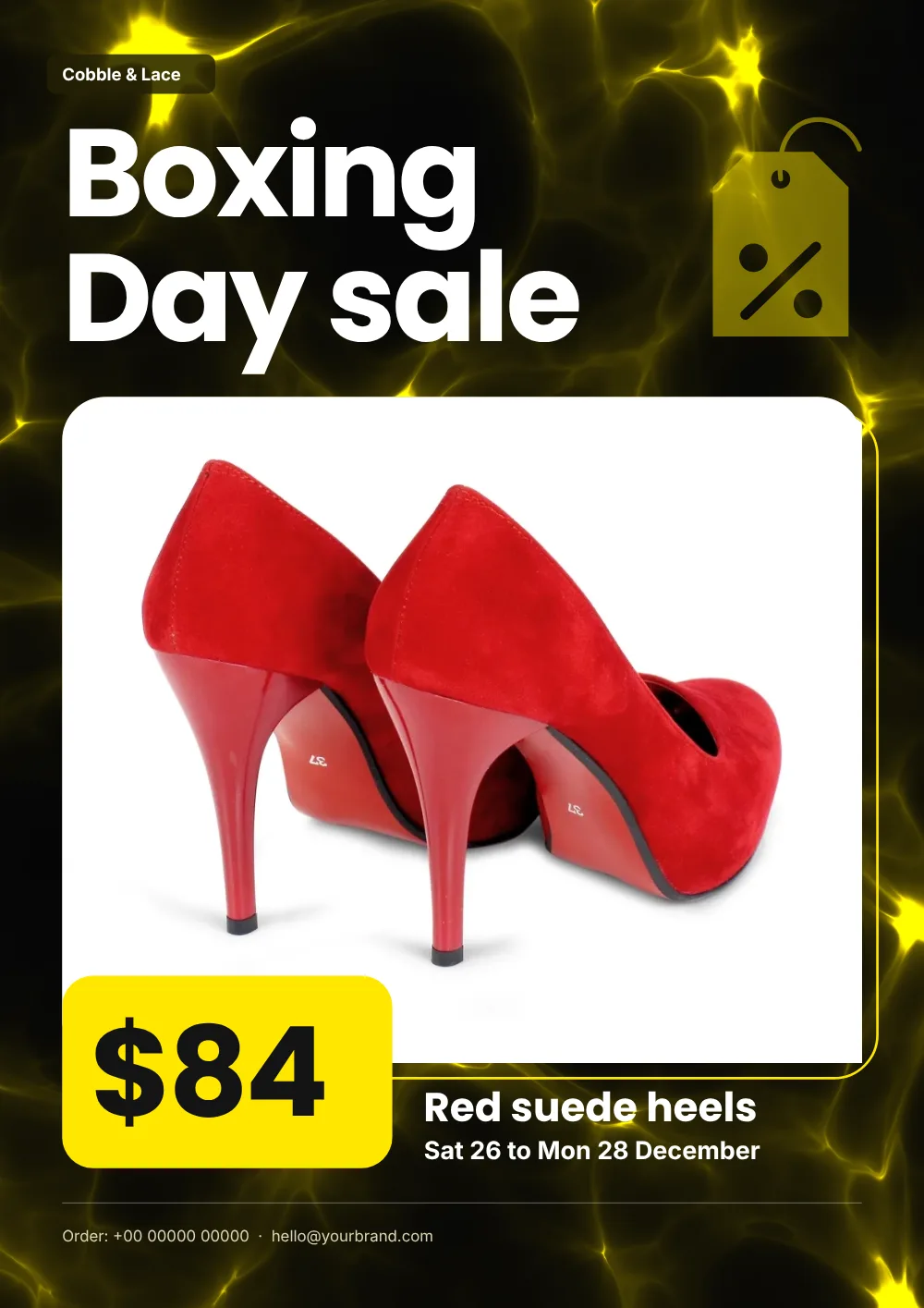
Our sample shop, Cobble & Lace, sells shoes. Its poster shows one product: red suede heels, down from $120 to $84. The headline says "Boxing Day sale".
We put that same product and headline into four free A4 sale designs: Clearance, Black Tag, Bag It and the black and yellow Black Friday. Ignore that last name: your headline says what the sale is. Then we read the letter size each design gives the headline and the price.
To turn letter size into distance, we used a US rule for signs in public buildings, ADA 703.5.5. It is a guide here, not a law for your window. On a sign hung 1 to 1.8 m high, capitals must be 16 mm tall for readers up to 1.8 m away. Add 3.2 mm for every extra 30 cm.
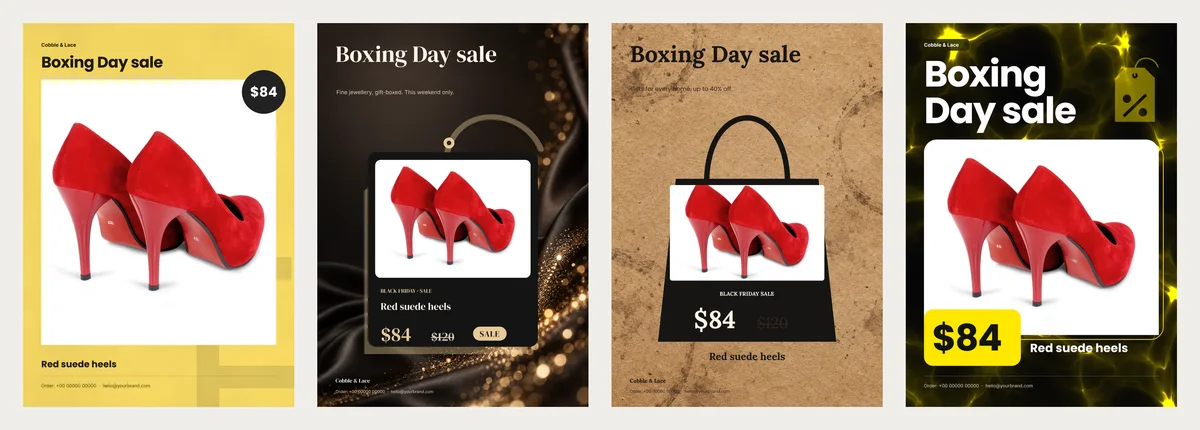
Black Tag and Bag It also keep a "BLACK FRIDAY SALE" label and a sample line. You change both in the editor.
How far away each poster reads
An A3 sheet is twice the size of A4, so everything on it is about 1.4 times taller. Here is what we measured for the capital letters of the headline.
| Design | Headline on A4 | Headline on A3 | Reads from, on A3 | Price on A3 |
|---|---|---|---|---|
| Clearance | 8.5 mm | 12.0 mm | under 1.8 m | 10.6 mm |
| Black Tag | 11.9 mm | 16.8 mm | about 1.9 m | 14.2 mm |
| Bag It | 12.4 mm | 17.5 mm | about 2.0 m | 18.9 mm |
| Black Friday | 19.9 mm | 28.1 mm | about 3.0 m | 28.1 mm |
Only one design passed the 16 mm line on plain A4. That was Black Friday, and it reads from about 2.2 m. On A3 it reaches about 3 metres. That is roughly the gap between a shop window and the far edge of a narrow pavement.
The other three suit a poster by the till. For the window, they are too quiet.
A shorter headline gets bigger letters
Three of the four designs shrink the headline to fit the words you type. So we tried three headlines in the Black Friday design.
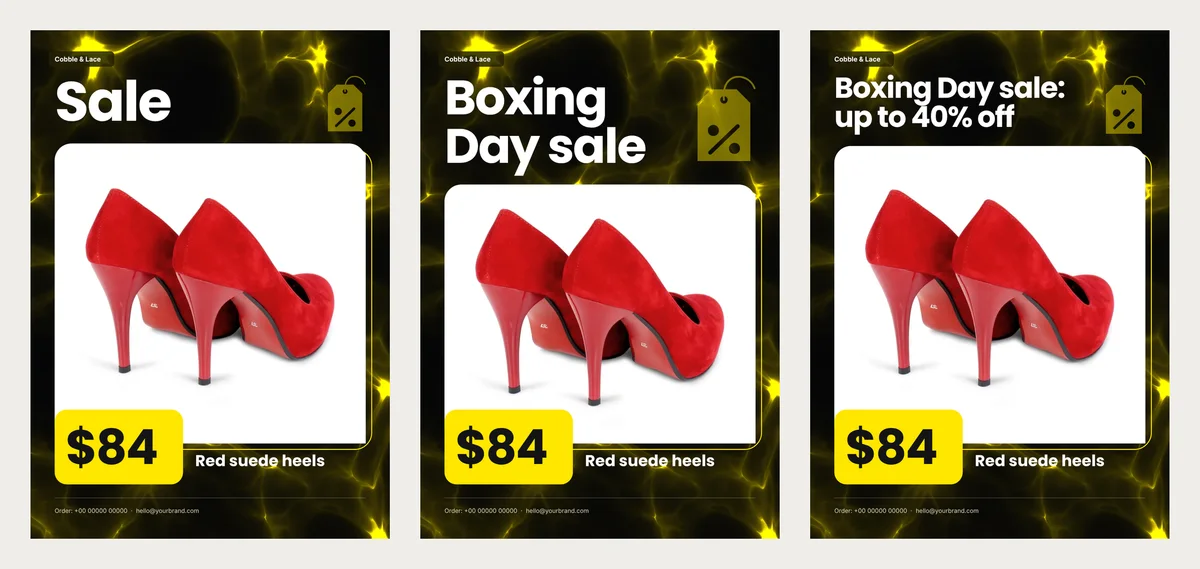
- "Sale": 32.4 mm on A3, read from about 3.4 m.
- "Boxing Day sale": 28.1 mm on A3, read from about 3 m.
- "Boxing Day sale: up to 40% off": 16.9 mm on A3, read from about 1.9 m.
Adding "up to 40% off" cost more than a metre. Put the offer in the price box or on a second poster instead. The headline only has to say one thing.
Boxing Day poster ideas from the test
- One product per poster. In Black Friday, a single photo covers almost half the page. In CatalogLeaf, a flyer with three products gives you three pages, one for each product.
- The price as big as the headline. Black Friday prints both at the same height, so the price reads from just as far.
- Days in plain words. Write "Sat 26 to Mon 28 December" or similar, not just "Boxing Day". Boxing Day falls on Saturday 26 December in 2026. In the UK, the bank holiday moves to Monday 28 December. Customers will ask which day you mean, and if you are open on both.
- Dark page, light letters, or the reverse. Pale yellow on white or grey on black fades fast at a distance.
- Sizes in the name line. "Red suede heels, sizes 4 to 6" stops people asking about sizes that are gone. For a whole rail, make the headline the offer, such as "Boots 30% off". Keep it no longer than "Boxing Day sale".
- A QR code for the rest of the sale. The poster sells one item. A code beside it can open your whole sale catalogue on a phone. See how a catalogue QR code works.
Print it bigger, and check the photo
Text in a CatalogLeaf PDF is not made of pixels. So it stays sharp when a print shop enlarges A4 to A3.
Photos are different. Our sample photo is 1,024 pixels wide and fills a frame about 18 cm wide. That gives about 143 dots per inch on A4, and only about 101 on A3. The app's HD setting goes up to 300.
When you pick HD in the Download PDF window, the app warns about any photo below 150 dots per inch. If you see that warning, use the original photo from your phone, not a copy sent over WhatsApp. A photo 3,000 pixels wide gives about 300 dots per inch on A3.
Our one-page poster came to 177 KB as a Compact PDF, 274 KB as Standard and 598 KB as HD. Send the HD file to the print shop.
Making our poster
We opened the Black Friday flyer and clicked Use with my photos. Then we added one photo, its name and its price. We typed "Boxing Day sale" in Title and clicked Create catalog.
This design has no line for dates. In the editor we used Text, then Subheading, and typed the days. We made it bigger and moved it under the product name.
In Black Tag and Bag It, double-click the "BLACK FRIDAY SALE" label and the sample line to type your own words. Black Friday and Clearance show only the sale price, with no old price crossed out. If the saving matters, add "Was $120" with Text, then Price.
Other one-page designs are in the sale flyer templates. Run the same check on any of them: on A3, capital letters 2.5 cm tall read from about 2.7 m.
Of the four designs, only one reached 3 metres on A3, and only with a short headline. Short words, big letters, one pair of shoes: that is the whole poster.