
Turn a PDF into a digital magazine
Upload the PDF of your magazine, newsletter or zine. Readers get one link that opens the issue with page turns on any phone or computer, and you can put it on your website too. Free, no sign-up.
How it works
Export single pages
From InDesign, Affinity, Word or any design app, save the issue as a PDF of single pages, not spreads.
Upload it
Drop in the PDF. The cover opens on its own and the inside pages pair up as they do in print.
Send the issue
Share one link with your readers, or embed the magazine on your website. Each issue gets its own link.
It opens like the printed issue
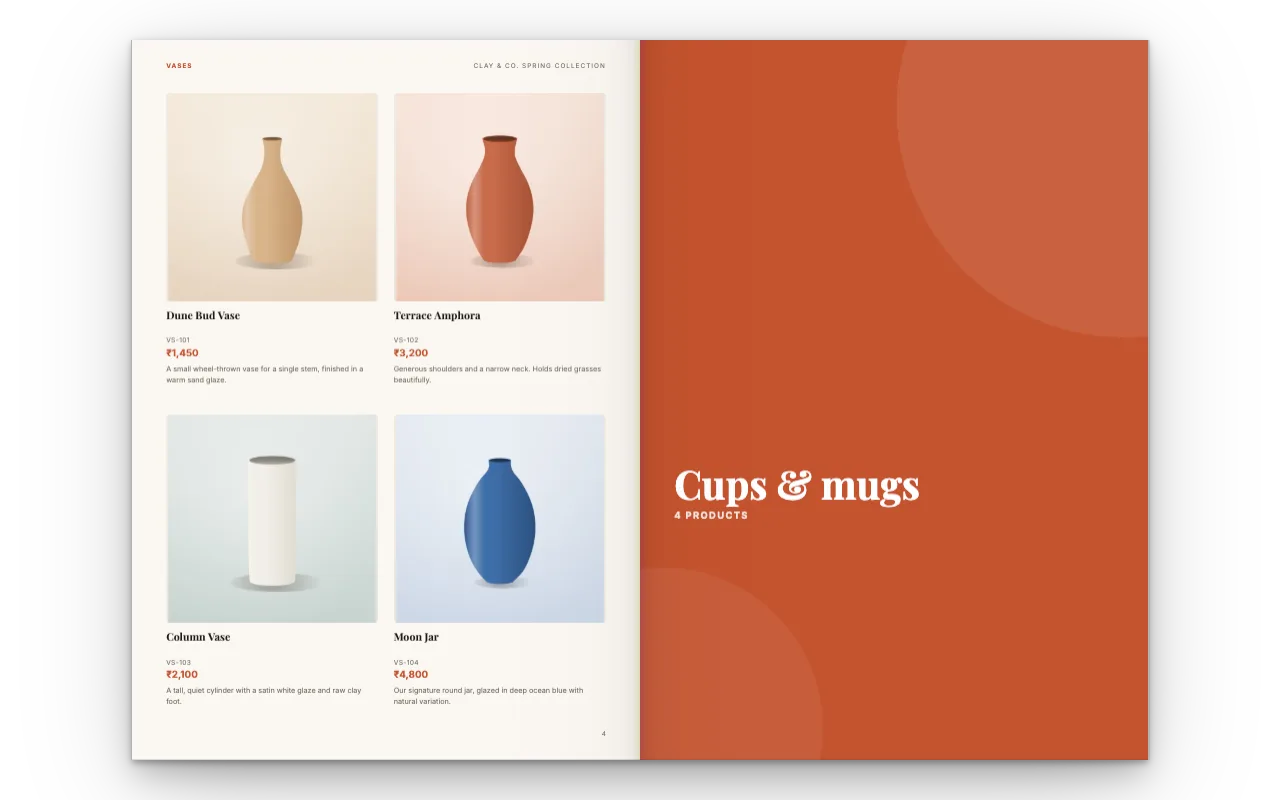
On a computer the cover sits on its own, then the pages lie side by side in pairs, the way a reader holds an open magazine: page 2 beside page 3, page 4 beside page 5. Readers click or drag a corner to turn.
On a phone, pages come one at a time and readers swipe. Choose Flipbook in Share for page turns on phones too, or Scroll for a newsletter full of text that reads best from top to bottom.
Why single pages, not spreads
Many design apps can export a magazine as spreads: two pages on one wide sheet. Here each PDF page becomes one page of the flipbook, so a spread would show up as one wide page, with another wide page beside it. Export single pages and the flipbook pairs them for you.
Keep every page the same size. A page of another size is fitted to the size of the first page, the cover.
Have the pages as JPG or PNG pictures instead? Tap Start from page pictures: each picture becomes one page, with a caption if you want one.
Made for magazines, newsletters and zines
A company or club magazine
Send each issue to members as a link, with no attachment to open.
A newsletter
For a school, a community group or your customers, read on the phone they already carry.
A brand magazine
Stories and products in one issue, with Buy now buttons placed on the pages.
A zine or a portfolio
A small run or a personal project, shared without printing a copy.
What readers can do in your issue
Jump to an article
All pages shows every page small, so readers go straight to the one they want.
Click the links
Web links already in your PDF keep working, such as an advertiser’s website.
Watch video
Put a YouTube, Vimeo or your own video on any page, over the PDF.
Read full screen
On a computer, one click fills the screen with the issue.
Download the PDF
Only if you allow it: switch Let people download the PDF on or off in Share.
One link for each issue
Every PDF you upload becomes its own flipbook with its own address, so issue 12 and issue 13 each have a link to send. They all stay in Your catalogs, on this device or in your account if you sign in, and you can list their links on your website as back issues.
Spotted a mistake after sending? Put a text box or a photo over it, or add corrected pages from a new PDF and remove the old ones, then tap Update link. The address stays the same, so readers see the corrected issue.
Sign in, free, to see each link’s Analytics: how many people opened the issue, where they came from, which pages they read and which buttons they tapped.
Good to know
Size
Up to 200 pages and 250 MB per issue.
Text on the link
Pages show as sharp pictures, so their words can’t be selected or searched on the link. The PDF itself keeps its real text.
Search engines
Share links ask search engines not to list them. For your issue to be found, write about it on your own website and embed it there.
Password-protected PDFs
Remove the password first, then upload.
Questions
Is the PDF to magazine converter free?
Yes. Uploading, sharing and embedding cost nothing, and you need no account. Your pages carry no watermark; the link shows a small "Made with CatalogLeaf" credit under them and a short "make your own" card after the last page.
What is a digital magazine?
A magazine people read on a screen. Here it is your PDF as a flipbook: pages that turn like paper, opened from a link, with working links and video. It is the simplest kind of digital magazine, made from the file you already have.
Can I print the magazine here?
No, CatalogLeaf doesn’t print. Send your PDF to a print shop for paper copies; this makes the online version of the same issue.
Do readers need an app?
No. The issue opens in the browser on any phone, tablet or computer.
Can I put the magazine on my website?
Yes. Share gives an embed code for WordPress, Wix, Squarespace, Shopify and other website builders. Readers turn the pages right on your site.
Can I design a magazine from scratch here?
This page is for a magazine you have already laid out as a PDF or as page pictures. To make a catalogue or a lookbook from product photos instead, see Lookbook maker or Digital catalogue maker.
Can the magazine play music?
Yes. In the editor, tap Music and pick a track; it plays softly while readers turn the pages of your link. See Flipbook with music.