
A free alternative to Issuu
Many people use Issuu to publish PDFs online. If you just want to share a catalog, brochure or magazine as a flipbook without signing up, you can do it here for free. Upload your PDF and you’ll have a link to send in about a minute.
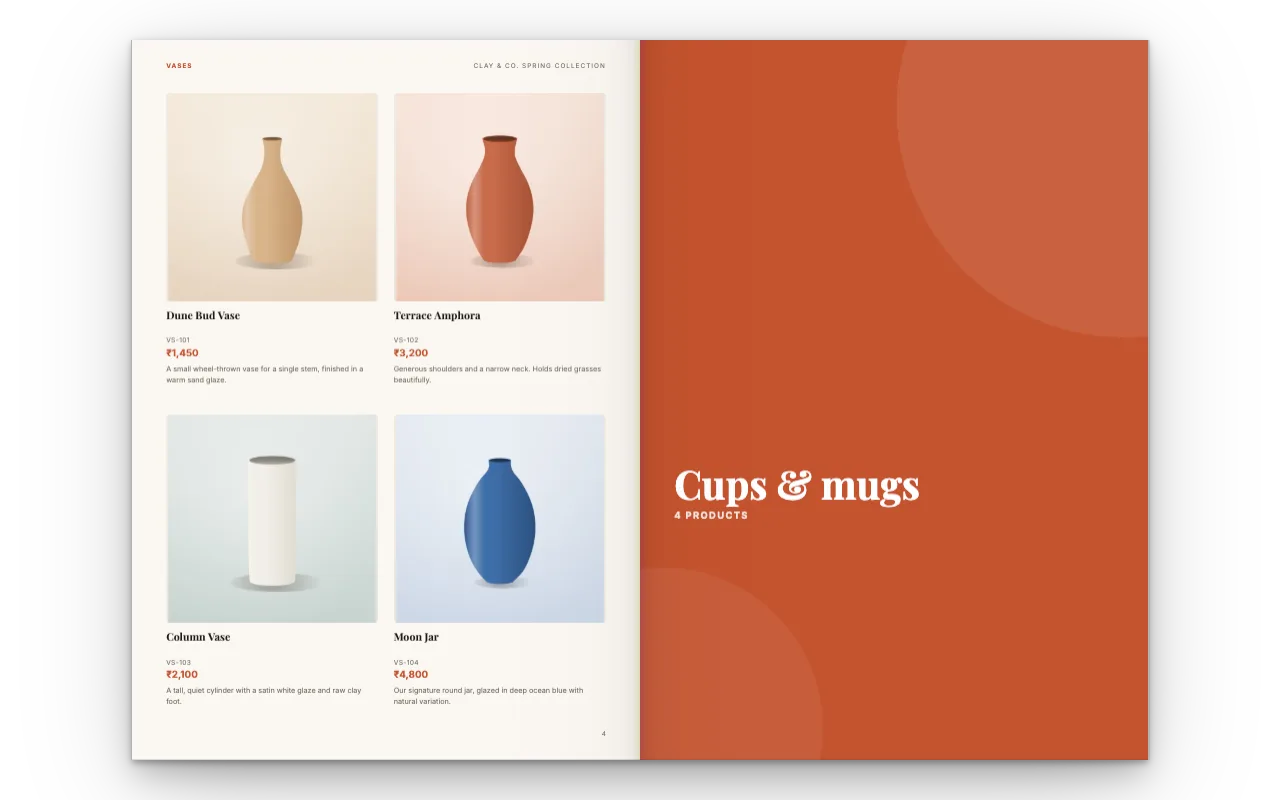
How it works
Upload your PDF
Use the same file you put on Issuu. The pages stay in order, and links inside the PDF still work.
Get your link
Your flipbook is ready straight away, with no account. Create a link and send it to your readers.
Put it on your website
Copy the embed code and paste it where your old flipbook was. People can turn the pages right on your site.
How CatalogLeaf and Issuu compare
Both turn a PDF into a flipbook people can read online. The main differences are in what the free plans include, so here they are next to each other.
| Free plan | CatalogLeaf | Issuu (Basic) |
|---|---|---|
| Sign-up needed | No | Yes |
| Flipbooks | As many as you need, for now | 5 published |
| Pages per flipbook | Up to 200 | Up to 10 |
| File size | Up to 250 MB | Up to 50 MB |
| Ads shown with your flipbook | No | Yes, on the free and Starter plans |
| Embed on your website | Yes | From the Starter plan |
| Readers can download the PDF | Yes, if you allow it | On the Unlimited plan |
| Branding | A small “Made with CatalogLeaf” line under the pages | The Issuu logo |
| Video on pages | YouTube, Vimeo or your own video | YouTube and Vimeo |
| QR code | Yes | Yes |
| Reading stats | Yes, with a free sign-in | Basic stats for 30 days |
| Where readers find it | From your link or your website | Also on issuu.com, where free flipbooks are public |
| Paid plans start at | No paid plans | $21 a month, billed yearly |
We checked Issuu’s pricing page on 4 November 2026. Plans change, so have a look at theirs for the latest.
Which one suits you
Issuu makes sense if you want your publications to be found on issuu.com itself, if your documents run past 200 pages, or if you need extras like lead forms on its bigger plans.
CatalogLeaf is a good fit when you just want to share something quickly and for free, like a catalog for your customers, a brochure or a club magazine. Nobody needs an account, you or your readers.
What your readers get
Your flipbook opens in the browser on any phone or computer. On a computer the pages turn like paper, and on a phone people swipe through one page at a time. Links in your PDF keep working.
There are no ads inside your flipbook. After the last page, a short card lets readers know they can make their own.
More you can do with it
A QR code
Print it on a flyer or a counter card so people can scan it and open your flipbook.
A video of the pages
Turn the flipbook into an MP4 with music for WhatsApp Status, Instagram or YouTube.
Buttons
Add a Buy now, Order on WhatsApp or Follow us button to any page.
Music
Play a soft track while people read. They can turn it off.
Swipe or scroll
Choose how your link opens on phones.
Reading stats
Sign in for free to see how many people opened your link and which pages they read.
Good to know
Size
Up to 200 pages and 250 MB per flipbook.
Your Issuu link
It still points to Issuu. Share your new link, and update it on your website and social profiles.
Password-protected PDFs
Remove the password before you upload.
Text on the link
Pages show as sharp images, so the words can’t be selected on the link. Your PDF keeps its real text.
Questions
Is there a free alternative to Issuu?
Yes. CatalogLeaf turns a PDF into a flipbook for free, and you don’t need an account. You get a link to share, an embed code for your website and a QR code, with up to 200 pages per flipbook.
Can I move my flipbooks from Issuu?
Yes, if you still have the PDF you uploaded. Upload it here and your flipbook is ready straight away, with the same pages and links. Then swap the embed code on your website and share the new link.
Will my Issuu embed keep working?
Yes, it keeps showing your Issuu flipbook. To show the new one instead, replace the Issuu code on your page with the CatalogLeaf code.
Are there ads or a watermark on my flipbook?
There are no ads inside your flipbook or your PDF, and no watermark on your pages. Shared flipbooks show a small “Made with CatalogLeaf” line under the pages and a short “make your own” card at the end.
Do my readers need an account or an app?
No. They just open the link in their browser, on a phone, tablet or computer.
How many pages can a flipbook have?
Up to 200 pages and 250 MB. That’s enough for most catalogs, brochures and magazines.
Can I see how many people read it?
Yes. Sign in for free and each link shows how many people opened it, where they came from and which pages they read.