
Free online photo album maker
Add your photos and videos, and the album lays itself out in the order they were taken, with pages that turn like a real book. Change anything you like, then share one link, a QR code, a video or a PDF. No sign-up.
How it works
Add photos and videos
Pick them from your phone or computer. They’re put in the order they were taken.
Change what you like
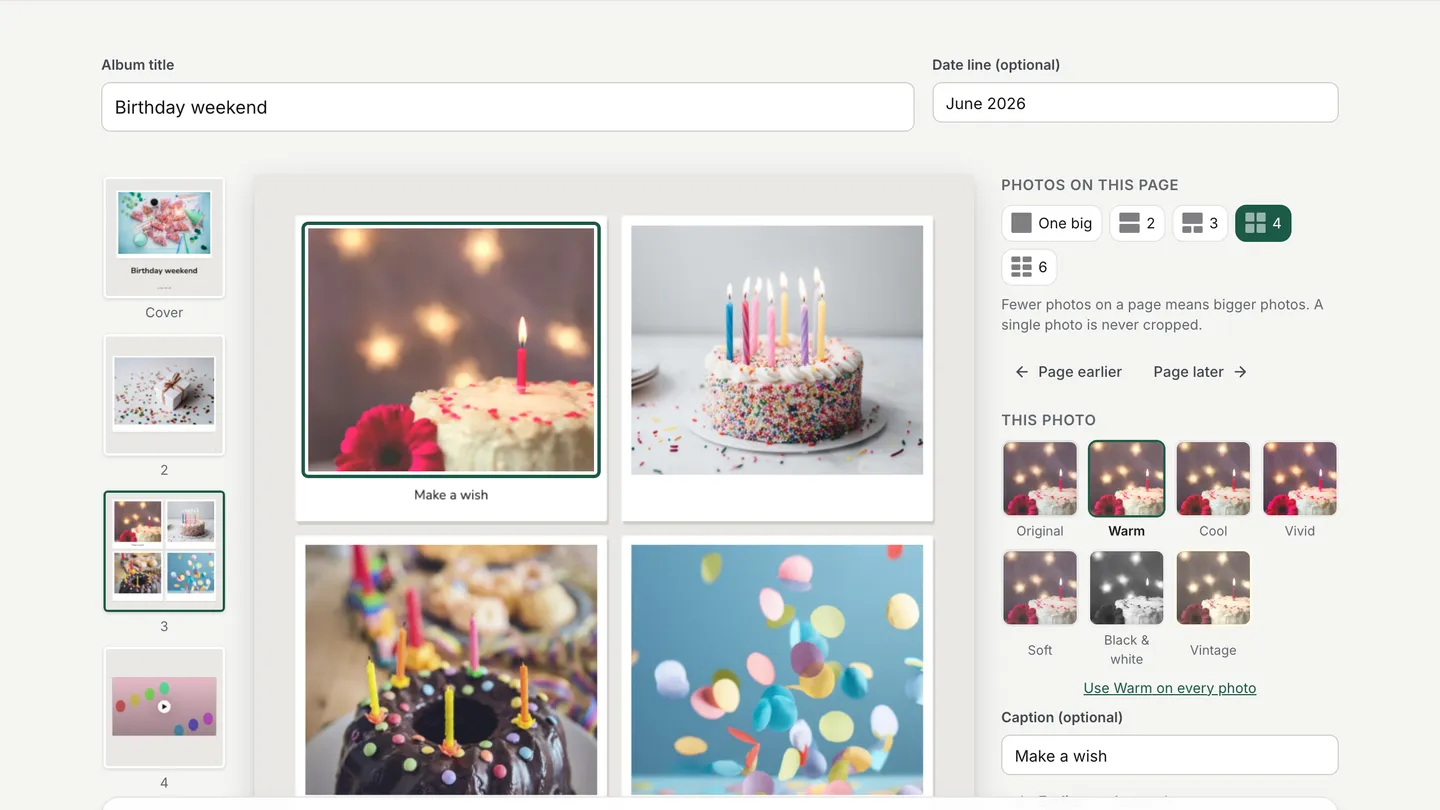
Choose how many photos go on each page, move them around, add captions and filters, and pick a look. Or keep it as it is.
Share it
Send the link or a QR code, save it as a video with music, or download a PDF to print.
See it in the app
An album that lays itself out
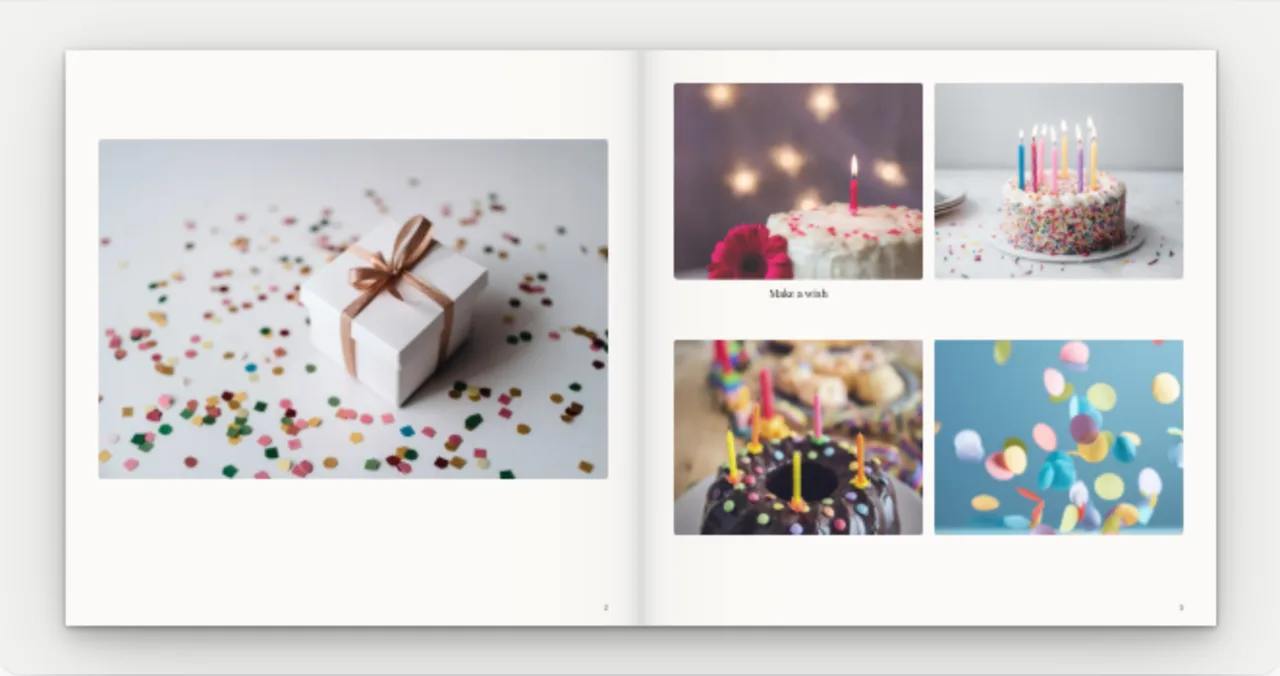
Your first photo goes on the cover with the title and the date. After that, pages mix one big photo with grids of two, three or four, and every video gets a page of its own. A photo alone on a page is never cropped.
If you add the same photo twice, the album tells you, so you can remove the copy.
Photos and videos together
Videos play right on the page. They can loop quietly until someone taps for sound, or play only when tapped. In the PDF, a video shows as a picture.
Short clips from your phone work well: a song, a first step, everyone shouting surprise.
Make it yours
Photos per page
One big photo, or 2, 3, 4 or 6 on a page.
Order
Drag photos and pages around, or use the Earlier and Later buttons on a phone.
Filters
Warm, Cool, Vivid, Soft, Black & white or Vintage, on one photo or on all of them.
Captions
A few words under any photo, or none at all.
Four looks
Classic, Linen, Gallery or Instant photo, with frames that look like real prints.
Music
A song from our music library, or your own.
Four ways to share it
A link
It opens on any phone or computer, and the pages turn like paper. Nobody needs an app or an account.
A QR code
Print it for the tables at a wedding or a party, so guests can open the album on their phones.
A video
An MP4 where the pages turn, with music, for WhatsApp Status, Instagram or YouTube.
A PDF
To keep, to email, or to print at home or at a print shop.
For weddings, trips and family moments
Weddings
One link for every guest, and a QR code on each table.
Holidays and trips
Photos stay in the order they were taken, so the album reads like the journey.
Birthdays
The cake, the candles and the clip of everyone singing, in one book.
A baby’s first year
A page for each month, with the first steps on video.
Good to know
Files
JPG, PNG or WebP photos, and MP4 or MOV videos up to 120 MB each.
Size
Up to 200 pages and 250 MB per album link.
Your photos
They stay on your device until you create a share link.
Your link
It doesn’t expire, and you can update it after you change the album.
Questions
Is there a free online photo album maker?
Yes. CatalogLeaf makes photo albums for free, and you don’t need an account. Add photos and videos, then share the album as a link, a QR code, a video or a PDF.
Can I add videos to a photo album?
Yes. Each video gets a page of its own and plays right in the album. It can loop quietly until someone taps for sound, or play only when tapped.
Can I make a photo album on my phone?
Yes. It works in the browser on your phone, with nothing to install, and you can add photos straight from your gallery.
How do I share a photo album with family?
Make the album, tap Get a share link and send it on WhatsApp or by email. People open it in their browser, without an app or an account.
Can I turn my photo album into a video?
Yes. Tap Make a video and you get an MP4 where the pages turn, with music if you add a song.
Can I print my photo album?
Download the PDF and print it at home or at a print shop. CatalogLeaf doesn’t print albums itself.
How many photos can an album have?
Up to 200 pages per album link. With several photos on a page, that’s room for hundreds of photos.
Is there a watermark?
No watermark goes on your pages or your PDF. A shared album shows a small “Made with CatalogLeaf” line under the pages.