
Make a birthday invitation video
Pick a few photos, type the name, the age and when the party is, and your invite plays like a short music video, with a new photo on every beat of Happy Birthday. Send it on WhatsApp or post it as a Status. Free, no sign-up.
How it works
Add your photos
Up to 20 of them. The first one shows inside the big age number, so pick a good one.
Type the details
The name and age, the day, time and place, and a number people can reply to. Every word is yours to change.
Send it
Download the video for WhatsApp or Instagram, or share a link that plays it on its own page.
Start from this design
Tap it to open it and fill in your details.
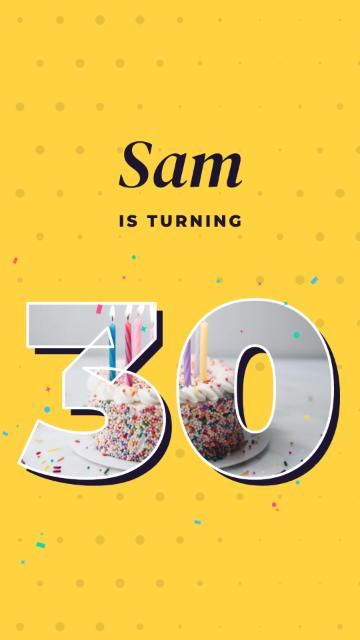 Photo Pop
An invite people actually watch
It opens with a few big words, like “It’s party time!”, landing one beat at a time. Then comes the name, and the age in huge numbers with your favourite photo inside. Your photos flash by on the beat, followed by the party details and how to reply.
The music is a pop version of Happy Birthday, made to fit your video, so every cut lands on the beat. There’s nothing to edit to get it right.
What you fill in
Opening words
A word or two to start, like “It’s party time!” and “You’re invited”.
Name and age
The age is shown big, with your first photo inside it.
Your photos
Up to 20, each on its own beat.
Day, time and place
When and where the party is.
How to reply
A reply-by date and a phone or WhatsApp number.
Last line
Something like “See you there!”
Good to know
Shape
Tall 9:16, the shape of WhatsApp Status and Instagram Reels.
Length
It grows with your photos: about 35 seconds with six. Choose Relaxed, Normal or Quick to change the pace.
Credit
Each video has a small “Made with CatalogLeaf” in its corner.
After the party
Put the photos of the day into a photo album or a memory book and send everyone one link.
Questions
Is the birthday invitation video maker free?
Yes. Making the video, downloading it and sharing it cost nothing, and you don’t need an account. The video has a small “Made with CatalogLeaf” in its corner.
Can I use my own photos?
Yes, that’s what this one is made for. Add up to 20 photos and each gets its own beat. The first one shows inside the big age number.
Can I change the words?
Every one of them, from the opening line to the last. Write your own, or keep the sample words.
How do I send the invite?
Download the MP4 and send it on WhatsApp, or post it as a Status or a Reel. You can also share a link that plays the video on its own page.
Does it have music?
Yes, a pop version of Happy Birthday that’s timed to your photos.
Can I make one for a first birthday or a kids’ party?
Yes. Change the opening words and the age, and add the photos you like. It works for any age.