
Happy Bhai Dooj video with your photos, free
Add a photo of each of you, or one of you together, type your wish and your name, and download a Bhai Dooj video for WhatsApp Status and Instagram Stories. Free, no sign-up.

All 4 Bhai Dooj wishes video templates
Tap one to open it with your words. Every one is free to download.
- Rani Pink Sibling FramesYour two photos in brass frames swing in from a marigold garland over rani pink, above a coconut, sweets and a burning diya.
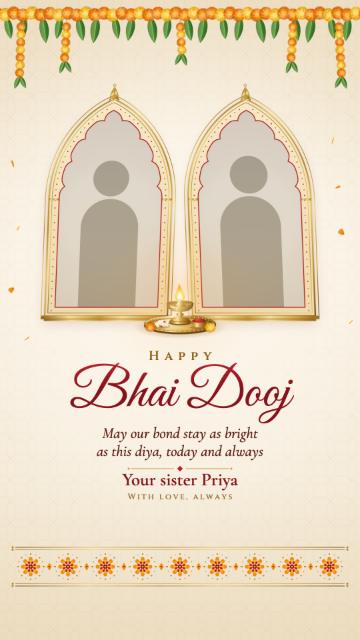
- Ivory Sibling ArchesYour two photos rise in gold Mughal arches on ivory and lean together over a burning brass diya with kumkum and rice.
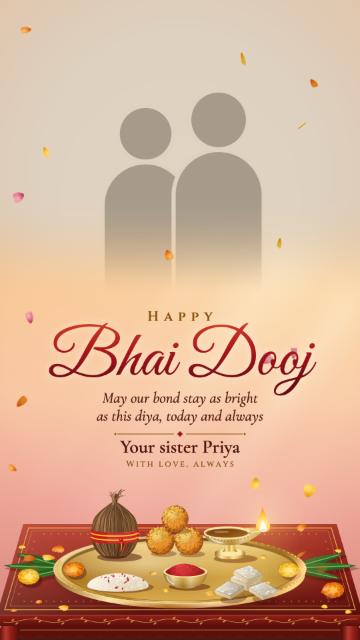
- Saffron Bhai Dooj PhotoYour photo together across the top, melting into a saffron afternoon where marigold petals fall round a Bhai Dooj thali.
 Maroon Bhai Dooj ThaliA brass Bhai Dooj thali seen from above on deep wine: diya, kumkum, rice, sweets and a marigold at its centre.
How it works
Pick a design
Each one is drawn for Bhai Dooj: the tilak thali with kumkum, rice and a burning diya, a coconut, sweets and marigolds. It plays at once with sample photos and words.
Add your photos and words
Add one photo of each of you, or one photo of you together, then type your wish and your name. Names under the photos are optional.
Download or share
Pick 15, 18 or 20 seconds and download the MP4, or share a link that plays it on its own page.
A Bhai Dooj video with your photos
Most of the designs are made around your own photos. Add a photo of each of you and they sit side by side in two frames, the first one on the left; add one photo of you together and it fills one wide frame. Type your names to show them under the photos, or leave them out.
The art stays as it is in every video, so it always looks finished: the thali, the diya, the sweets and the marigolds. Your wish and your name go with it, in English or Hindi, and long words shrink to fit.
From a sister, a brother or a business
The name at the bottom is whoever sends it: “Your sister Priya” is only a sample, so type your own name, or your family’s. Sending a Bhai Dooj greeting to customers instead? The thali design seen from above takes your business name and your logo in place of photos.
Made for WhatsApp Status and Stories
Shape
Vertical 9:16 at 1080 × 1920, the shape of WhatsApp Status, Instagram and Facebook Stories, Reels and YouTube Shorts.
Length
15 seconds fills one WhatsApp Status. Choose 18 or 20 seconds for Stories: the scene keeps playing the whole time, with no zooming.
Sound
The wishes are silent, so they read well with the sound off. You can add a song in the app you post from.
Questions
Is this Bhai Dooj video maker free?
Yes. Pick a design, add your photos and your words, and download the MP4 without signing up.
How do I make a Bhai Dooj video with my photo?
Open a design with photo frames, add one photo of each of you or one photo of you together, type your wish and your name, and download the video.
Can I add my photo and my brother’s photo separately?
Yes. Add two photos: the first goes on the left and the second on the right. One photo of you together works too.
Can I write the wish in Hindi?
Yes. Type the headline, wish and names in Hindi or English; the letters are drawn whole and long words shrink to fit.
How long is each Bhai Dooj video?
15 seconds, the length of one WhatsApp Status. You can choose 18 or 20 seconds instead; the animation keeps going for the whole video.
Do the videos have music?
No, they are silent. Add a song in WhatsApp or Instagram when you post, if you like.
Are there Diwali designs too?
Yes, on the Diwali video templates page, and the Dhanteras wishes have a page of their own.