
How big should a brochure QR code be?
Print the code at least 2 cm wide, and keep the link short. A 41-character link made a code 37 squares wide; a 109-character link needed 57, so each square printed a third smaller.
A link with 41 characters made a QR code 37 squares wide. We added tracking words until the same link was 109 characters long. Now the code needed 57 squares across.
Both codes opened the same page. But printed at the same size, every square in the long one was a third smaller. So on paper, a brochure QR code's size depends on your link as much as on your printer.
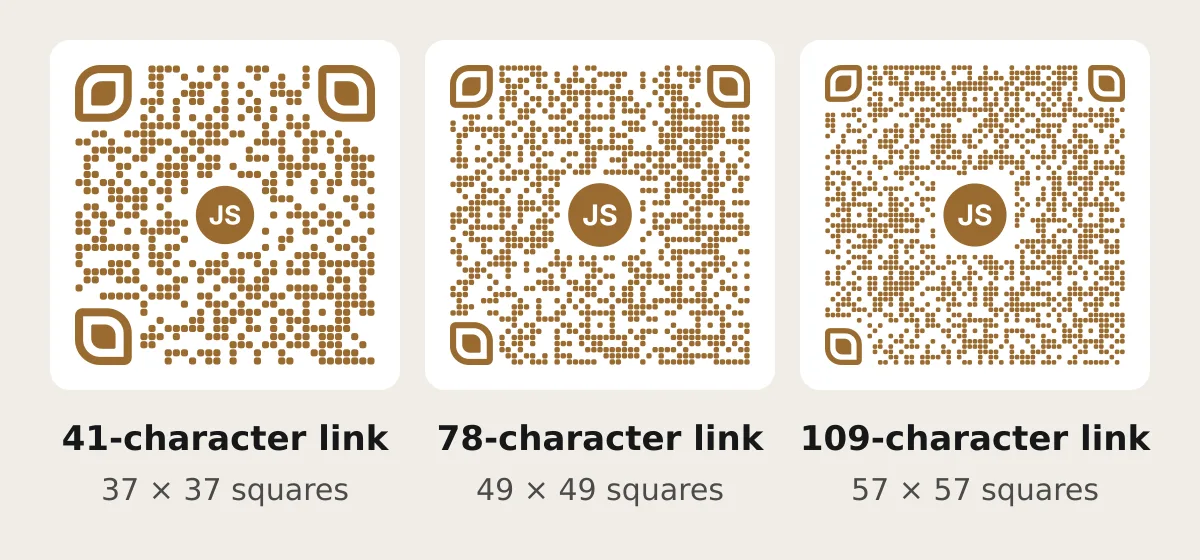
What we tested
A QR code is a grid of small squares that a phone camera reads. More letters in the link need more squares.
Our sample is The Gold Edit, a free jewellery catalog made in CatalogLeaf. We drew codes for three links to it with the same code-maker the app uses. Only the end of the link changed:
- 41 characters: the catalog's own short link.
- 78 characters: the same link with two tracking tags. A tracking tag is the part after a "?" that counts where visitors came from, like
utm_source=brochure. - 109 characters: three tracking tags.
Then we counted the squares across each code at two levels of "error correction". That is spare data, so a phone can still read a code with a small smudge or a logo on it.
41 characters made 37 squares; 109 made 57
| Link length | Squares across, level M | Squares across, level H |
|---|---|---|
| 41 characters | 29 | 37 |
| 78 characters | 37 | 49 |
| 109 characters | 45 | 57 |
Level M is the one most often picked, says Denso Wave, the company that invented the QR code. Level H is the strongest of the four. CatalogLeaf uses H, because your logo or your initials sit in the middle and cover some squares. The numbers at the top of this post are level H.
A Google Drive file link is about 80 characters, so it lands near our middle row. Before you print, delete any tracking tags you don't read.
How big the code prints from our picture
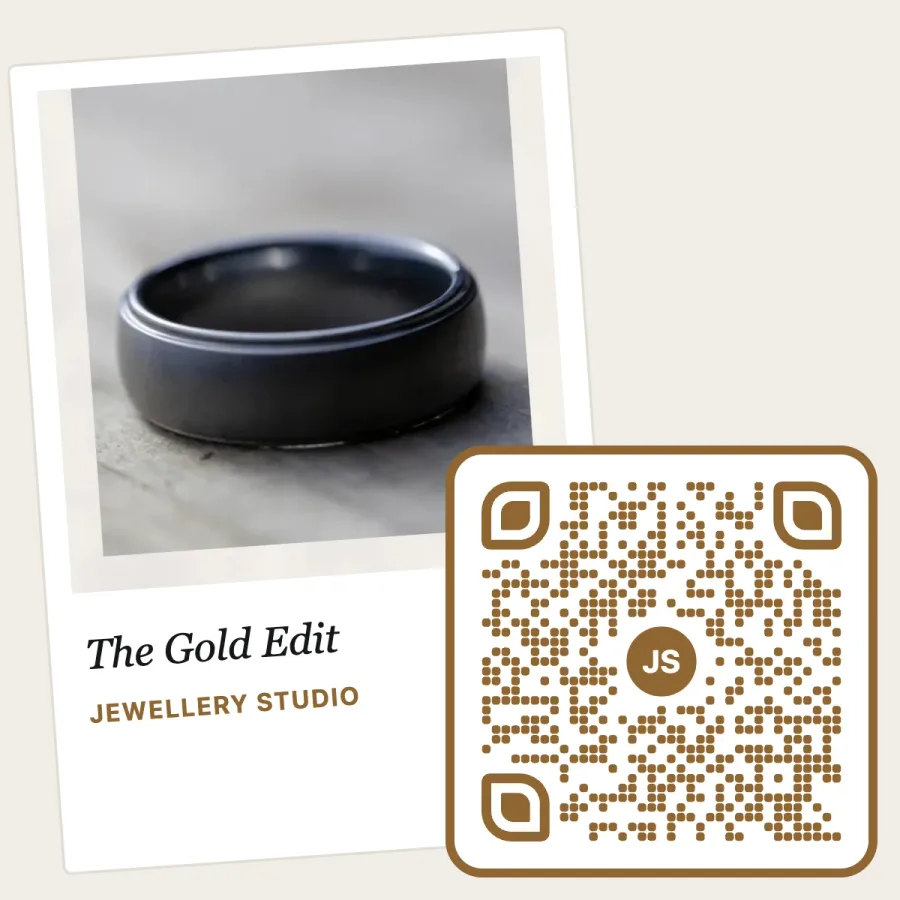
CatalogLeaf gives you one square picture: your cover photo, with the code in its corner. The code itself takes 40% of the picture's width. So print the picture 5 cm wide, and the code is 2 cm wide.
Here is the width of one square at three print sizes:
| Picture printed | Code width | Short link (37) | 78 characters (49) | 109 characters (57) |
|---|---|---|---|---|
| 5 cm | 2 cm | 0.54 mm | 0.41 mm | 0.35 mm |
| 7.5 cm | 3 cm | 0.81 mm | 0.61 mm | 0.53 mm |
| 10 cm | 4 cm | 1.08 mm | 0.82 mm | 0.70 mm |
How we worked it out: code width ÷ squares across. For 2 cm and 37 squares, 20 mm ÷ 37 = 0.54 mm.
Every cell is bigger than the 0.254 mm squares in Denso Wave's own printing example, made on a 400 dpi printer. So a good printer can make all of them. The phone is the weak point. Bigger squares can be read from further away, and they survive cheap paper, where ink spreads a little.
On a folded brochure or a card in a gift box, print the picture at least 5 cm wide. On a poster or a shop window, go to 10 cm or more.
Our frame leaves three squares, not four
A phone finds a QR code by its edges. Denso Wave asks for a blank margin four squares wide on every side.
For a short link, the white gap between our code and its coloured frame is about three squares. So leave plain paper around the whole picture. Keep photos, folds and page edges away from it.
Colour matters too. CatalogLeaf darkens a light brand colour, such as pale gold, until it stands out on white like ink. Keep that contrast when you print: no gold foil, and no shiny or dark paper behind the code.
One line beside the code
Write what the scan opens, such as "Scan to see all 40 rings with prices." Place it next to the code, near the words it belongs to.
On a three-fold brochure, the back panel or the inside flap works well. Avoid the fold line. A crease through the code breaks its squares.
Test one printed copy
Print one page at home, or ask the print shop for one proof. Try it with two phones, one of them old, held at arm's length in your shop's normal light.
If one phone struggles, make the picture bigger or the link shorter. Don't shrink the code to fit more text.
Make a brochure QR code in CatalogLeaf
If your brochure is already a PDF, upload it to CatalogLeaf for free. It becomes a catalog you can edit. If you are starting from photos, see what a business brochure should include first.
Click Preview, then QR code. Tap Make the link. Then tap For printing (SVG). In that file the code stays sharp at any size.
If a price changes, edit the catalog. Then open Share and tap Update link. The code you printed opens the new version, so brochures already in customers' hands stay right.
If your old phone needs a second try at arm's length, your print run needs a bigger code.
Turn your products into a video New
Pick a design, add your words and photos, and watch it play: made for WhatsApp Status, Reels and Shorts.