Product brochure design ideas we tried on a soap shop
Good product brochure design ideas start from your products. Put your best photo first, fill every page, write your own promises and keep each line to one true fact.
Our first draft looked finished. Then we read page 2. It said our soap was "never tested on animals" and "packed in recyclable materials". We had never typed those words.
They came with the design. Templates look good, but they speak for someone else's shop. The product brochure design ideas below come from one free brochure we built from blank, with the reason for each choice.
Fernlow's seven products
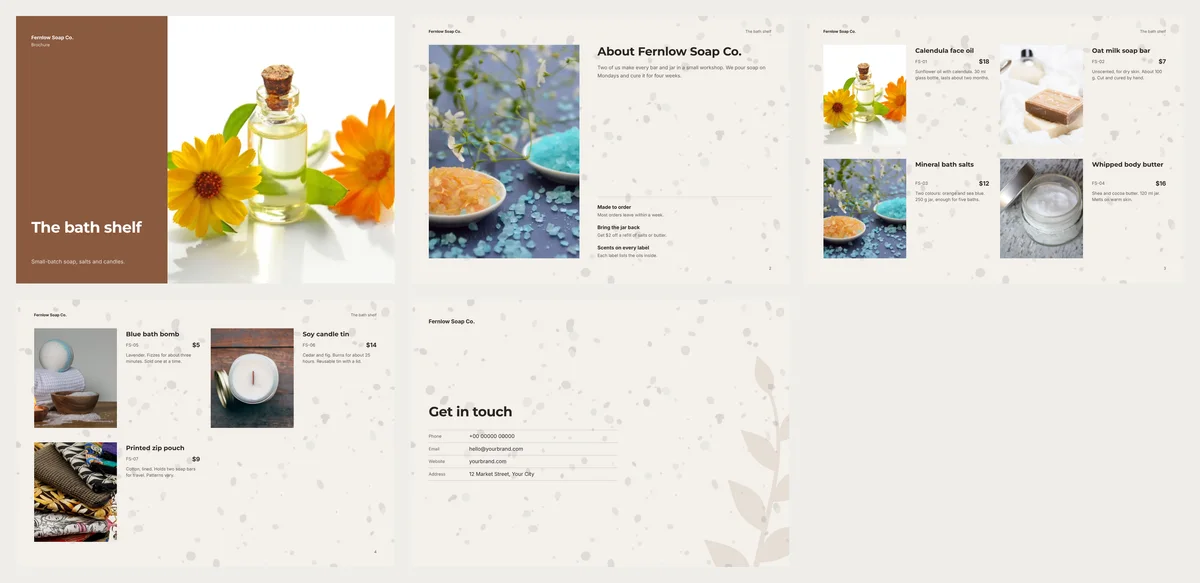
Fernlow Soap Co. is a made-up shop run by two people. It sells calendula face oil, an oat milk soap bar, bath salts, whipped body butter, a blue bath bomb, a soy candle tin and a printed zip pouch. Prices run from $5 to $18.
The owners want something to hand out at their market stall and send to regular customers. A catalogue would be too long for seven products. A brochure fits better. A brochure is a short booklet: a cover, a few product pages and a way to order.
We used Clean Beauty, a free landscape brochure design in CatalogLeaf. The ideas below work in any tool.
Your first product becomes the cover
In this design, the cover uses the photo of the first product on your list. The order of your list is a design choice.
We put the calendula face oil first. Its photo is bright, on a white background, and it stands out next to the brown panel. The soap bar photo is pale on white cloth. On the cover, it would look washed out.
Pick the photo that looks best large. The cover shows no price, so it can be any item.
The third photo appears twice
The About page on page 2 borrows the third product's photo. Readers see that photo twice.
We moved the bath salts to third place. That photo has flowers, two colours and soft light. It works as a mood photo, not just a product shot.
Seven products, not six
Every version has a cover, an About page and a back page. The rest are product pages, with four products on each. One or two products are the exception: each gets a page of its own. We counted the pages for different lists:
| Products | Pages | What happens |
|---|---|---|
| 1 | 4 | One page for that product |
| 2 | 5 | Two pages, one per product |
| 3 or 4 | 4 | One page of products |
| 5 to 8 | 5 | Two pages of products |
| 9 | 6 | Three pages: 4, 3 and 2 products |
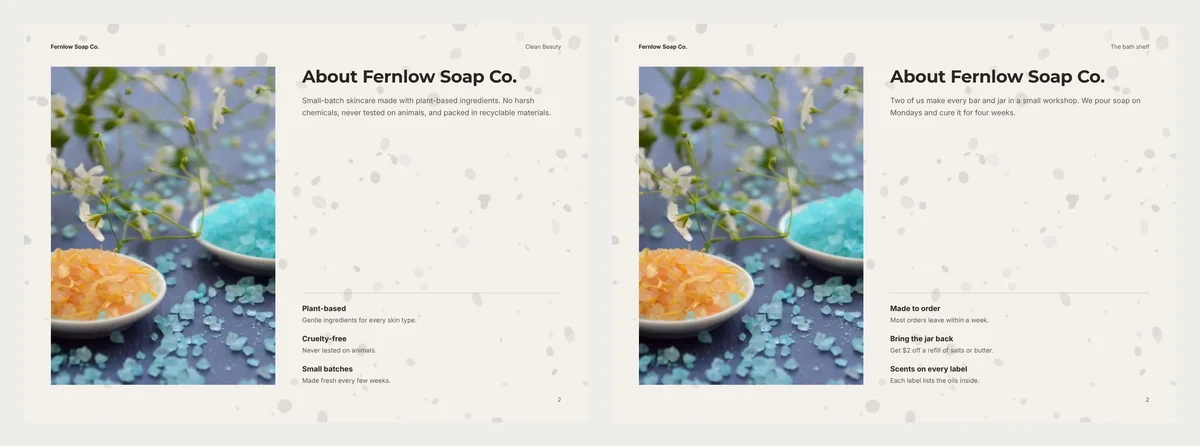
With six products, page 4 held only two. Its bottom half was empty. Adding the zip pouch filled most of it, and the brochure stayed at five pages. Eight would fill it completely.
Replace every promise you cannot keep
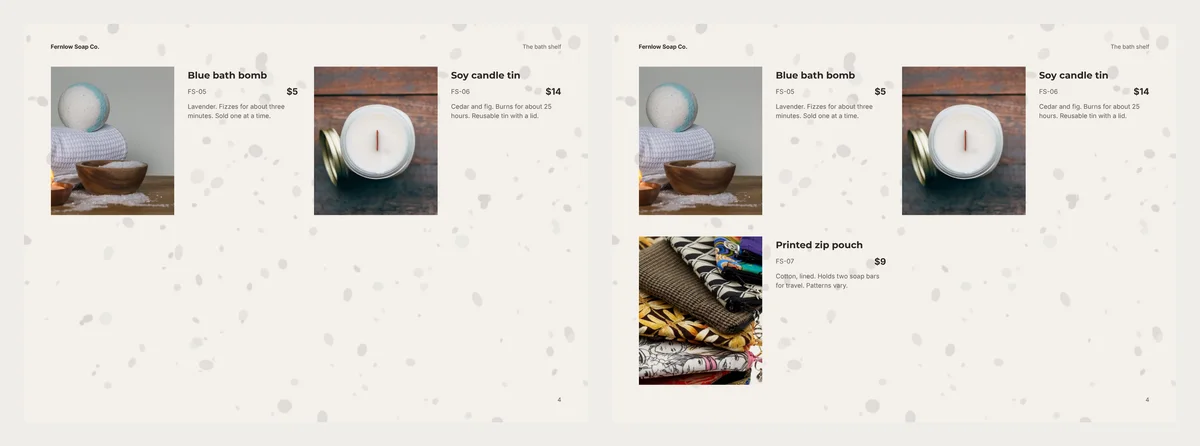
The design came with three short promises on page 2: plant-based, cruelty-free and small batches. They read well. But we did not know if they were true for Fernlow.
We wrote promises we could keep instead. "Bring the jar back" gives $2 off a refill. It answers a question regulars ask at the stall: can I refill this?
One true fact under each product
Each product has one short line. We started with the fact a buyer checks first. For the oil, that is the size: "30 ml glass bottle". For the candle, the burn time: "about 25 hours".
Be careful with skin claims. In the US, the FDA says a product sold to moisturise or to smell nice is a cosmetic. One sold to treat acne or eczema is a drug. So "melts on warm skin" is fine on a soap shop's page. "Heals eczema" is not.
Check the file before it goes out
We made the PDF at all three qualities. Compact was 345 KB, Standard 519 KB and HD 810 KB. Any of them is small enough for WhatsApp or email.
For printing, the HD option checks every photo. Two of ours were flagged as soft: the cover photo at 77 dpi and the About photo at 97 dpi. Our photos were only 960 pixels wide. For print, upload the photo straight from your phone camera. Photos sent over WhatsApp are made smaller.
Product brochure design ideas to take with you
- Choose the cover photo first, then order the list around it.
- Count your products before you pick a design.
- Rewrite every sentence the design came with.
- Give each product one fact that answers a real question.
- Open the PDF at full size before you send it.
Our back page still shows the sample contact rows. Yours needs your real phone and email. Add one line on how to order, like "Send the codes on WhatsApp and collect on Saturday." For more, read what a business brochure should include.
Clean Beauty, step by step
Open Clean Beauty, or another design from the brochure maker. Press Use with my photos, then pick the seven pictures. Type a name and a price on each card, and one short line. The arrows on a card move it up or down the list.
On the Next: choose a design step, fill in Your business name and the Title box. Create brochure builds the pages. To change the subtitle or the About page, double-click the text and type.
When it is done, click PDF, choose HD and look at the photo check. Then click Create PDF.
Before you print, read page 2 out loud. Every promise on it should be one you keep.
Turn your products into a video New
Pick a design, add your words and photos, and watch it play: made for WhatsApp Status, Reels and Shorts.