
Electronics brochure design: how much spec text fits?
Pick a design that prints the specs next to each photo. In our test, two short designs showed 135-character lines in full; the one-page price list cut anything over about 60.
A customer holds up your earbuds. Do they work with an iPhone? If your brochure answers that under the photo, you get a message with an order. If not, you get a message with a question.
That answer is the spec line, the short list of facts under each product. So the first test of any electronics brochure design is simple. How much spec text does it show next to the photo? We measured it in nine free designs.
What we put in
We used the sample shop the designs come with, Gadget Hub. It has eight gadgets, from wireless earbuds to a desk lamp.
Each got a real spec line of 47 to 68 characters. The earbuds line was "Bluetooth 5.3, 6 hours per charge, 24 more in the case". Then we made every line longer, up to 135 characters, and built each design again.
| Design | Pages for 8 products | Specs beside the photo | What happens to the rest |
|---|---|---|---|
| Clean Tech (brochure) | 5 | All 8, even at 135 characters | Nothing is left over |
| Neon Grid (catalogue) | 6 | All 8, even at 135 characters | Nothing is left over |
| Spec Sheet (price list) | 1 | All 8, one row each | Over about 60 characters: cut with "…" |
| Big Sale (flyer) | 8, one per product | All 8, one row each | Over about 95 characters: sometimes cut |
| Night Stage (lookbook) | 11 | 4 | Moved to a list page |
| Circuit Desk (catalogue) | 12 | 2 | Shown on a list page |
| Prism Port, Waveform, Signal Lab | 14 each | 2 | Moved to two list pages |
No design dropped a line completely. But a line that is cut, or moved to the back, does not answer the customer.
Room for a full paragraph
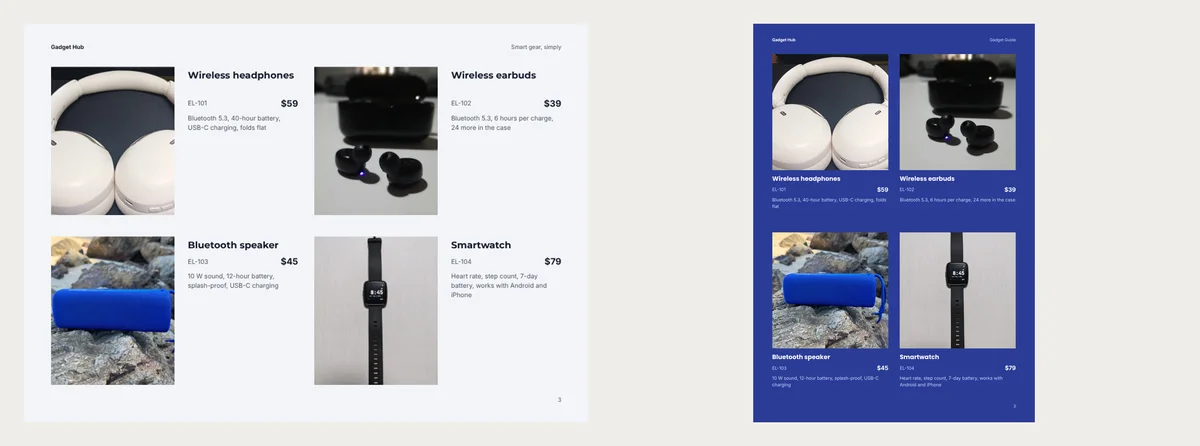
Clean Tech is the one real brochure in the set. Its pages are A4 landscape. It opens with a photo cover and an About page. The next pages show four gadgets each, then your contact details.
Every line sat beside its photo, even our longest one. Its About page also has three short promises, like a warranty. Put those there once, not under every product.
Neon Grid does the same job on tall pages. It made six pages from our eight gadgets and gave one product a whole page. Choose it if customers read on a phone held upright.
One line only
Spec Sheet fits everything on one page: a small photo, name, specs, code and price. It is the quickest one to print for the counter.
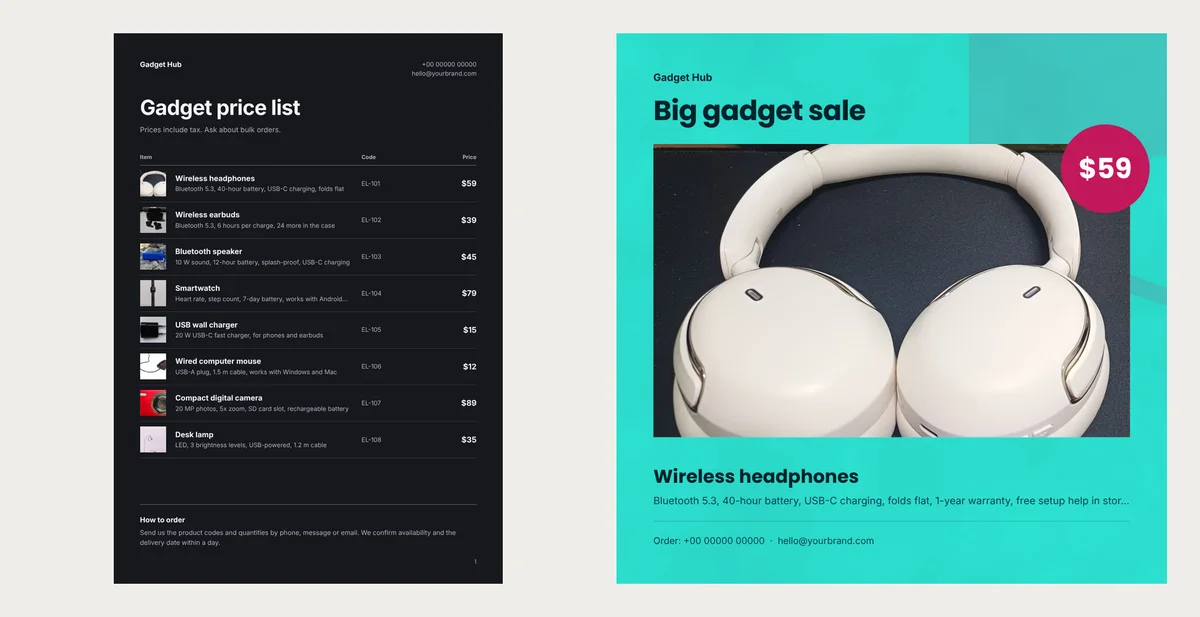
But each product gets one row. Our 57-character lines fitted. The smartwatch line, at 68, ended in three dots. Keep lines here under about 60 characters.
Big Sale is a square flyer, one product per page, with a big price badge. Its specs also get one row, but a wider one. Lines under 95 characters fitted every time. Longer ones were sometimes cut.
Specs on a list page
The other five designs are longer and photo-heavy. Circuit Desk, Prism Port, Waveform and Signal Lab are catalogues. Night Stage is a lookbook that gives four products a whole page each and puts the rest two to a page.
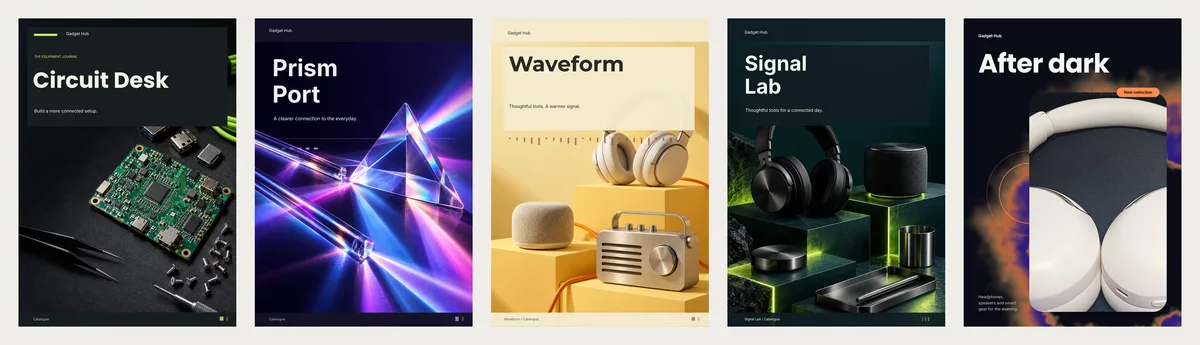
Why 14 pages for eight gadgets? Most pages are big mood photos, setup notes and order steps. The products sit in grids with a name, code and price.
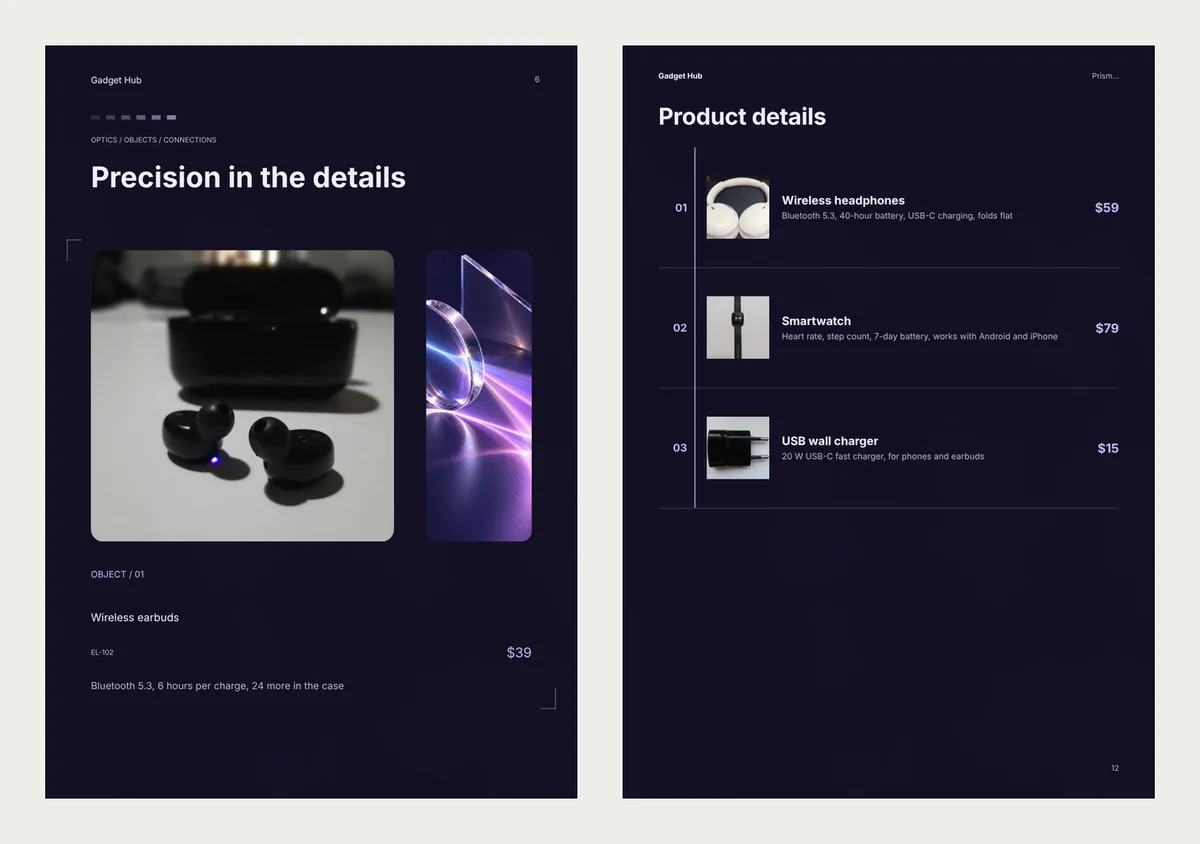
Only two or four products get their specs beside the photo. The rest go to a list page near the back, called Product details in most of them.
Pick one of these for a new range that should look special. Skip them if specs are why people buy. Or put the key fact in the name: "Smartwatch, 7-day battery".
Write specs that fit anywhere
A cut line usually needs shorter words, not a new design. Start with the fact buyers compare. Drop "works with".
Before, 68 characters: "Heart rate, step count, 7-day battery, works with Android and iPhone."
After, 52 characters: "7-day battery, heart rate, steps, Android and iPhone."
What to put first:
- Earbuds and watches: which phones they work with.
- Power banks and speakers: battery size or hours, then the charging port.
- Chargers and cables: watts, plug type and length, like "20 W, USB-C, 1 m".
- Phone cases: the exact phone models, like "iPhone 15 and 15 Pro".
Say the charging port, even when it seems obvious. In the EU, phones, earbuds, speakers and cameras that charge by cable must use USB-C. That rule applies from 28 December 2024. Buyers with an old cable drawer still ask.
Make yours
Open the electronics brochure templates or the electronics catalogue templates. Pick a design and click Use with my photos.
Add your photos. For each product, type a name and a price. Type the specs in the box under the price, which says "A sentence or two about it". On a phone, tap More details first to see it.
Click Next: choose a design and type your own business name in place of Gadget Hub. The last button is named after the design: Create brochure for Clean Tech, Create catalog for Neon Grid.
Grid and list designs add pages as you add products, so a big range works too. Turn every page before you send it. If you find a Product details page, shorten those lines or move the key fact into the name.
To send it, click Download PDF for a file, or Share for a link that opens on any phone.
A 50-character spec line fits in all nine designs. Only the page it lands on changes.
Video templates · New
Turn your products into a video
Pick a design, add your words and photos, and watch it play: made for WhatsApp Status, Reels and Shorts.
Try a video template