
How to make a catalog with pictures, start to PDF
Name each photo after its product, drop the photos into a free catalog maker, add prices and pick a design. Our eight photos made a 6-page A4 PDF of 344 KB.
To make a catalog with pictures, start by renaming your photos. A file called white-ceramic-jug.jpg becomes a product called "White ceramic jug". The tool does the rest for free, with no sign-up.
The short answer
Drop your renamed photos into the free catalog maker. Type a price next to each one, then click Next: choose a design. Pick a design and type your shop name and a title. Click Create catalog, then Download PDF.
The price box has a currency menu, so pick yours there. Need a code, a short description or a sale price? Click + Add details under the product.
Eight photos made six pages
Hearth & Fern Home is a homeware shop we made up. Every autumn it sends regular buyers a new catalog on WhatsApp. This year it had eight phone photos: vases, a jug, a basket, a candle tin and two lamps. Prices ran from $12 to $145.
We picked Marble Hall, a free home decor design.
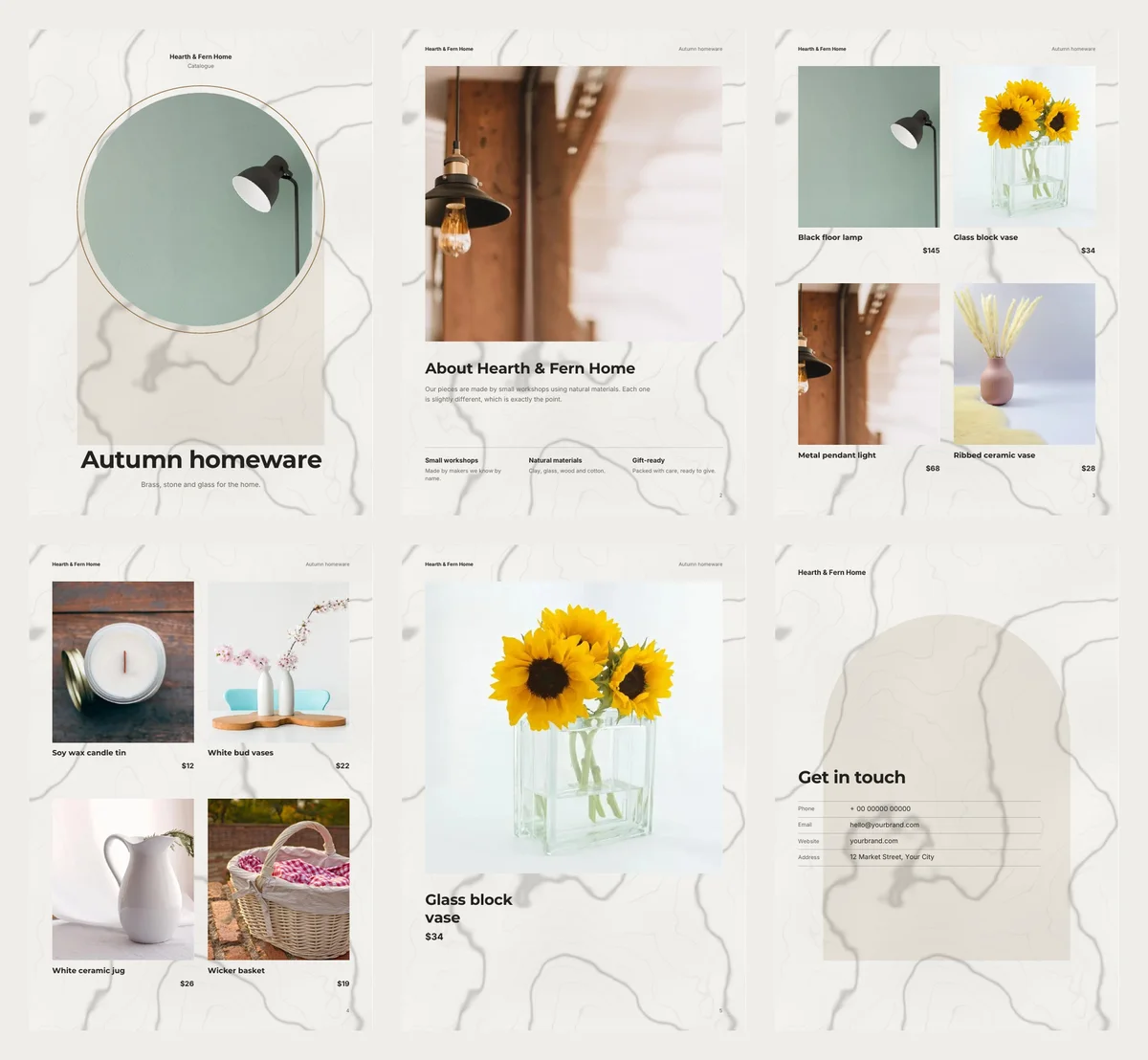
The design added a cover, an About page and a contact page. It also gave the glass vase a page of its own. Here is what each PDF quality weighed:
| PDF quality | File size |
|---|---|
| Compact (for WhatsApp and email) | 344 KB |
| Standard (for screens) | 530 KB |
| HD (for printing) | 705 KB |
WhatsApp takes documents up to 2 GB, so any of these will send. Compact is the smallest, which is kinder to a customer's phone data.
Why the file names matter
We also uploaded the same photos with phone names, IMG_4121 to IMG_4128. All eight name boxes came up empty. Already uploaded photos like that? Type the names into the boxes instead.
The photos are sorted by file name, A to Z. The black floor lamp came first, so the design put it on the cover. To use another photo there, open Customize, click the cover photo and choose Replace photo.
Three photos of one product? End their names with -1, -2 and -3. They join into one product with several photos.
Swap the design's own words
Marble Hall came with sample text of its own. The cover line said "Brass, stone and glass for the home." The About page described someone else's makers. The contact page had a sample phone number and email.
In Customize, double-click any of that text to type over it. Fill in the Title box on the design step too. An empty one leaves the words "Marble Hall" on your cover.
More guides
To send a link that turns like a book, read how to make a flipbook with photos. For a single page of products and prices, see the price list with pictures guide.
Next autumn, Hearth & Fern can start from what it has. Its eight products are already saved in Your products, names and prices included.
Turn your products into a video New
Pick a design, add your words and photos, and watch it play: made for WhatsApp Status, Reels and Shorts.